AI prompts for a dream home office or desk setup photo
Published
Short answerPhotograph your desk as it actually sits, then ask the AI to tidy the clutter, even out the lighting and style it from directly above or at a flattering angle. Keep every real object in the shot the same.
Full collectionAI portrait and headshot prompts22 prompts with examples, steps and fixes →Desk setup photos are everywhere: on LinkedIn, on Pinterest boards, in "a day in my life" videos. Most of them aren't shot in a studio. They're a real desk, photographed well, with the mess cropped out or cleaned up. AI tools are good at exactly that kind of tidy-up, as long as you tell them to keep your actual items and just fix the styling.
This guide covers the main ways to use AI on a home office or desk photo, from a simple flat lay to a full workspace portrait.
Start with the photo you already have
You don't need new furniture or better light to start. Take a photo of your desk as it is, cables and all, and let the prompt do the tidying. The one thing to always include is an instruction to keep the real objects unchanged, so the AI cleans up the scene instead of inventing a different desk.
A clean flat lay from above
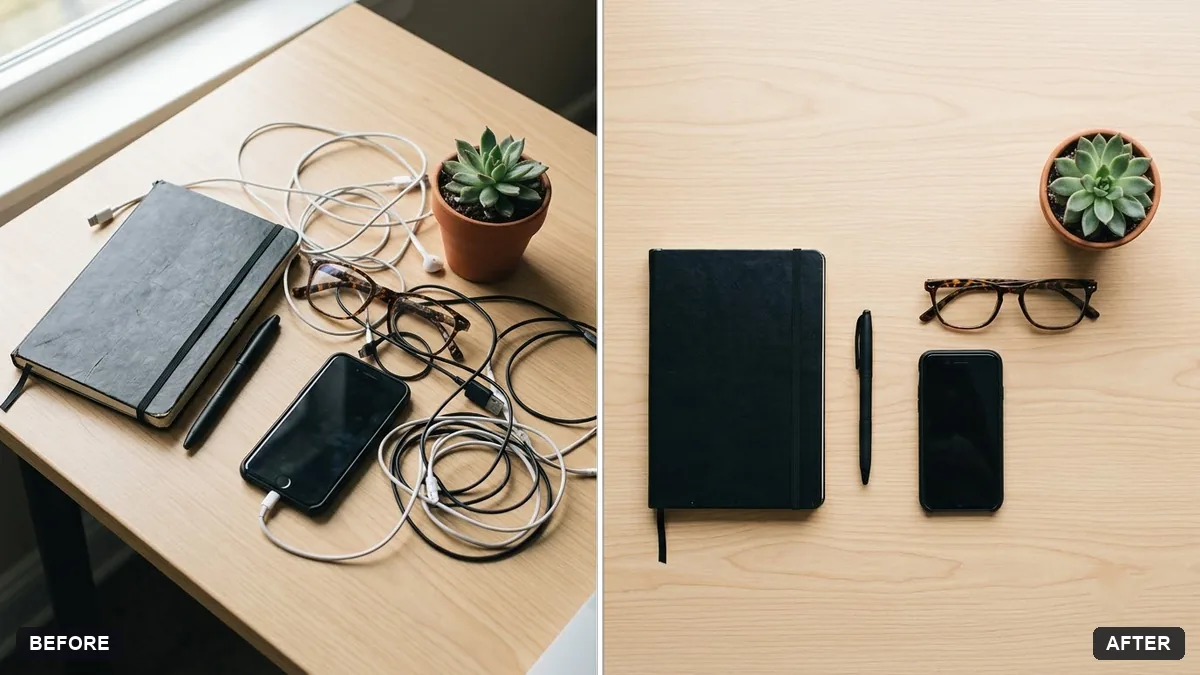
The flat lay is the classic desk-setup shot: camera directly overhead, everything laid out neatly. The tidy desk flat lay prompt is built for this. It asks the AI to rearrange your real items with even spacing on a wood, white or concrete surface, add soft natural light, and remove clutter and stray cables, while keeping every object identical.
Turn this photo of my desk items into a clean, styled flat lay from directly above. Arrange the items neatly with even spacing on a light wood surface, add soft natural light from one side and gentle shadows.

Keep every object exactly as it is: the laptop, mug, notebook and plant should look identical, just better arranged. Remove stray cables, crumbs and clutter. Do not add new items.
This works best when you photograph the real items first, even messily, rather than asking the AI to invent a desk from nothing. A flat lay of objects it invented tends to look generic; a flat lay of your actual pen, your actual mug, looks like your desk.
A portrait of you at your desk
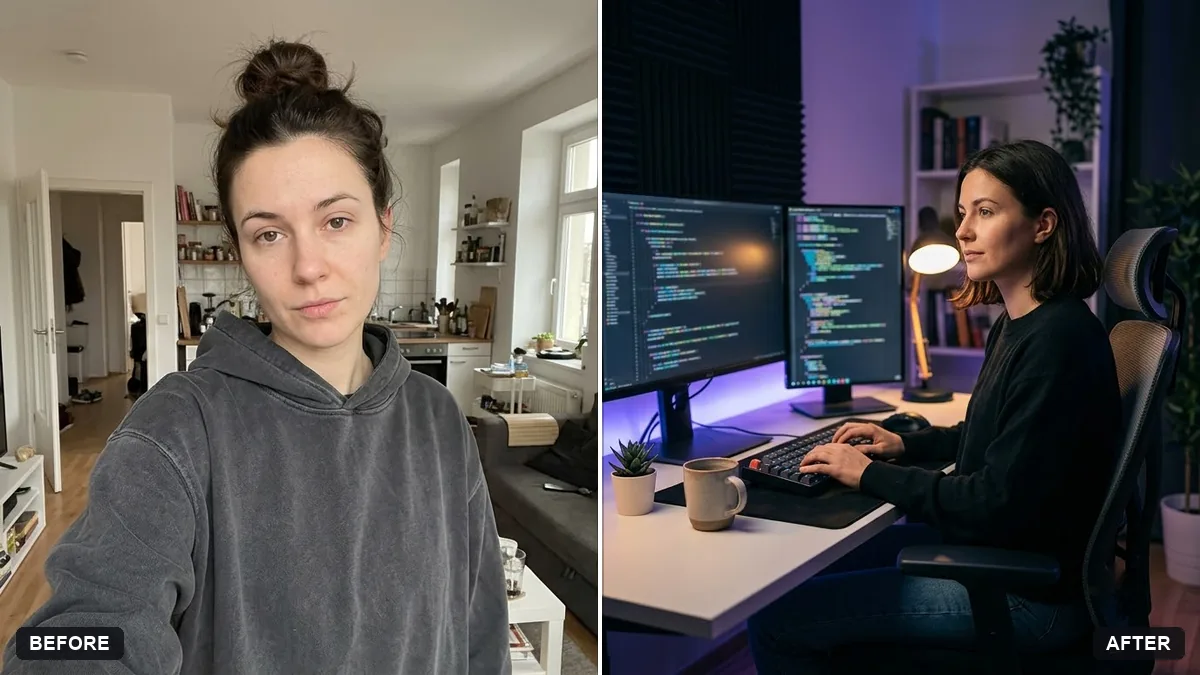
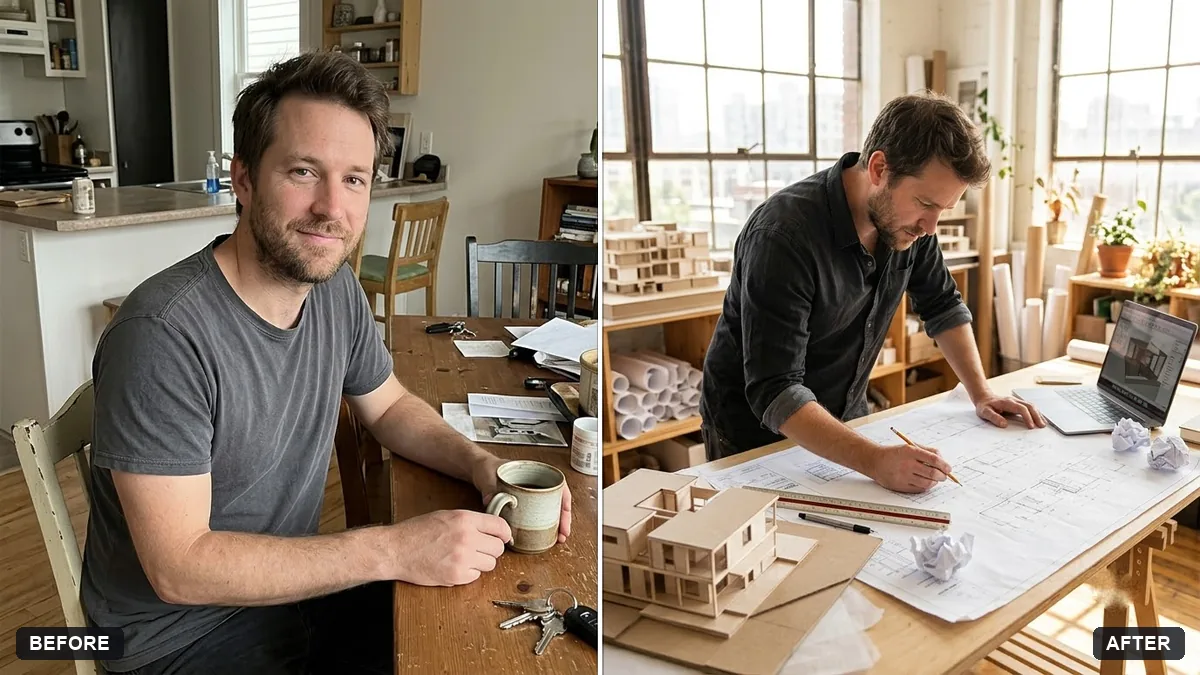
If you want yourself in the shot rather than just the objects, go for a workspace portrait instead of a flat lay. Two prompts cover this well depending on your job:
- The developer workspace portrait sets you up with two monitors, a mechanical keyboard, soft ambient lighting and a plant, in a relaxed, tech-company style. It deliberately keeps any on-screen code as unreadable placeholders, which avoids the garbled text AI tools often produce.
- The architect at work portrait is built for a bright studio with blueprints, a scale model and large windows, for a more hands-on, creative-work feel.
Both keep your face and features unchanged and only restyle the room and lighting around you. If neither job fits, copy the structure and swap the props:
Turn this photo into a portrait of me at my desk. Keep my face and features exactly the same.

Workspace: [YOUR SETUP, e.g. a single large monitor, a desk lamp, a small bookshelf]. Lighting: soft [WARM / COOL] ambient light from [a window / a desk lamp]. Mood: relaxed, natural pose, shallow depth of field, editorial style.
A cosy, illustrated version
Not every desk setup photo needs to be realistic. A softer, illustrated style works well as a phone wallpaper or a stream background. The cosy lo-fi study room illustration gives you a warm, pastel, slightly nostalgic desk scene with a lamp, tea and city lights outside the window, closer to the "lo-fi hip hop" aesthetic than a real photo. It doesn't need an uploaded photo at all; just describe your own desk's key pieces where the prompt says to.
A moving desk tour, not a still photo
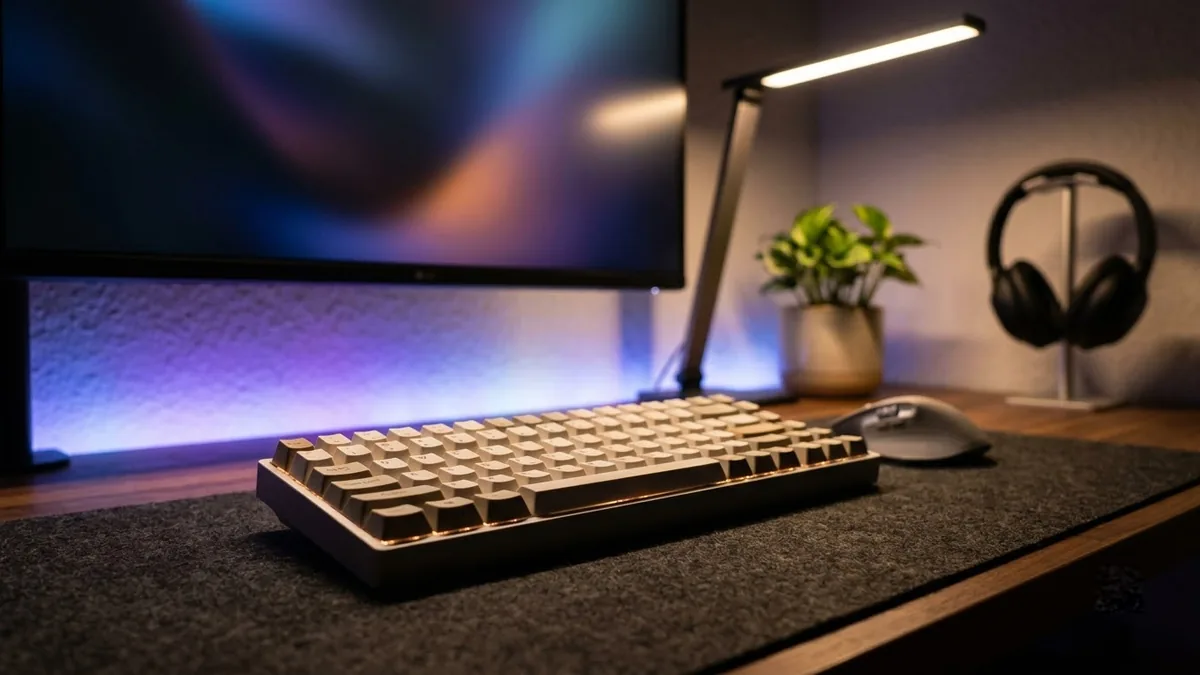
If you're making a short video rather than a photo, the desk setup tour prompt turns your described setup into a smooth, slow camera glide along the desk, with a macro moment on the keyboard and soft accent lighting. It's built for tools like Veo, Kling and Seedance rather than a photo editor, so you describe the items and the mood rather than upload a photo. Keep the list of items short, three or four pieces, so the camera has time to linger on each one instead of rushing past.
Keeping it believable
A few small habits make the difference between a convincing desk photo and an obviously AI one:
- Photograph your real items first. Even a messy desk gives the AI something true to tidy, which beats generating one from a description.
- Name the surface. "Light wood," "white," or "dark concrete" changes the whole mood of a flat lay more than almost anything else in the prompt.
- Keep the prop list short. Three to five real objects read as authentic. Ten invented ones read as a stock photo.
- Ask for soft, directional light, not flat overhead light, which is what makes most phone photos of a desk look dull in the first place.
Where to go from here
If you want to restyle the whole room rather than just the desk, see AI room makeover prompts for redesigning a space from a single photo. All the prompts above, plus more for interiors and mockups, are in the room makeover and interior design collection, and the prompt builder can adapt any of them to your exact setup.
Quick checklist
- Photograph your real desk first; don't start from nothing.
- Say which real items to keep unchanged.
- Name the surface and the light direction.
- Pick a flat lay for objects, a portrait for yourself in the shot.
- Keep prop lists to three or four items for believability.
- Use the video prompt only for a moving tour, not a still image.
Prompts to try

More prompts on this topic
- Home office with plantsMidjourney · Gemini · ChatGPT
- Healthcare professional portraitGemini · ChatGPT
- Laptop on a styled deskGemini · ChatGPT · Midjourney
- Real estate agent portraitGemini · ChatGPT


Comments
No comments yet. Be the first to share what worked for you.