- Updated
Eid celebration portrait
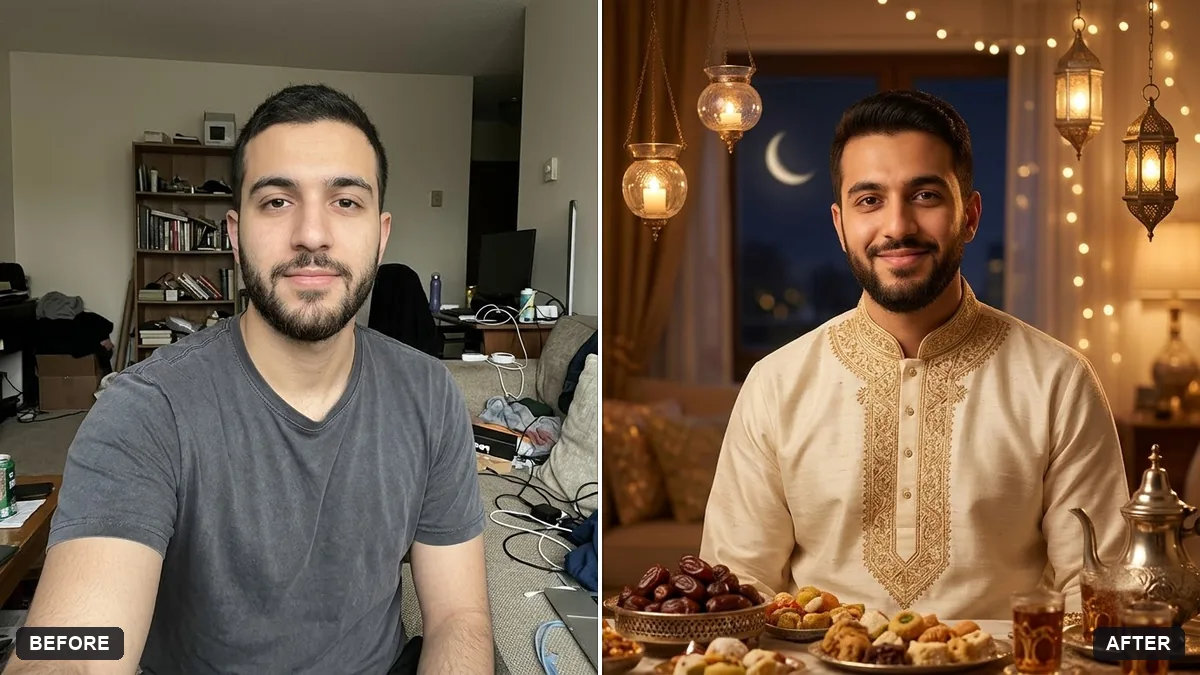
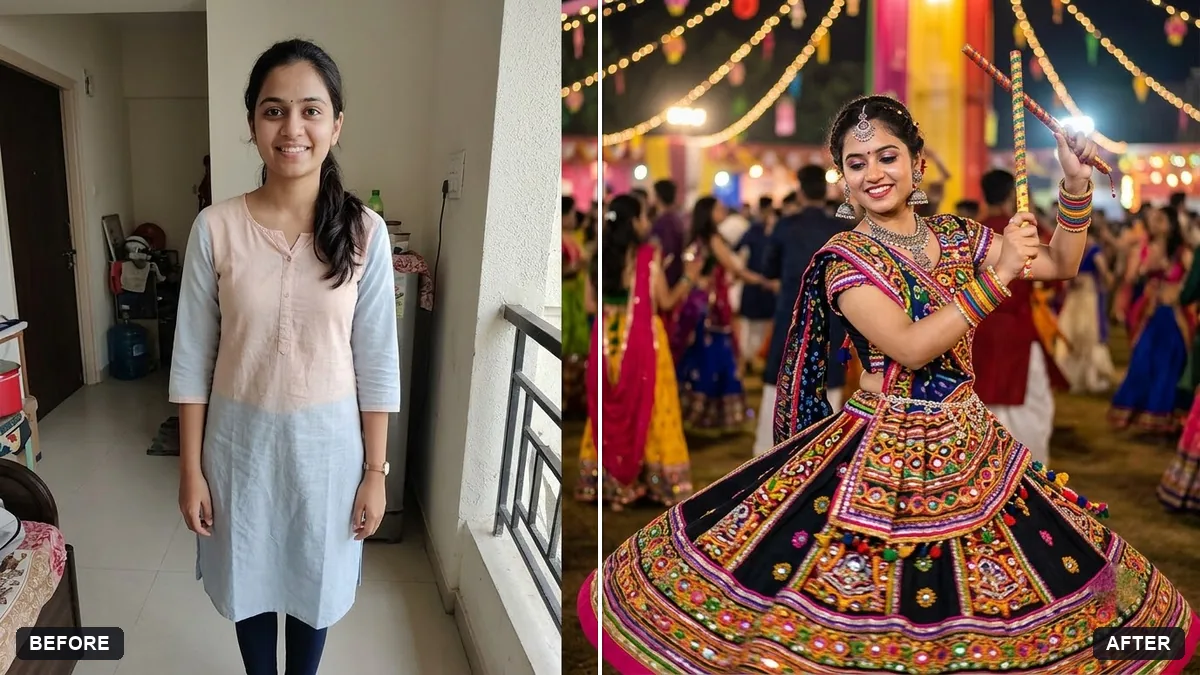
This prompt turns your photo into an Eid portrait in a traditional outfit and colours you choose with a festive background. Your face and features stay unchanged.
Turn this photo into an Eid celebration portrait. Keep my face and features unchanged.

Outfit: [TRADITIONAL OUTFIT AND COLOURS]. Background: warm home with lanterns, a crescent moon window view, a table of sweets and dates, soft golden light, joyful expression. Add a small "Eid Mubarak" in elegant lettering.
Ask for a vertical crop for WhatsApp status.
Your photo goes to the AI app you choose, never to PromptUp.
Get a better result
An Eid portrait of you in the outfit you described, in a warm home with lanterns, a crescent moon through the window, a table of sweets and dates, soft golden light and a small Eid Mubarak greeting.
The prompt builds an Eid evening at home: lanterns, a crescent moon through the window, sweets and dates on the table and warm golden light. Your outfit and colours make it personal. A small Eid Mubarak in elegant lettering finishes the greeting.
The greeting is misspelt or the lettering is uneven.
Fix: Check “Eid Mubarak” letter by letter. If it is off, remove the text from the prompt and add it with a font you like.
- Your outfit changes to a generic costume. Describe your real outfit in detail, with the colour, fabric and any embroidery, and say “keep the cut of my clothes from the photo”.
- The room is cluttered and the decoration looks random. Limit it to three things, for example “brass lanterns, a plate of dates and sheer curtains”.
Ask for the same room with “space at the top for a greeting and a plain border”. Send it as a WhatsApp status in the vertical shape from the tip.
Keep my face and outfit exactly the same. Make the lanterns smaller and softer, and add a warm glow from the window on the left.
Guides on this topic
More photo editing prompts
See all 334 →
More like this
- Football goal celebrationGemini · ChatGPT
- Eid Mubarak greeting cardGemini · ChatGPT · Midjourney
- Eid lanterns at nightVeo · Kling · Seedance
- Pongal traditional portraitGemini · ChatGPT
- Lunar New Year portraitGemini · ChatGPT