- Updated
Clean up a bottle label photo
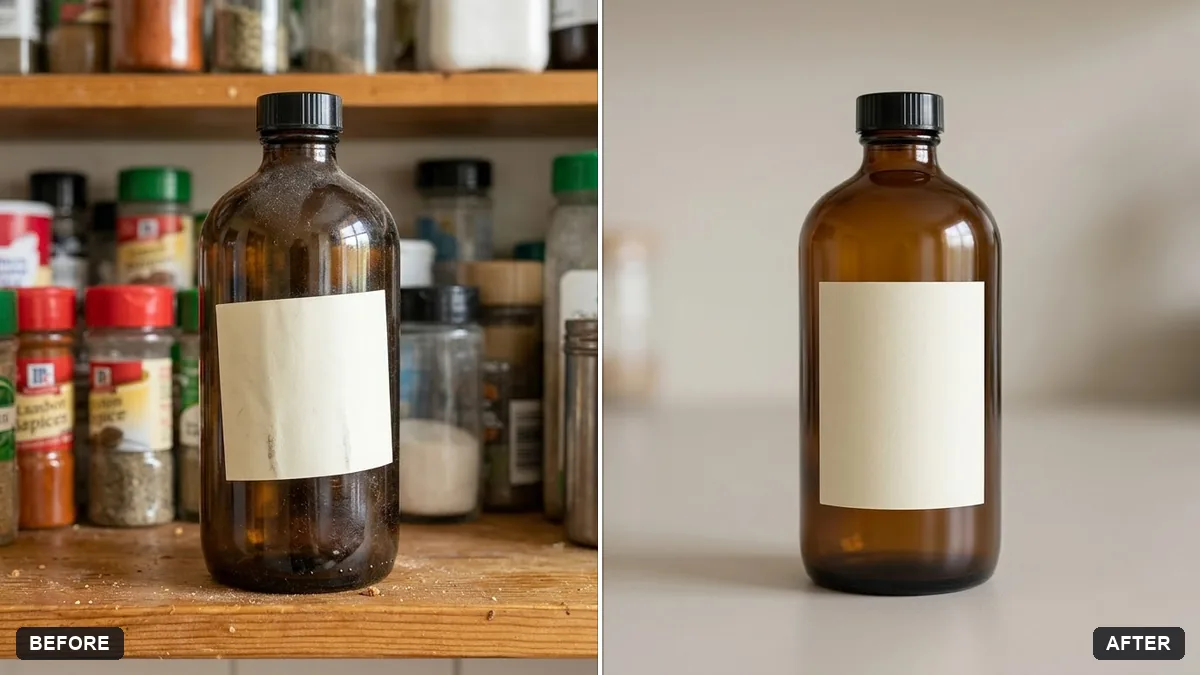
This prompt cleans a bottle photo by removing dust, fingerprints and reflections and straightening the label, while keeping the label design and text. Check the text after.
Clean up this product photo of a bottle: remove dust, fingerprints and reflections, straighten the label and even out the colour. Keep the label design and text exactly as they are.

Use a clean neutral background and soft light. Extra instructions: [ANY DETAIL TO KEEP OR AVOID].
Keep the original label text; ask the AI not to redraw the words.
Your photo goes to the AI app you choose, never to PromptUp.
Get a better result
A tidy product photo of the bottle, free of dust, fingerprints and reflections, with the label straightened, even colour, a plain neutral background and soft light.
Clean-up edits can tempt the AI to redraw text, so the prompt says the label design and words must stay exactly as they are. The jobs it does list, dust, fingerprints, reflections and a crooked label, are what a retoucher would fix by hand. A neutral background and soft light make it shop-ready.
The label text changes.
Fix: Compare the words letter by letter with the real label. If anything has changed, regenerate or paste the original label back in an editor.
- Glare remains on the glass. Reshoot near a window with the bottle on a plain surface and no flash, then run the clean-up.
- The colour no longer matches the product. Tell it to keep the real colours. Check against the bottle itself, since mismatched colour can mislead buyers.
Ask for a pure white background with a soft ground shadow, which many online marketplaces prefer for main images.
Keep the label, colours and any marks on the bottle true to the real product. Only remove dust and fingerprints.
More photo editing prompts
See all 334 →
More like this
- Clean product photoStable Diffusion
- Elegant wine bottle labelGemini · ChatGPT · Midjourney
- Natural hair oil bottleGemini · ChatGPT · Midjourney
- Skincare bottle with water splashMidjourney · Gemini · ChatGPT
- Product placed in a natural settingGemini · ChatGPT