- Updated
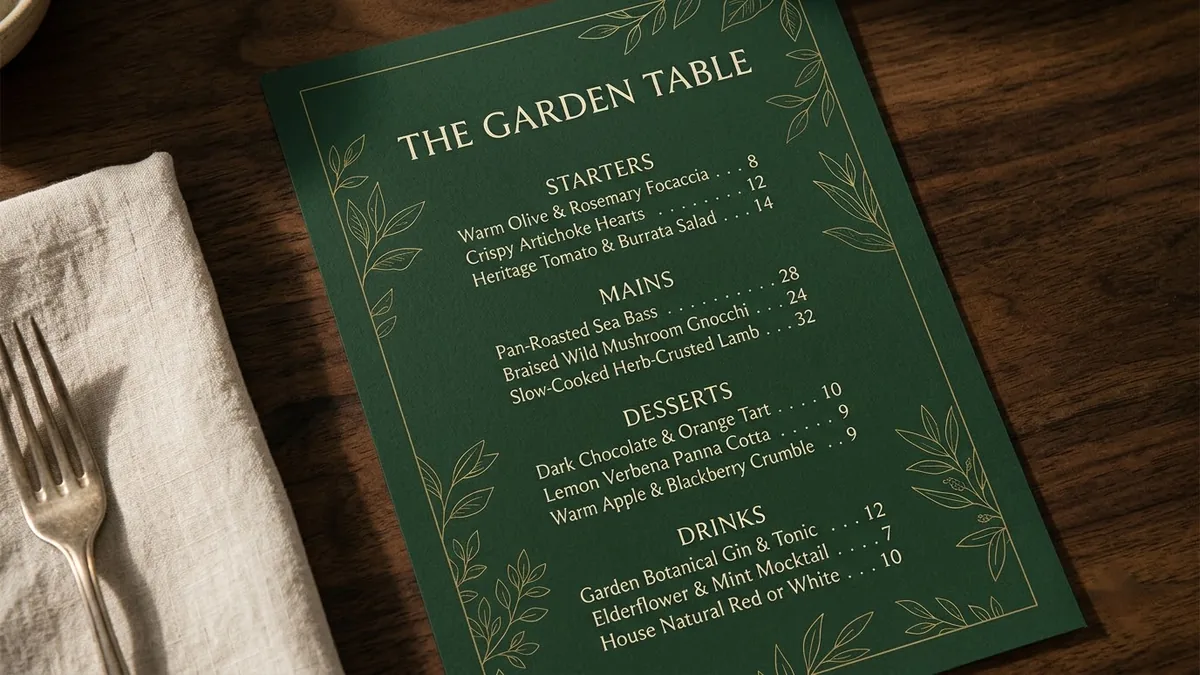
Elegant restaurant menu layout
This prompt lays out a one-page menu for a restaurant of your cuisine, with sections for Starters, Mains, Desserts and Drinks. Add your real dish names and prices, and proofread the text the AI renders.
A one-page restaurant menu design for "[RESTAURANT NAME]", a [CUISINE] restaurant. Sections: Starters, Mains, Desserts, Drinks, each with three items and prices like "[ITEM] — [PRICE]". Elegant [DARK / CREAM] background, [COLOUR] accents, delicate line illustration of [MOTIF], easy-to-read typography, balanced spacing.
Keep item names short to avoid garbled text. Add exact wording in Canva if needed.
Get a better result
A one-page menu layout for your restaurant, with four sections, three items each and prices, an elegant background, your accent colour, a delicate line illustration and clear, balanced typography.
Item names and prices are garbled.
Fix: Follow the tip: keep names short and fix exact wording in Canva, since AI text on dense layouts often breaks.
- Dishes that your kitchen does not serve appear. Treat the items as placeholders. Replace every line with your real menu and check each price before printing.
- The page is crowded and hard to read. Ask for “wide margins, a clear gap between sections and no more than three items each”.
Ask for “a half-page version with just the best sellers, a phone number area and a QR code placeholder”, and add the real details yourself.
Keep the same layout. Make the section headings bigger, space the items out more and use a plainer font for the prices.
Guides that use this prompt
More image generation prompts
See all 347 →
More like this
- Restaurant dessert flightGemini · ChatGPT · Midjourney
- Brighten a restaurant interior photoGemini · ChatGPT
- Brighten a dim restaurant dish photoGemini · ChatGPT
- Find restaurants near you for any occasionGemini · ChatGPT
- Menu photo for food delivery appsGemini · ChatGPT