- Updated
Minimal business card design
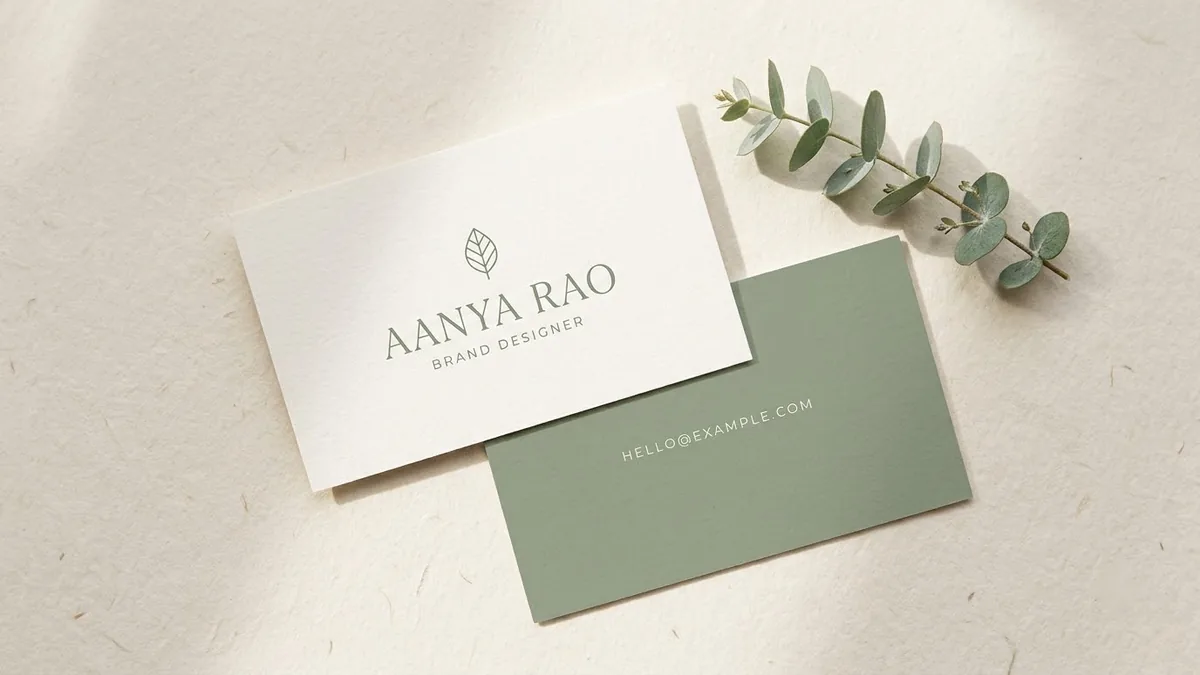
This prompt designs the front and back of a minimal business card. You give the name, job title and colour palette, and the front carries the logo mark and name in a refined font. Check every letter of the text and the contact details before printing.
Front and back of a minimal business card for [NAME], [JOB TITLE]. Colour palette: [COLOURS]. Front: logo mark and name in a refined [SERIF / SANS] typeface. Back: email "[EMAIL]" and phone "[PHONE]" with lots of white space. Shown flat and slightly angled on a soft grey surface with a gentle shadow, print-ready look.
Check every letter of the text after generation. Fix typos in a design tool.
Get a better result
A picture of the front and back of a minimal business card, flat and slightly angled on a soft grey surface: logo mark and name in the typeface style you pick, and email and phone on the back with lots of white space.
The email address or phone number is wrong by a character.
Fix: Check every character against your real details. If one is off, leave the back blank in the AI picture and place the text in a design tool.
- The logo mark is generic. Describe it: “a small abstract leaf shape made of two curves”. Or leave it empty and add your real logo later.
- The card looks like a mock-up, not something you can print. Ask for “flat artwork, front and back side by side, no perspective” as a separate image. Printers need flat files.
Add “leave a clean square at the bottom right for a QR code”. Insert a real QR code in an editor, because a QR code drawn by an AI usually will not scan.
Produce flat front and back artwork side by side with no perspective, and leave the contact details as empty boxes for me to fill in.
Guides that use this prompt
More image generation prompts
See all 347 →
More like this
- Minimal modern logoChatGPT · Ideogram · Gemini
- Clean business letterheadGemini · ChatGPT · Midjourney
- Children's alphabet cardIdeogram · ChatGPT · Gemini · Midjourney
- Fantasy trading cardMidjourney · Ideogram · Gemini
- Mother's Day card illustrationGemini · ChatGPT · Midjourney