- Updated
Luxury commercial product shot: Midjourney & Flux prompt
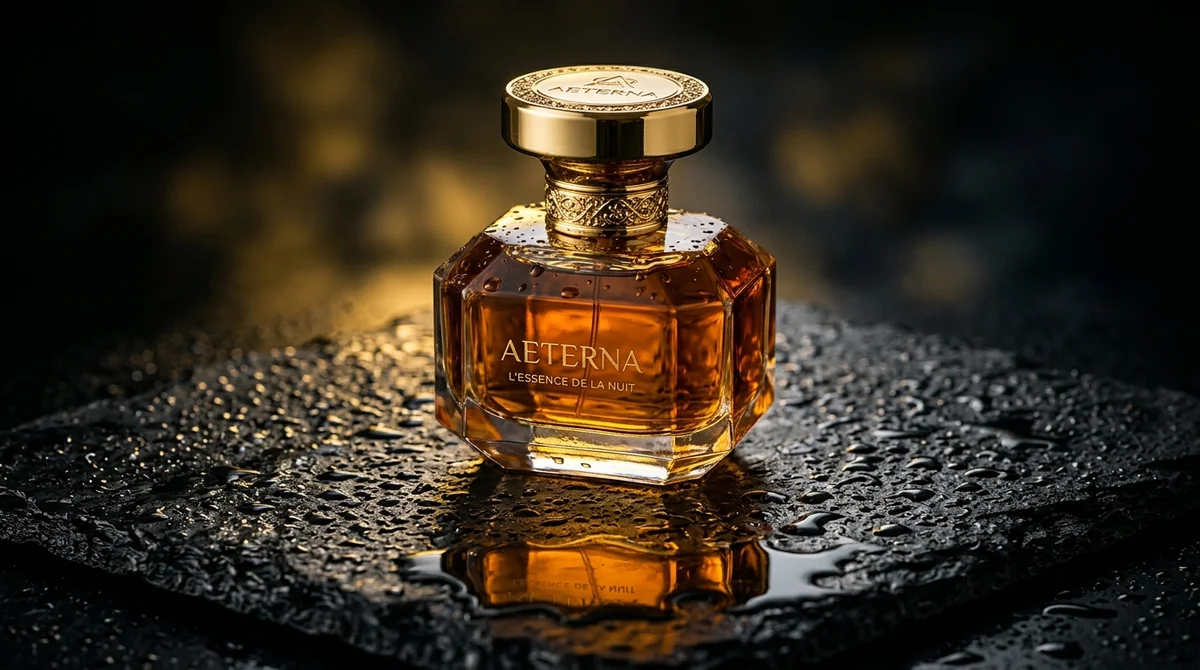
This prompt creates a studio-style hero shot of any product on a surface you choose, for example a frosted glass perfume bottle on wet black slate. It sets dramatic low-key rim lighting, a little volumetric mist, a sharp label and a shallow depth of field, and ends with Midjourney settings for a 4:5 portrait frame. Adding --style raw keeps Midjourney from over-stylising the result.
Commercial studio product photography of [PRODUCT, e.g. frosted glass perfume bottle with gold cap] placed on [SURFACE, e.g. wet matte black slate with fine water droplets].

Dramatic low-key rim lighting, subtle volumetric mist, razor-sharp focus on the label, 85mm lens, creamy depth of field --ar 4:5 --style raw
Using "--style raw" in Midjourney reduces artificial over-stylization.
Get a better result
A moody studio shot of your product on a wet dark surface, with a bright rim of light on its edges, fine mist behind it and a sharp label in front, in a tall 4:5 shape.
The label or logo on the product comes out as gibberish.
Fix: Describe the product’s shape, material and colours instead of its brand name, and add your real logo afterwards in Canva.
- The product shape changes from one version to the next. Describe the real proportions: height compared with width, the shape of the cap, the thickness of the glass. Make several versions and keep the one closest to your product.
- The water droplets look like plastic beads. Ask for “fine, scattered droplets, not beads” and say where they should sit, for example only near the base.
- The dark scene hides the shape of the product. Keep the rim light and add “soft fill light so the full shape is visible”. Check the result on a phone at low brightness.
For a clean listing picture, replace the surface and lighting with “white seamless background, soft even studio light, gentle shadow underneath”. Same product, ready for a shop page.
soft fill light so the full product shape is visible, fine scattered droplets
Guides that use this prompt
More image generation prompts
See all 347 →
More like this
- Luxury perfume commercialVeo · Kling · Seedance
- Quiet luxury portraitGemini · ChatGPT
- Product on a marble surfaceGemini · ChatGPT
- CGI-style product commercialHiggsfield · Veo
- Car commercial on a coastal roadVeo · Kling