- Updated
Trek summit portrait
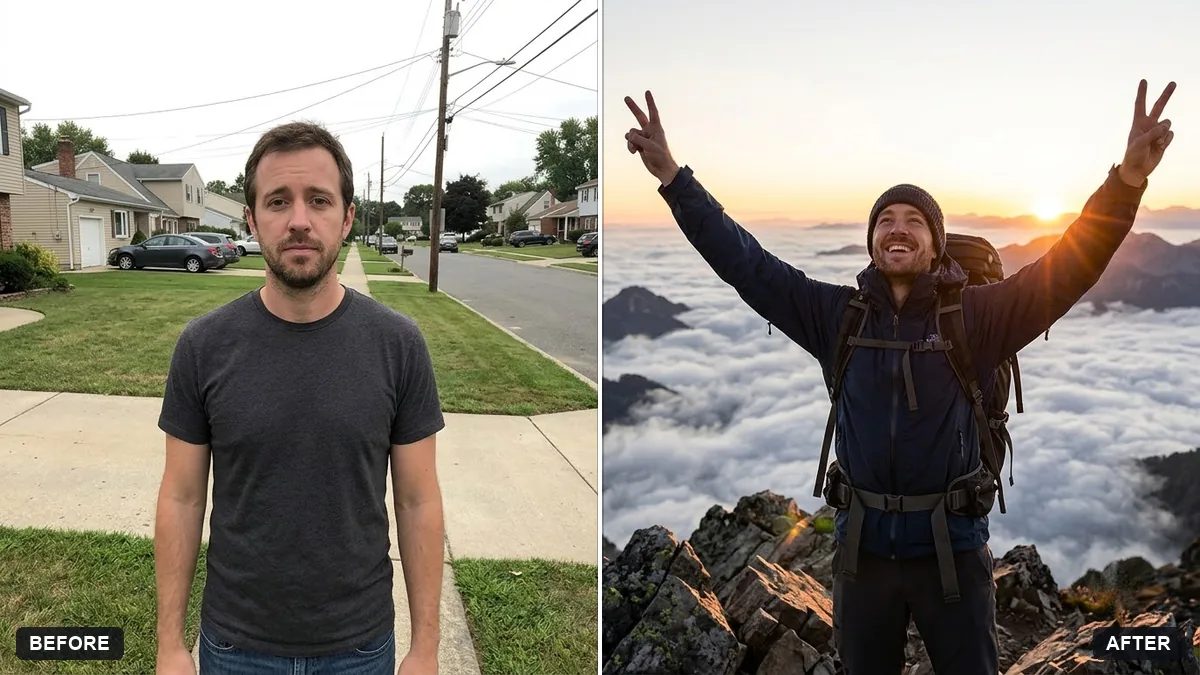
This prompt places you at a summit in trekking gear with a backpack and a small flag, with snowy peaks and clouds behind, keeping your face, body and features exactly the same.
Place me at a mountain summit after a trek, holding a small flag. Keep my face, body and features exactly the same.

Trekking gear and a backpack, snowy peaks and clouds below, strong sunlight, wind in my clothes, a proud smile, epic wide landscape photography. Extra instructions: [ANY DETAIL TO KEEP OR AVOID].
Ask for blue sky and clear mountain light, but keep natural colours.
Your photo goes to the AI app you choose, never to PromptUp.
Get a better result
A wide summit photo of you in trekking gear with a backpack and a small flag, snowy peaks and clouds below, strong sun, wind in your clothes and a proud smile.
The prompt keeps your face and body exactly the same, because a summit photo is a memory of your own trek. Trekking gear, a backpack and wind in your clothes make the moment believable. Snowy peaks and clouds below show the height you climbed. A small flag gives your hands something to hold, and the extra instructions slot is where you can choose your own flag or ask for none, so the model does not pick one for you.
The flag is a real country flag you did not want.
Fix: Describe the flag, such as a plain orange pennant or your club flag, in the extra instructions.
- The sky looks over-blue. Keep natural colours, as the tip says, and ask for haze toward the far peaks.
- You are in summer clothes in deep snow. Ask for warm layers, gloves and sunglasses that fit the height and season.
Ask for first light on the peaks with pink snow, a head torch still on and steam from your breath.
Keep my face. Add the summit name and height, [NAME AND HEIGHT], on a small sign beside me, spelled exactly as written.
More photo editing prompts
See all 334 →
More like this
- Prepare for your first trekChatGPT · Gemini · Claude
- Mountain monastery in the mistMidjourney · Gemini · ChatGPT
- Enhance a mountain landscapeGemini · ChatGPT
- Haldi ceremony portraitGemini · ChatGPT
- Outdoor adventure portraitGemini · ChatGPT