- Updated
Monsoon umbrella portrait
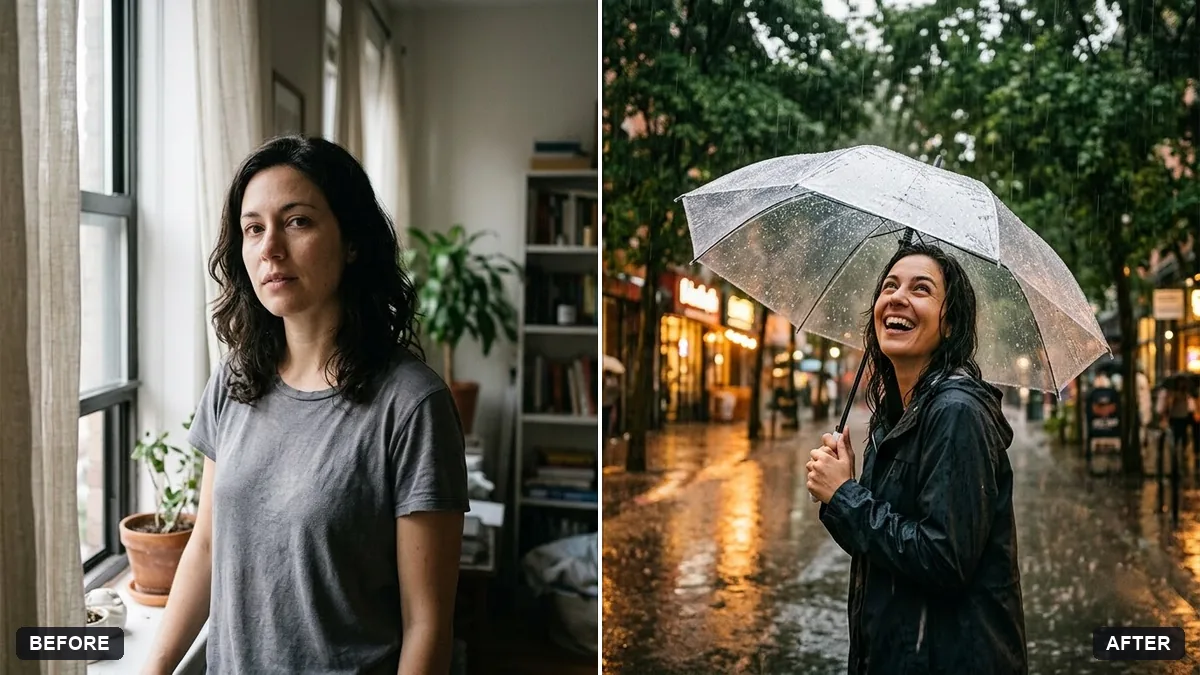
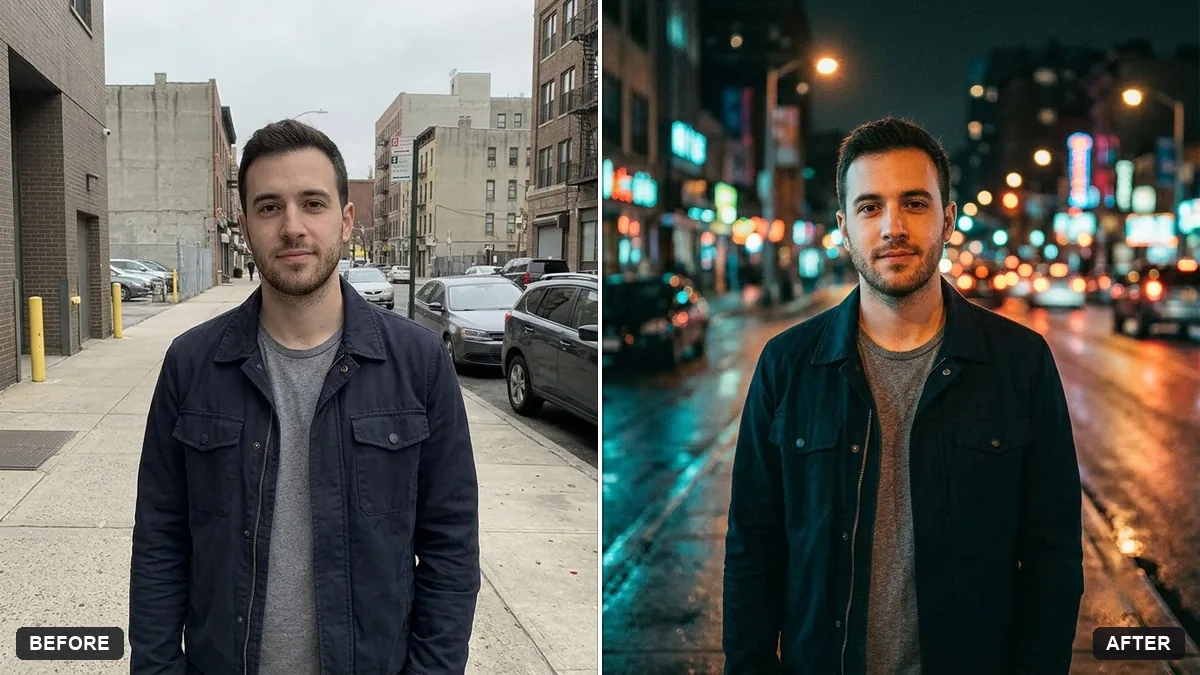
This prompt places you under an umbrella in a colour you choose on a rainy street, with soft rain and wet pavement reflections. Your face, body and clothing stay the same.
Place me under a [COLOUR] umbrella on a rainy street during the monsoon. Keep my face, body and clothing exactly the same.

Soft rain, wet pavement reflections, blurred green trees and warm street lights, a calm smile, cinematic natural colours.
Ask for wet reflections and subtle raindrops for a realistic monsoon feel.
Your photo goes to the AI app you choose, never to PromptUp.
Get a better result
You standing under a coloured umbrella on a wet street in the monsoon, with rain falling softly, puddle reflections, blurred green trees and warm street lights glowing behind a calm smile.
Monsoon photos are about wet light, so the prompt asks for soft rain, wet pavement reflections and warm street lights through the drizzle. Blurred green trees add the colour of the season. The umbrella colour blank gives the frame one bright accent. Keeping your face, body and clothing the same means the edit adds weather, not a new person.
The rain looks like white scratches across the image.
Fix: Ask for “fine, soft rain, mostly visible against the dark background, light mist” so the drops stay subtle.
- Your clothes get wet-looking or change colour. Repeat that clothing stays exactly the same, and say only the pavement is wet. Add “dry clothes under the umbrella”.
- The umbrella covers your face. Say “umbrella tilted back, face fully visible, eye level camera”.
Use two people sharing one umbrella, facing each other, with the same rain and lights. Only use photos of people who agreed to be in it.
Keep the scene. Make the street lights warmer and add a shop sign glowing softly in the blurred background.
Guides on this topic
More photo editing prompts
See all 334 →
More like this
- Mumbai monsoon on Marine DriveVeo · Kling · Seedance
- Cosy bookstore portraitGemini · ChatGPT
- Moody rainy window portraitGemini · ChatGPT
- Monsoon at an Indian railway stationVeo · Kling · Seedance
- Golden wheat field portraitGemini · ChatGPT