- Updated
Film noir detective portrait
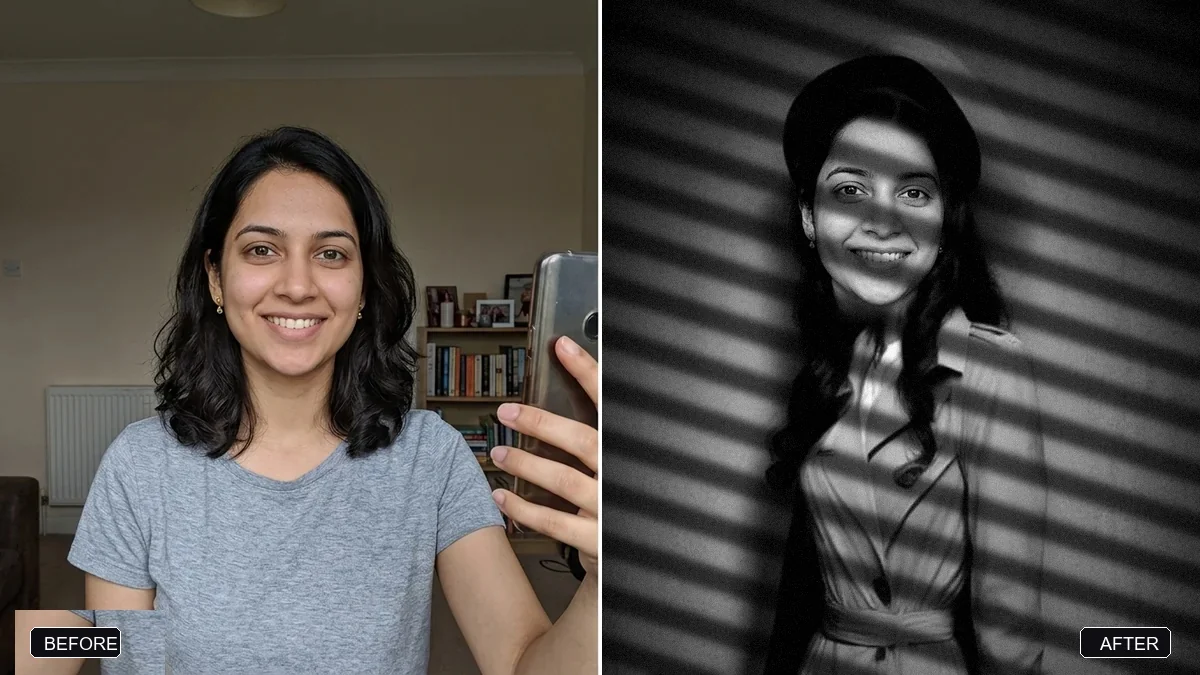
This prompt creates a 1940s detective movie still with hard side light, venetian blind shadows across your face, drifting mist and a trench coat and fedora look. Use a photo where your face is well lit.
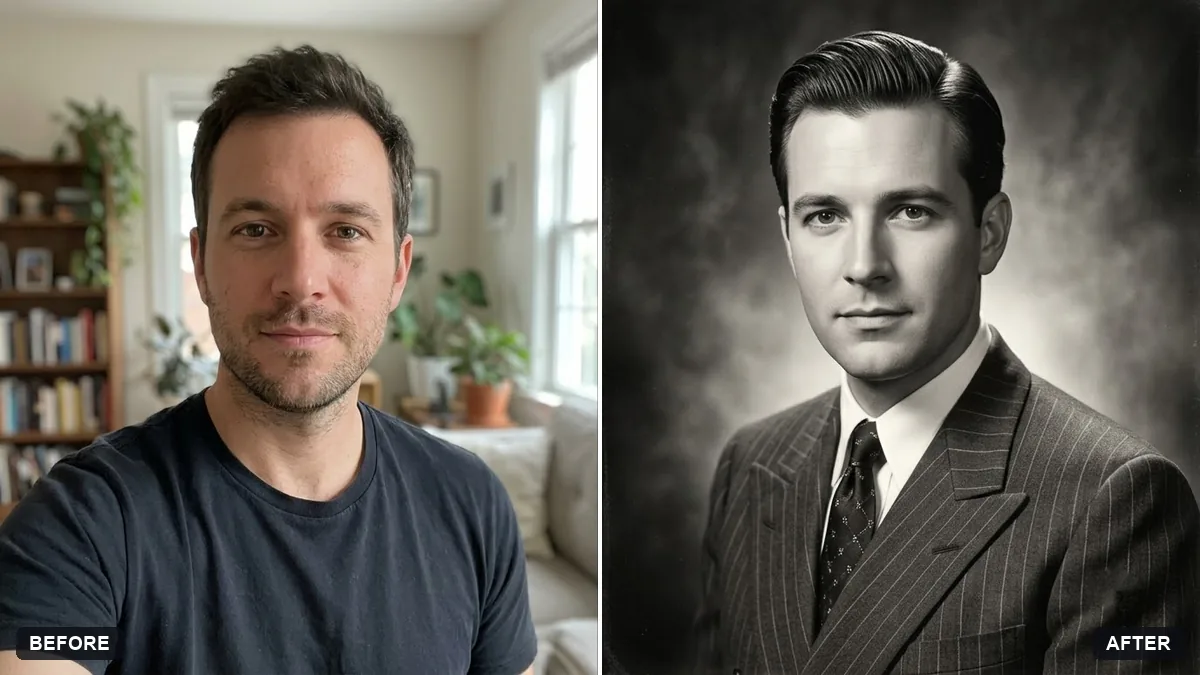
Turn this photo into a film noir portrait in black and white. Keep my face and features exactly the same.

A [TRENCH COAT AND FEDORA] look, hard side light with venetian blind shadows across my face, drifting mist, moody 1940s detective movie still.
Use a photo where your face is well lit, and leave the shadow drama to the prompt.
Your photo goes to the AI app you choose, never to PromptUp.
Get a better result
Your photo as a black and white 1940s detective still: hard side light with slatted shadows across your face and coat, drifting mist, and a trench coat and hat look. Your features stay the same.
The shadow stripes cover your eyes, so the face is lost.
Fix: Say “shadow stripes fall across the coat and the wall, while the eyes and mouth are clearly lit”. Noir needs drama, but the viewer still needs a face.
- It is just a grey filter without deep blacks or contrast. Add “high contrast, one hard light from the left, true black shadows and bright highlights”. A noir look is built on contrast.
- The hat brim covers your eyes or modern clothes are still visible. Say “fedora tilted up slightly so both eyes are visible, replace all modern clothing with a 1940s trench coat”.
Change the look to “a veil hat and a long satin dress with gloves, soft smoke drifting past, one hard light from the side”. Keep the same black and white and slatted shadows.
Make the contrast higher with true black shadows, keep both eyes clearly lit under the hat brim and replace any modern clothing with a trench coat.
Guides that use this prompt
More photo editing prompts
See all 334 →
More like this
- Film noir detective sceneVeo · Kling · Seedance
- Classic black-and-white studio portraitGemini · ChatGPT
- Autumn leaves portraitGemini · ChatGPT
- High-contrast black-and-white conversionGemini · ChatGPT
- Charcoal drawing portraitGemini · ChatGPT