- Updated
Neon sign portrait
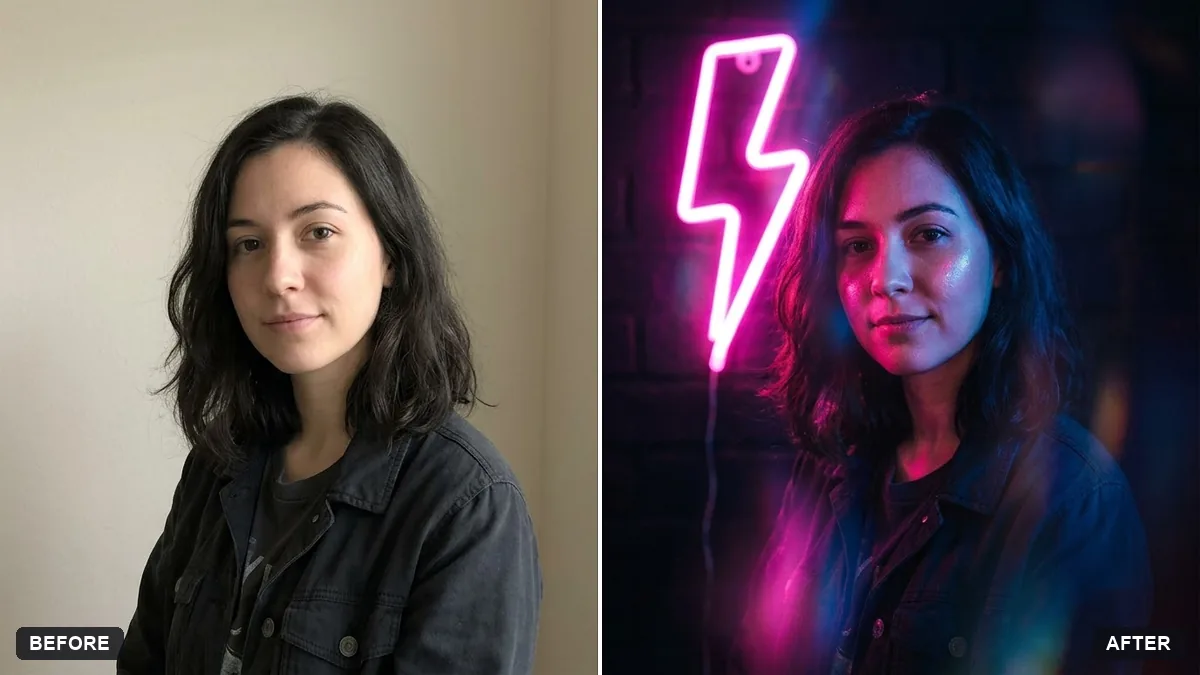
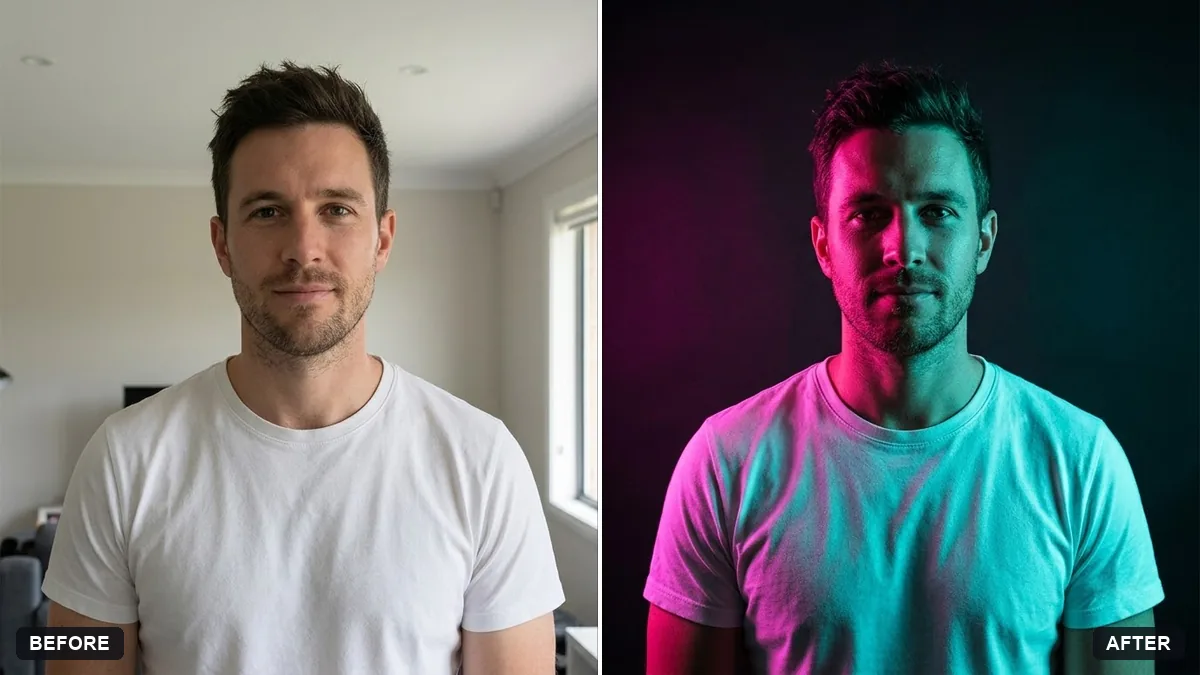
This prompt lights you with a neon sign reading a word you choose, with pink and blue glow on your face and shoulders against a dark background. Choose one or two neon colours.
Turn this photo into a portrait lit by a neon sign reading "[WORD]" behind me. Keep my face and features exactly the same.

Pink and blue neon glow on my face and shoulders, a dark background, glossy reflections, moody and stylish, cinematic street photography look.
Choose one or two neon colours and leave the rest of the scene dark.
Your photo goes to the AI app you choose, never to PromptUp.
Get a better result
A moody portrait lit by a neon sign with your chosen word behind you, pink and blue glow on your face and shoulders, a dark background and glossy reflections, in a cinematic street style.
Neon portraits get their mood from coloured light on skin, so the prompt asks for pink and blue glow on your face and shoulders with a dark background. Glossy reflections add a wet, night-time feel. Keeping the sign to one word gives the model a better chance of spelling it right, and keeping your face exact keeps it yours.
The neon word is spelt wrongly.
Fix: Choose a short word of 3 to 5 letters. If letters break, drop the word, ask for “an abstract neon shape” and add the word in an editor.
- The glow washes out your face. Say “neon light falls softly on the cheek and shoulder, the face stays clearly visible”.
- The whole scene is bright, not moody. Use the tip: one or two neon colours only, and keep everything else dark.
Pick one colour, such as “only red neon, the rest in shadow”, for a stronger mood. Fewer colours also give a simpler, cleaner picture.
Keep my exact face from the original photo: same eyes, nose, smile, skin tone and age. Change only the style.
Guides that use this prompt
More photo editing prompts
See all 334 →
More like this
- Neon sign on a brick wallIdeogram · Midjourney · ChatGPT
- Zodiac illustration portraitGemini · ChatGPT
- Neon crosswalk at nightMidjourney · Gemini · ChatGPT
- Autumn leaves portraitGemini · ChatGPT
- College fest portraitGemini · ChatGPT