- Updated
Turn a photo into a colouring page
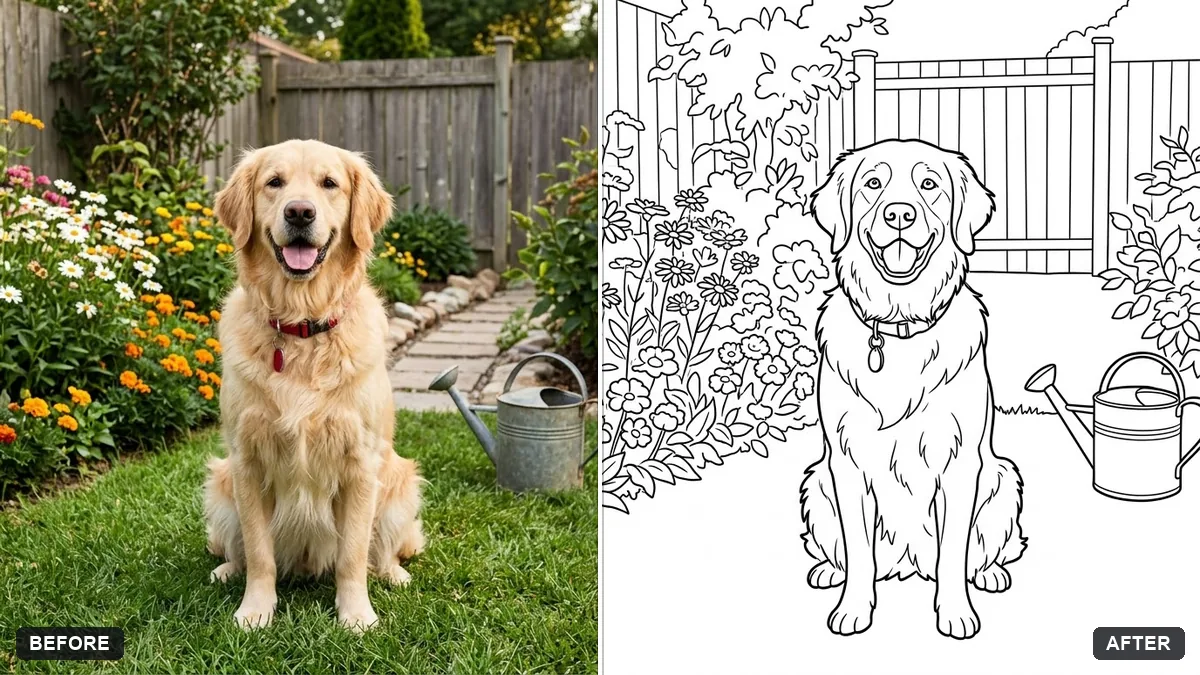
This prompt turns your photo into a colouring page with bold clean outlines, no shading and large areas to colour on white, simplifying the detail.
Turn this photo into a printable colouring page with bold clean outlines, no shading and large open areas to colour, on a white background. Simplify small details to suit a [CHILD AGED 5 TO 8 / ADULT].

Keep the recognisable subject and composition.
Choose a simple scene with clear shapes to keep it easy for children to colour.
Your photo goes to the AI app you choose, never to PromptUp.
Get a better result
A black-and-white colouring page from your photo, with bold clean outlines, no shading, large open areas and simplified details suited to the age you chose.
Colouring pages need bold outlines, no shading and big open spaces, so the prompt asks for all three on white. The age blank sets how much detail to keep: simple shapes for young children, finer ones for adults. Keeping the subject recognisable makes it a page from your own photo.
The lines are thin and too many.
Fix: Say “thick outlines, no more than about 15 main shapes, no tiny patterns”, especially for a five-year-old.
- Grey shading or filled black areas appear. Add “pure white inside every shape, no grey, no solid black fills”. Check the print on paper before making copies.
- The subject becomes unrecognisable. Name what must stay, such as “our dog’s floppy ears and the front door”, and use a photo with a clear simple subject.
Switch the age to adult and add “fine detail, mandala-style patterns inside the larger shapes”. You get a more relaxing page from the same photo.
Keep the same composition. Make the outlines thicker, remove the background clutter and make each shape big enough for a crayon.
Guides that use this prompt
More photo editing prompts
See all 334 →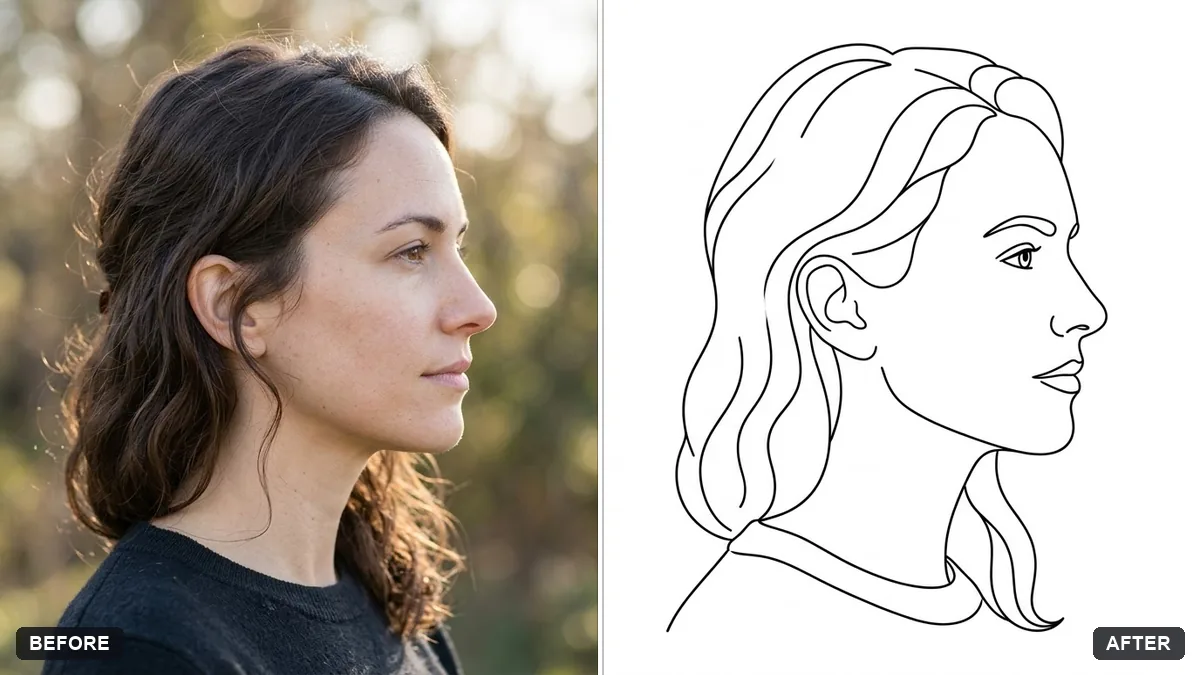
More like this
- Printable colouring pageChatGPT · Gemini · Midjourney
- Cross-stitch embroidery portraitGemini · ChatGPT
- Hand-drawn pencil sketch of your photoGemini · ChatGPT
- Stained glass portraitGemini · ChatGPT
- Intricate mandala patternMidjourney · Gemini · ChatGPT