- Updated
Turn a family photo into a Christmas card: prompt
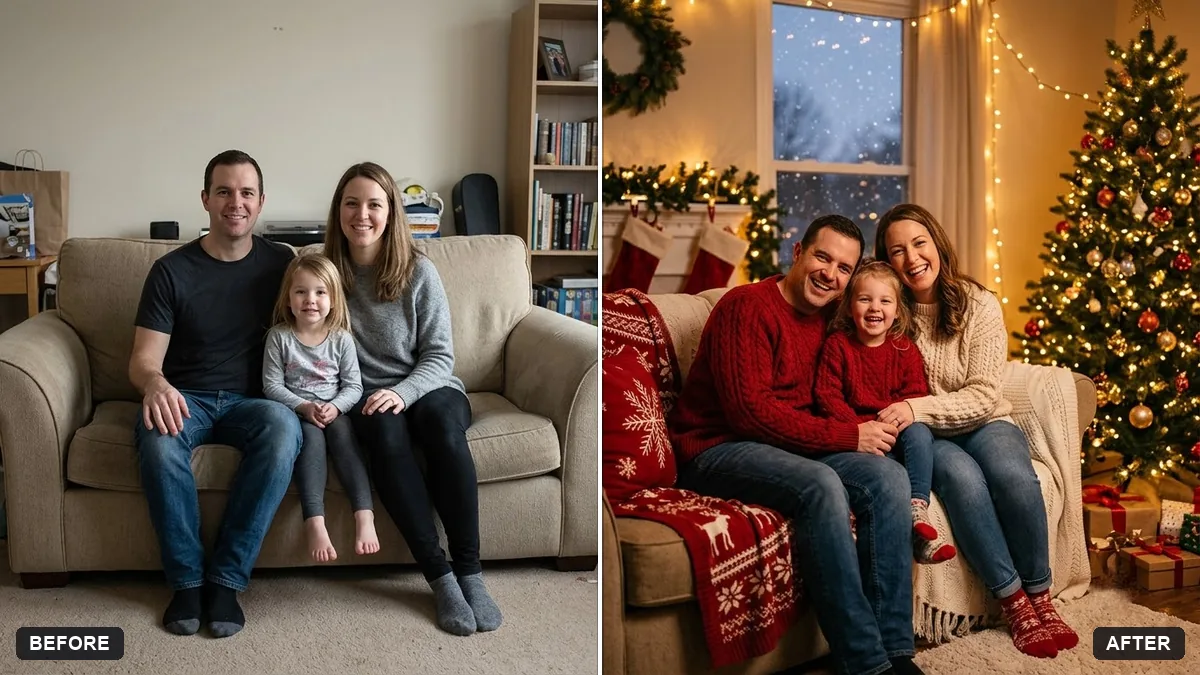
This prompt turns a family photo into a holiday card image: a cosy setting such as a living room with a decorated tree, warm string lights, soft snow outside the window and matching outfits in your colour. It leaves clear space at the top for your greeting and tells the AI to keep every face exactly the same.
Turn this photo into a holiday card image. Keep every person's face and features exactly the same.

Add: a cosy [SETTING, e.g. living room with a decorated tree], warm string lights, soft snow outside the window and matching [COLOUR] winter outfits. Leave clear empty space at the top for the greeting text: "[YOUR MESSAGE]".
Ask for a portrait version for phone wallpaper and a landscape version for cards.
Your photo goes to the AI app you choose, never to PromptUp.
Get a better result
Your family photo as a holiday card: a cosy room with a decorated tree, warm string lights, soft snow outside the window, matching winter outfits and clear empty space at the top for the greeting.
The greeting is printed in the picture with spelling errors, or the top area is cluttered.
Fix: Say “leave the top 25 percent empty with no text”. Then add your greeting in Canva or a phone editor, where you control each letter.
- Matching outfits change people’s body shape or make a child look older. Add “keep each person’s age, height, hair and build, only recolour the clothes”. Check every face against the original.
- In a group of five or more, one face drifts. Look at every face closely. If one is off, reply “fix only the person on the far right so he looks exactly like the original” and leave the others alone.
For a Christmas without snow, replace it with “a veranda with palm trees, string lights and paper stars, warm evening light”. Many families see Christmas this way.
Keep everyone exactly as in the photo, leave the top quarter empty with no text and fix only the face of the person on the far right.
Guides that use this prompt
More photo editing prompts
See all 334 →
More like this
- Graduate with familyGemini · ChatGPT
- Soft maternity portraitGemini · ChatGPT
- Christmas gift guide coverGemini · ChatGPT · Midjourney
- Gentle memorial tribute portraitGemini · ChatGPT
- Christmas tree lights coming onVeo · Kling · Seedance