- Updated
Chef plating candid
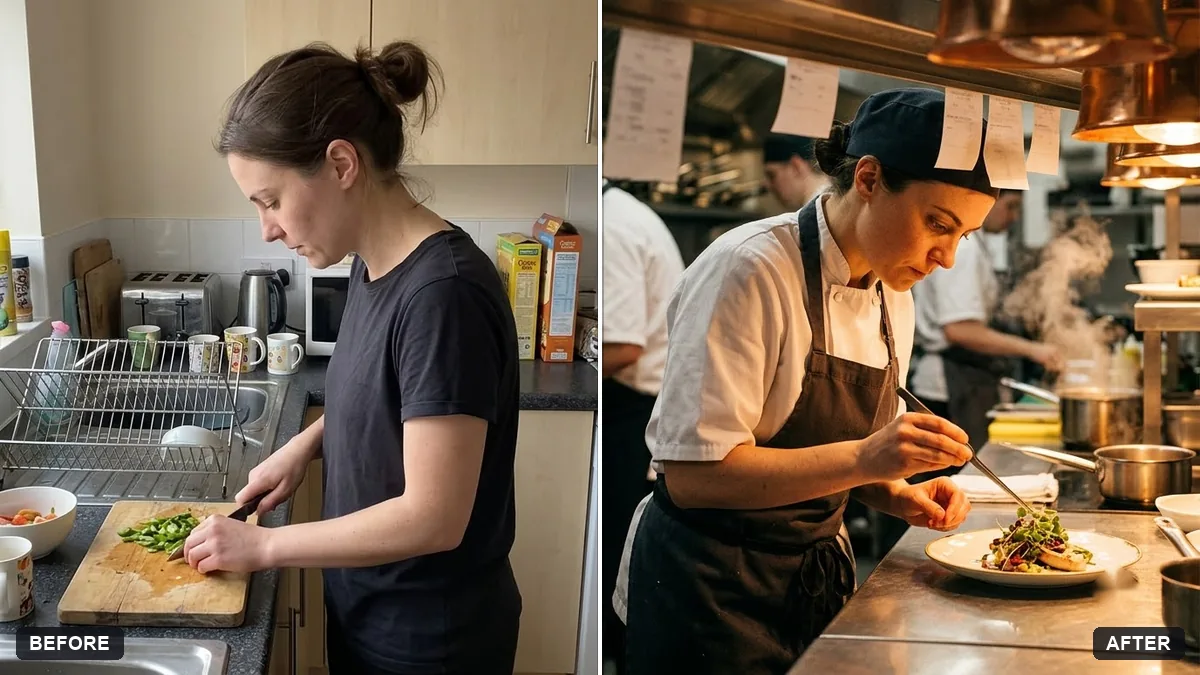
This prompt shows you in chef whites plating a dish with tweezers in a professional kitchen, keeping your face and features exactly the same.
Turn this photo into a candid shot of me as a chef plating a dish in a professional kitchen. Keep my face and features exactly the same.

Chef whites, tweezers placing a garnish, steam and a warm pass light, blurred cooks behind, focused expression, documentary style. Extra instructions: [ANY DETAIL TO KEEP OR AVOID].
Use a photo where your hands are visible for better plating movement.
Your photo goes to the AI app you choose, never to PromptUp.
Get a better result
A documentary-style shot of you in chef whites placing a garnish with tweezers on a plated dish, with steam, a warm pass light, blurred cooks behind you and a focused expression, with your face unchanged.
Plating with tweezers is a focused, precise moment, which makes a candid chef shot believable. Warm pass light and steam add atmosphere, and blurred cooks behind show a working kitchen. A photo with your hands visible, as the tip says, helps the model.
Your hands look wrong, with extra fingers or a strange grip.
Fix: Start with a photo where your hands are visible and ask for “tweezers held naturally between thumb and fingers”. If it fails, regenerate.
- The dish looks messy or unreal. Say what is on the plate, such as “a seared scallop, a puree dot and microgreens”. A named, simple dish usually comes out more cleanly.
- The kitchen looks like a stock photo. Add small real touches like “a ticket rail, steel shelves and a towel tucked in the apron” and keep the background out of focus.
Ask for “a close-up of the finished dish on the pass with my hands just leaving the frame”. It works for a restaurant page or a social post and the face is not the focus.
Keep my face and expression exactly the same. Make the plate simpler, the steam lighter and the cooks in the back more blurred.
Guides on this topic
More photo editing prompts
See all 334 →
More like this
- Sushi chef knife workVeo · Kling · Seedance
- Cocktail photo with bar moodGemini · ChatGPT
- Robot chef in a kitchenVeo · Kling · Seedance
- Candid street photography look (Higgsfield Soul)Higgsfield
- Brighten a dim restaurant dish photoGemini · ChatGPT