- Updated
Phone case design mockup
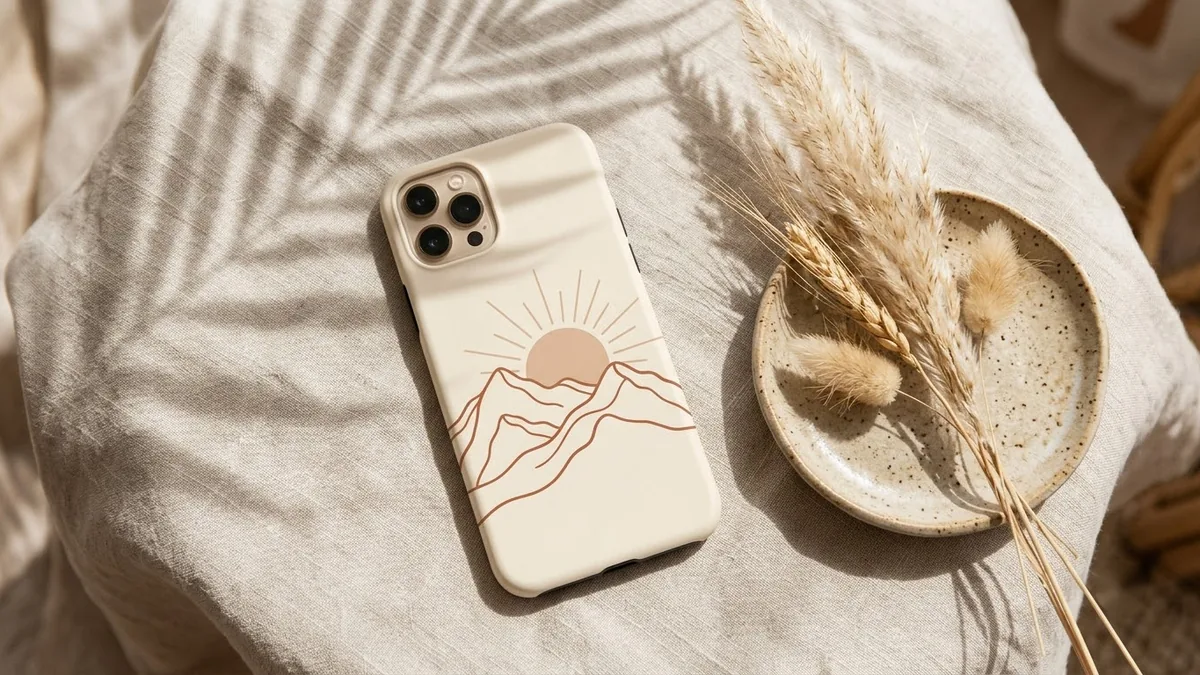
This prompt shows a phone case with your artwork, such as minimalist line-art mountains, on a phone type you name, held at a slight angle. Good for shop listings.
A phone case mockup showing a [ARTWORK, e.g. minimalist line-art mountains] design in [COLOURS], the case on a [PHONE TYPE] held at a slight angle against a soft [COLOUR] background, glossy finish reflections, realistic camera cut-out, product catalogue photography, sharp and clean.
Generate the artwork first, then place it on the mockup in a second prompt.
Get a better result
A clean product shot of a phone case with your artwork, held at a slight angle against a soft coloured background, with glossy reflections and a realistic camera cutout.
A mockup sells the design by showing it on a real looking object. Holding the case at a slight angle adds depth and shows the edge. The phone type blank matters because the camera cutout is the first detail buyers check, and a wrong one makes the mockup look fake.
The artwork changes from your design.
Fix: Make the art first, as the tip says, then upload it and ask for it placed on the case without changing it.
- The camera cutout is the wrong shape. Name the phone type and ask for its camera layout, then compare with a real photo of that phone.
- The glossy shine hides the design. Ask for a matte finish or a softer reflection only along one edge.
Ask for two or three cases in a row with the same artwork in different colourways, on the same background.
Keep my artwork exactly as uploaded, use a matte finish with a soft shine on one edge, and match the camera cut-out to the phone I named.
More image generation prompts
See all 347 →
More like this
- Poster in a frame mockupGemini · ChatGPT
- Hoodie design mockupGemini · ChatGPT
- T-shirt design mockup on a personGemini · ChatGPT
- Tote bag design mockupGemini · ChatGPT
- Product packaging mockupIdeogram · ChatGPT · Gemini