- Updated
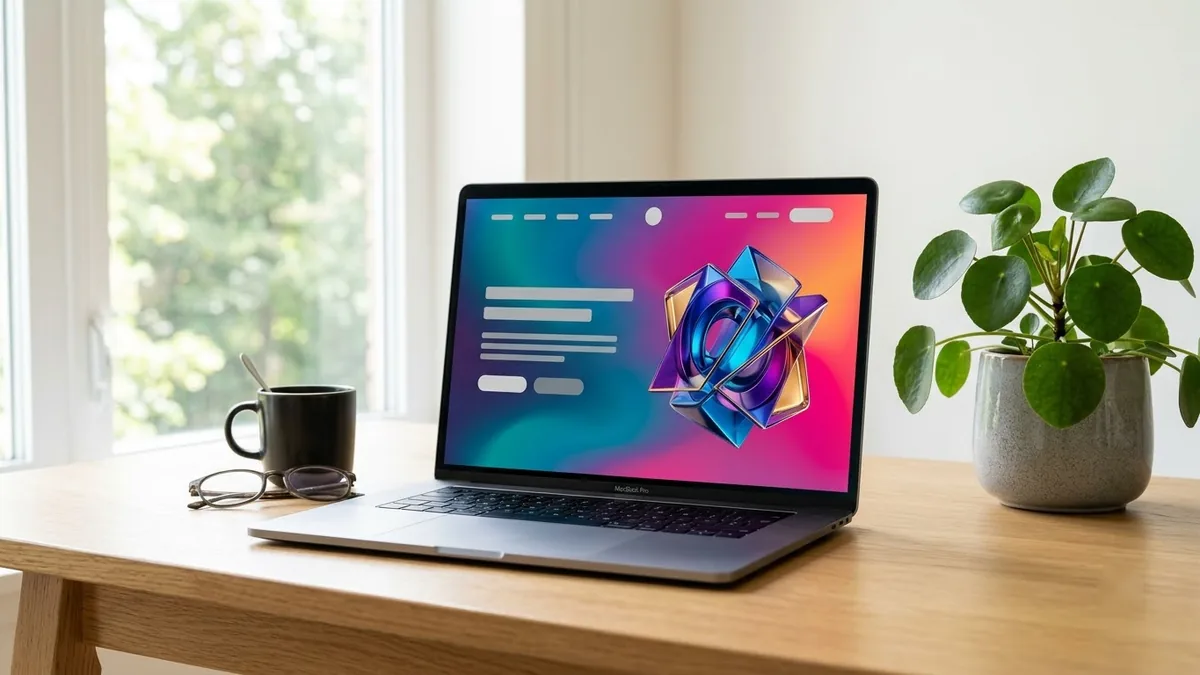
Website landing page hero mockup
This prompt designs a desktop hero section for a product: a large headline, subheading, primary and secondary buttons, a product screenshot on the right and a gradient background with a clean navigation bar. It is a concept image, not code.
Website hero section for a [PRODUCT TYPE] called "[NAME]". A large headline "[HEADLINE]", a subheading, two buttons labelled "[PRIMARY]" and "[SECONDARY]", a product screenshot on the right with soft shadow, [COLOUR] gradient background, clean navigation bar at the top, modern SaaS design, desktop layout. --ar 16:9
Ask for a desktop and a mobile version in separate prompts so the layout is tuned for each.
Get a better result
A desktop website hero with your product name, a large headline, a subheading, two labelled buttons, a product screenshot with a soft shadow, a gradient background and a clean nav bar.
The headline text is misspelled.
Fix: Keep the headline short. Ideogram is often better at text, but always check every word and fix it in a design tool.
- The screenshot area is full of fake UI. Ask for a plain rounded rectangle where your real screenshot will go, then place it yourself.
- The button labels are swapped. Name what each button says and which side it is on, like “left: Start free, right: See demo”.
Run a second prompt for a phone screen, as the tip says, with stacked text, one button and the screenshot below.
Keep the layout. Make the headline and buttons read exactly as in my prompt and leave the rest as simple grey placeholder lines.
More image generation prompts
See all 347 →
More like this
- Website hero image from a photoGemini · ChatGPT
- Build a landing page in plain HTML and CSSClaude · ChatGPT · Gemini
- Ebook lead magnet coverGemini · ChatGPT · Midjourney
- Product packaging mockupIdeogram · ChatGPT · Gemini
- Smartwatch product heroGemini · ChatGPT · Midjourney