- Updated
Two-column comparison graphic
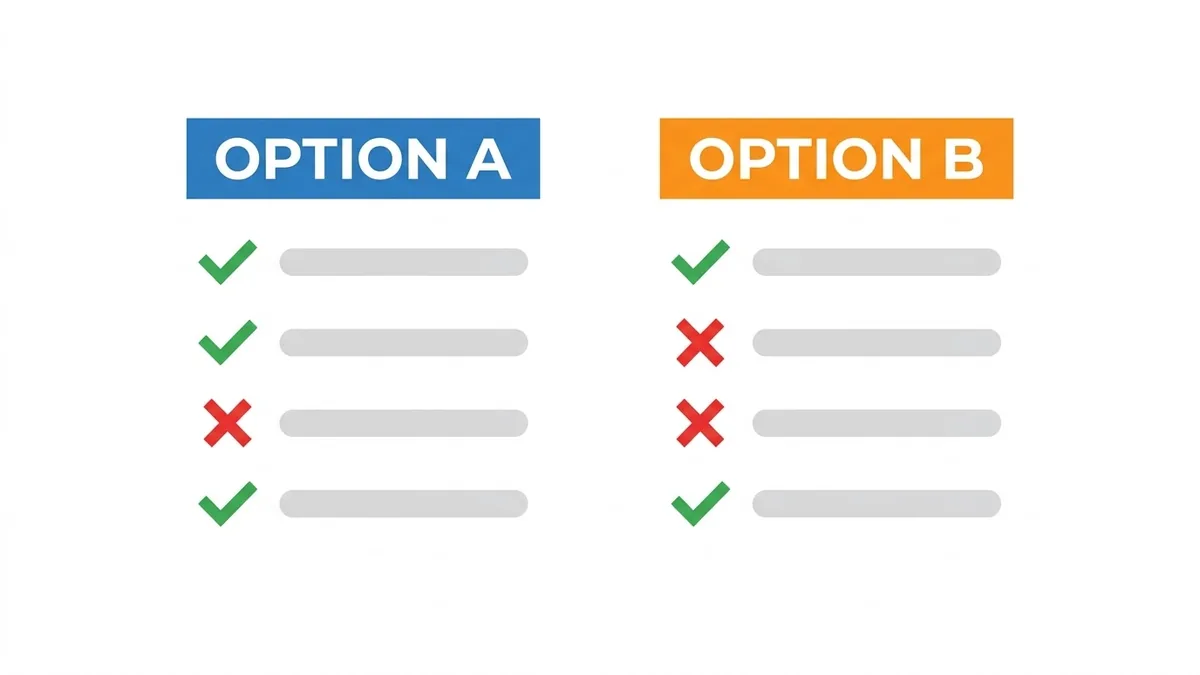
This prompt makes a square comparison graphic with a coloured header for each option, five rows comparing your criteria, tick and cross icons and a highlighted best-for line. Limit it to five rows so the text stays large.
Comparison graphic titled "[OPTION A] vs [OPTION B]". Two clean columns with a coloured header for each, five rows comparing [CRITERIA], tick and cross icons, a highlighted "best for" line at the bottom, modern flat style, [COLOUR] and [COLOUR] palette on white. --ar 1:1
Limit it to five rows so the text stays large enough to read on a phone.
Get a better result
A square comparison graphic with two clean columns under coloured headers, five rows of criteria with tick and cross icons, and a highlighted “best for” line at the bottom, in a flat modern style.
A comparison graphic has one job: let someone decide at a glance. The prompt fixes the structure, two columns, five rows, ticks and crosses, and ends with a “best for” line so the reader leaves with an answer. A flat style with two colours keeps the options apart, and the five-row limit in the tip keeps the text large enough to read on a phone.
The row text is garbled or tiny.
Fix: Limit it to five rows, as the tip says, and use short criteria of one or two words.
- Ticks and crosses are inconsistent. Fill them in yourself in an editor, since the AI may mark them at random. Check every row for truth.
- The colours favour one side. Use two equally strong colours so neither option looks the winner by design.
Ask for three columns with the middle one highlighted as the best pick, and keep each row to a single short phrase.
Keep the layout. Use these real criteria in the rows: [CRITERIA], and these ticks and crosses: [RESULTS].
More image generation prompts
See all 347 →


More like this
- T-shirt graphic for printIdeogram · Midjourney · ChatGPT
- Rent vs buy comparisonChatGPT · Gemini · Claude
- "A vs B" comparison article outlineChatGPT · Gemini · Claude
- Product roadmap graphicGemini · ChatGPT · Midjourney
- Split-screen comparison clipVeo · Kling · Seedance