- Updated
Split-screen comparison clip
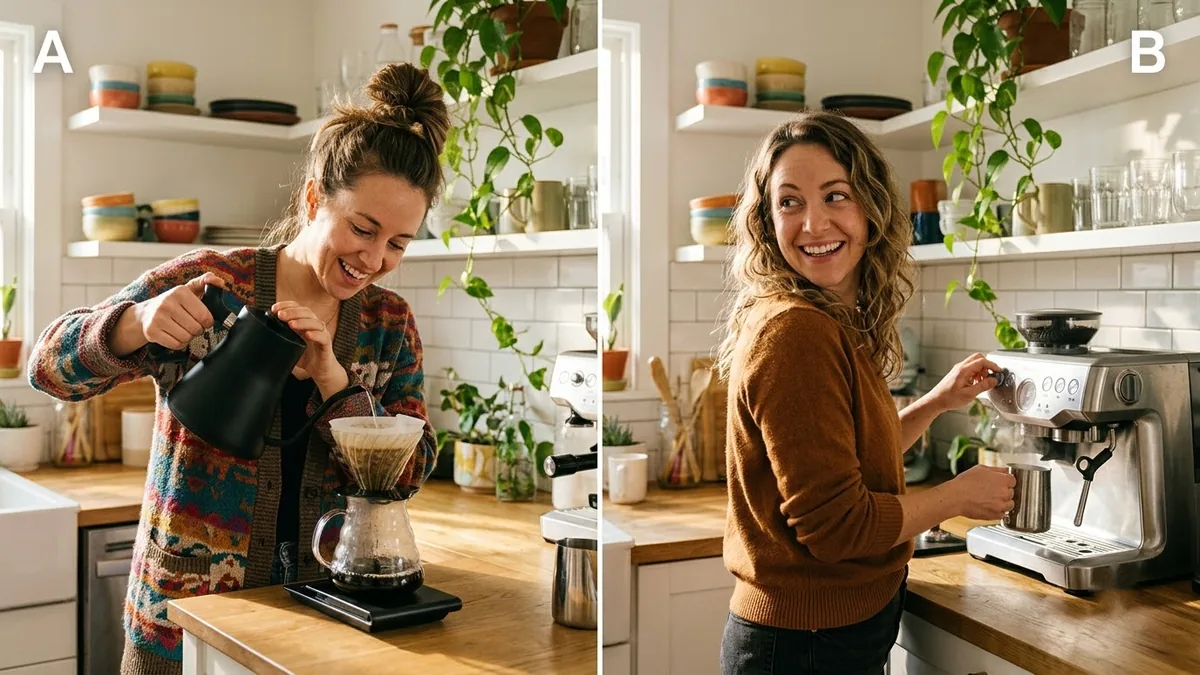
This prompt describes a vertical split screen showing option A on the left and option B on the right performing the same action at the same time with matching framing.
A vertical split-screen video showing [OPTION A] on the left and [OPTION B] on the right performing the same action at the same time, matching framing and lighting, a thin white divider, small labels "A" and "B", playful energetic music.
Keep both sides in sync with the same framing so viewers compare easily.
Get a better result
A vertical split screen with your option A on the left and option B on the right doing the same action at the same time, matched framing and light, a thin white divider and small A and B labels, with playful music.
Comparison videos only work if the only difference is the thing being compared, so the prompt insists on the same action, framing and lighting on both sides. A thin divider and simple labels make it readable at a glance on a phone. Playful music suits the quick, side-by-side format that does well for product tests and “which is better?” content.
The two halves are framed differently, so the comparison is unfair.
Fix: As the tip says, keep the same framing. Generate each side separately with the same camera words, then place them side by side in your edit.
- The A and B labels come out garbled. Leave labels out of the generation and add them in the edit, where you can also use real names.
- The actions are out of sync. Describe the action with a clear start and end, such as “pours from full to empty in three seconds”, and trim both clips to match.
Use the split for a before and after instead: the same room or face on both sides, one plain and one finished.
the same camera angle, distance and light on both sides, one clear action with a start and an end, no labels or text in the frame
More video generation prompts
See all 489 →



More like this
- Before and after split imageGemini · ChatGPT
- Two-column comparison graphicGemini · ChatGPT · Midjourney
- Surprised reaction hook clipVeo · Kling
- "A vs B" comparison article outlineChatGPT · Gemini · Claude
- Rent vs buy comparisonChatGPT · Gemini · Claude