- Updated
Talking presenter explainer style
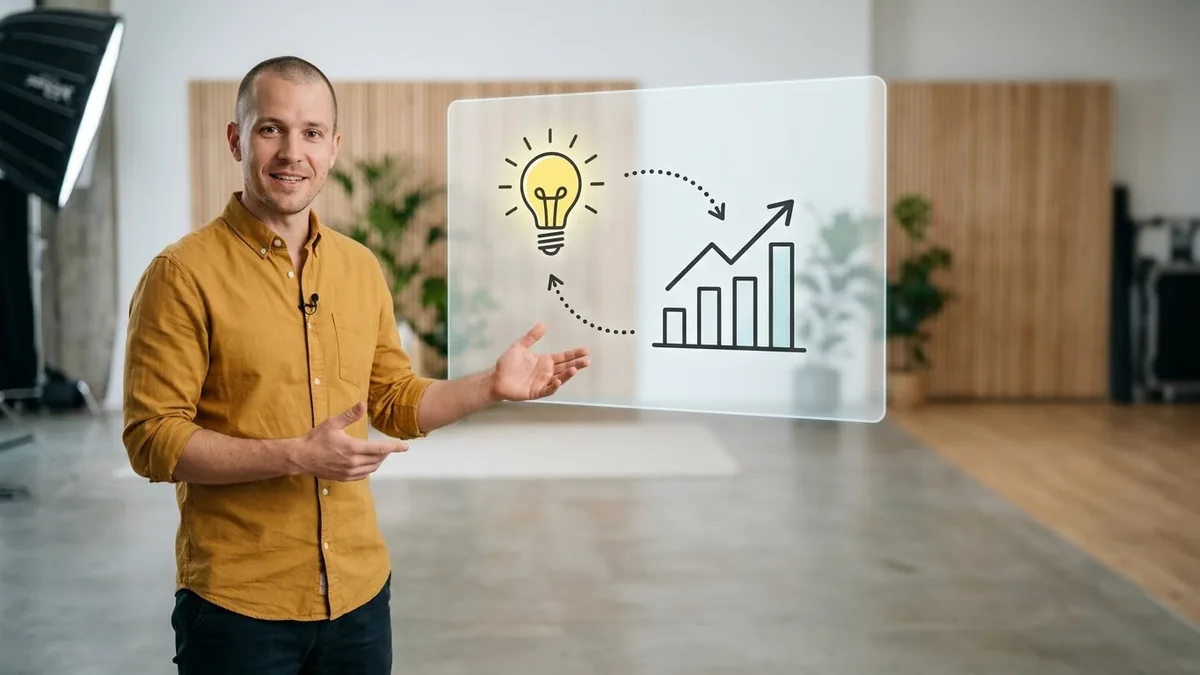
This prompt describes a friendly presenter in a bright studio gesturing toward charts on a large floating whiteboard-style screen, in an explainer format.
A friendly presenter in a [COLOUR] shirt standing beside a large floating whiteboard-style screen in a bright studio, gesturing to point at chart icons appearing one by one, natural talking motion, smiling, clean modern look, explainer video style.
Add your own graphics in editing; this creates the presenter and set.
Get a better result
A friendly presenter in your shirt colour standing in a bright studio beside a large floating screen, pointing at simple chart icons that appear one by one, with natural talking gestures and a smile.
The prompt makes the presenter and the set, and leaves the graphics to you, because readable text on screens is where AI video still fails. Icons appearing one by one give the edit a rhythm to match your points. A bright studio and a friendly face keep an explainer approachable rather than corporate.
The lips do not match your script.
Fix: Use the clip for the set and gestures, as the tip says, and add your own voice-over or captions on top.
- The icons on the screen are garbled. Ask for an empty, glowing screen and add your own charts and words in editing.
- Viewers think the presenter is a real expert. Say in the video or caption that the presenter is AI-made, and do not give them a real name or title.
Ask for the presenter standing at a plain whiteboard, pointing and nodding, so you can add hand-drawn diagrams later.
empty glowing screen beside the presenter, natural gestures, no words or numbers on screen, same shirt colour throughout
More video generation prompts
See all 489 →



More like this
- Talking-head tips videoVeo · Kling
- Animated whiteboard explainer introKling · Veo · Seedance
- Talking-head video with lip syncHiggsfield
- Grammar rule explained with examplesChatGPT · Gemini · Claude
- Explain a hard idea with a good analogyChatGPT · Gemini · Claude