Earth Zoom Out video prompt
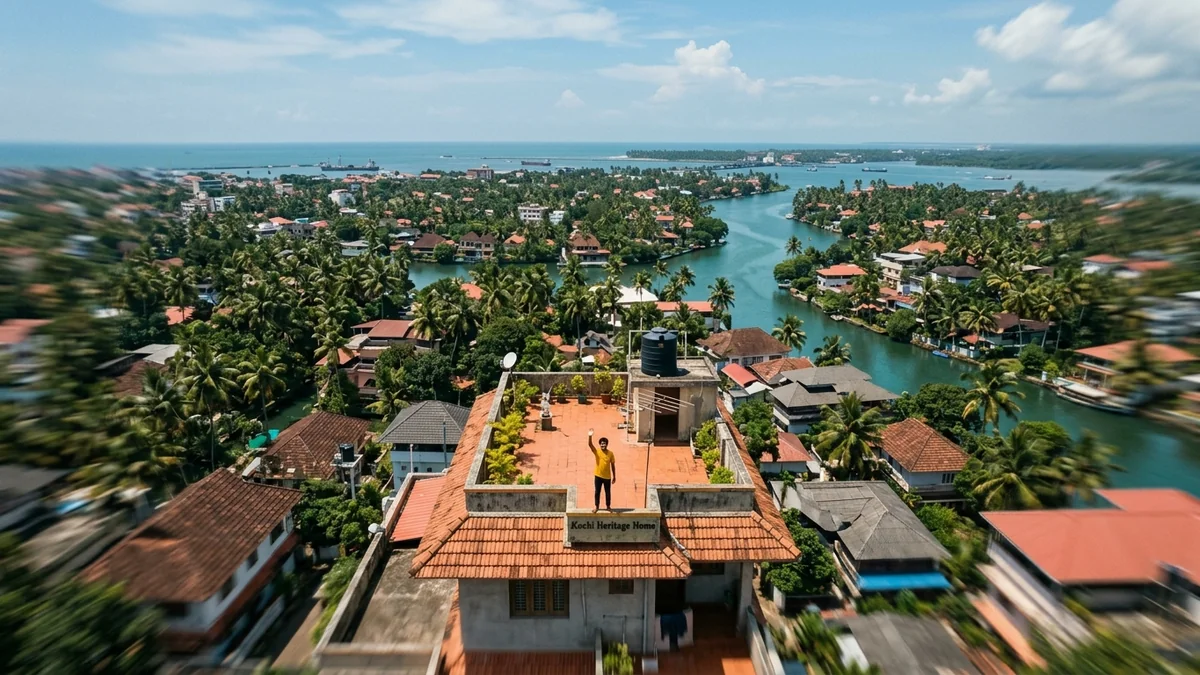
Earth Zoom Out is one of the most-watched AI video effects on Instagram Reels: the camera rises from your photo, through the city and clouds, out to the whole planet. This prompt describes the move in plain words so it works in Higgsfield, Kling or Veo. Upload your own photo as the first frame.
Earth zoom out, 9:16, 6 seconds. Start on this photo of [SUBJECT AND PLACE, e.g. me on a Mumbai rooftop at sunset]. The camera pulls straight up and back in one smooth move: the rooftop shrinks, then the city, then the coastline, until the whole curved Earth floats in black space with a thin blue glow. The person's face and clothes stay exactly as in the photo during the first second. Realistic satellite detail, soft sun flare on the horizon. One continuous move, no cuts, no text.
Some “open” links are affiliate links: if you sign up through them we may earn a commission, at no extra cost to you.
Use a clear photo with open sky or open ground around the person. In Higgsfield you can also pick the Earth Zoom Out preset for the same idea in one click; the words here make it work in other video tools too.
From copy to clip in four steps
- 1
Open Higgsfield.
- 2
Paste the prompt and fill in the [BRACKETED] fields. Add a starting image if the tool supports it.
- 3
Set the aspect ratio and length in the tool.
- 4
Generate two or three takes and adjust one detail at a time.
About this prompt
Which AI tools work with this prompt?
It is written for Higgsfield, Kling and Veo. Paste it into your preferred tool and adjust the wording if the result is off.
What do I need to fill in?
Replace the field before you send it: SUBJECT AND PLACE. Each field shows an example in the prompt.
Why does the result differ between video models?
Each model interprets camera moves, motion and audio differently. Keep the prompt, regenerate a few times and change one detail at a time.