- Updated
Year in review photo collage
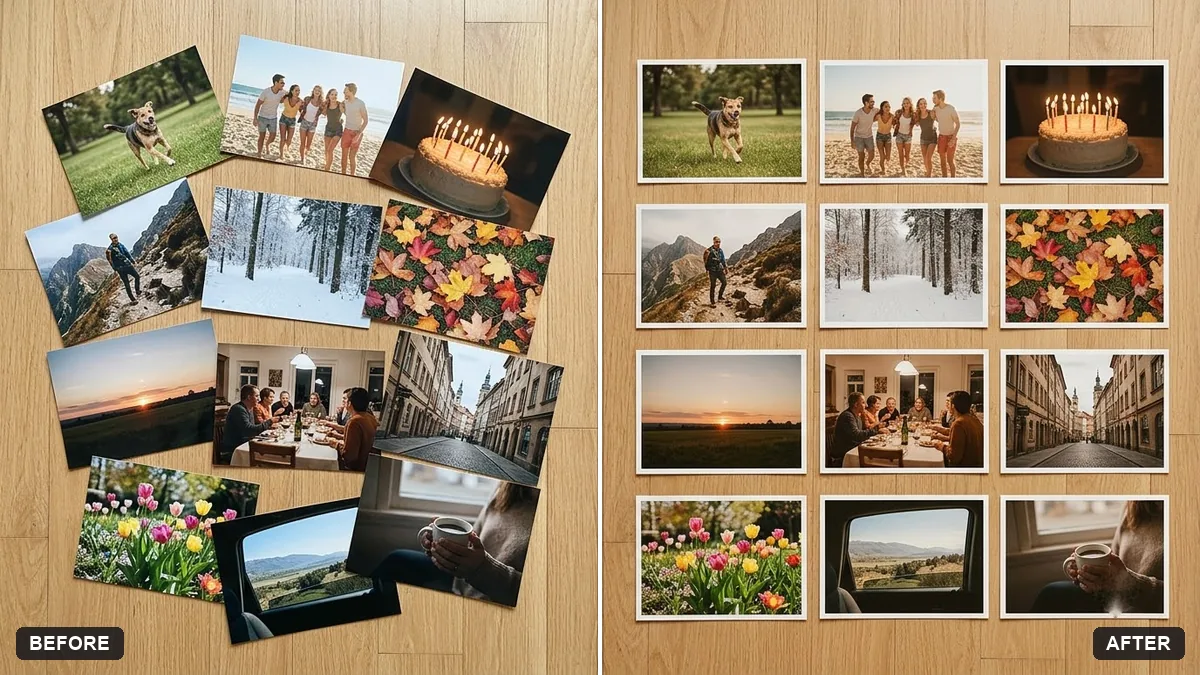
This prompt arranges your photos in a grid of twelve tiles labelled January to December with a title such as the year in review.
Create a year-in-review collage from these photos, arranged in a tidy grid of 12 tiles labelled January to December, with a title "[YEAR] in Review", a consistent warm colour grade and thin white borders.

Keep the photos' content exactly as it is.
Add the year and a short caption to each photo in your editor.
Your photo goes to the AI app you choose, never to PromptUp.
Get a better result
A tidy grid of 12 tiles labelled January to December with a year-in-review title, a consistent warm colour grade and thin white borders, using your photos with their content unchanged.
A photo appears twice, one is missing or there are fewer than 12 tiles.
Fix: Upload exactly 12, in order, and say “photo 1 for January and so on, no repeats, exactly 12 tiles”. Count the tiles.
- Faces are cut off when the photos are squared. Add “crop each tile so the faces stay centred and complete”, and look at every tile.
- A month name or the year is misspelt. Use short labels such as JAN, FEB or MAR and type the year as a number. Check the labels and fix them in an editor if needed.
Upload four photos and ask for “a 2 by 2 grid labelled spring, summer, monsoon and winter”. Fewer tiles mean larger pictures, which suits a phone wallpaper or a card.
Use exactly 12 tiles, photo 1 for January onwards without repeats, keep every face centred and label the months JAN to DEC.
Guides that use this prompt
More photo editing prompts
See all 334 →

More like this
- Year-end reflection and next-year focusChatGPT · Gemini · Claude
- Dark academia portraitGemini · ChatGPT
- Honest affiliate review outlineChatGPT · Gemini · Claude
- Review and improve a DockerfileChatGPT · Gemini · Claude
- Put yourself on a magazine coverGemini · ChatGPT