- Updated
Streamer overlay and panel set
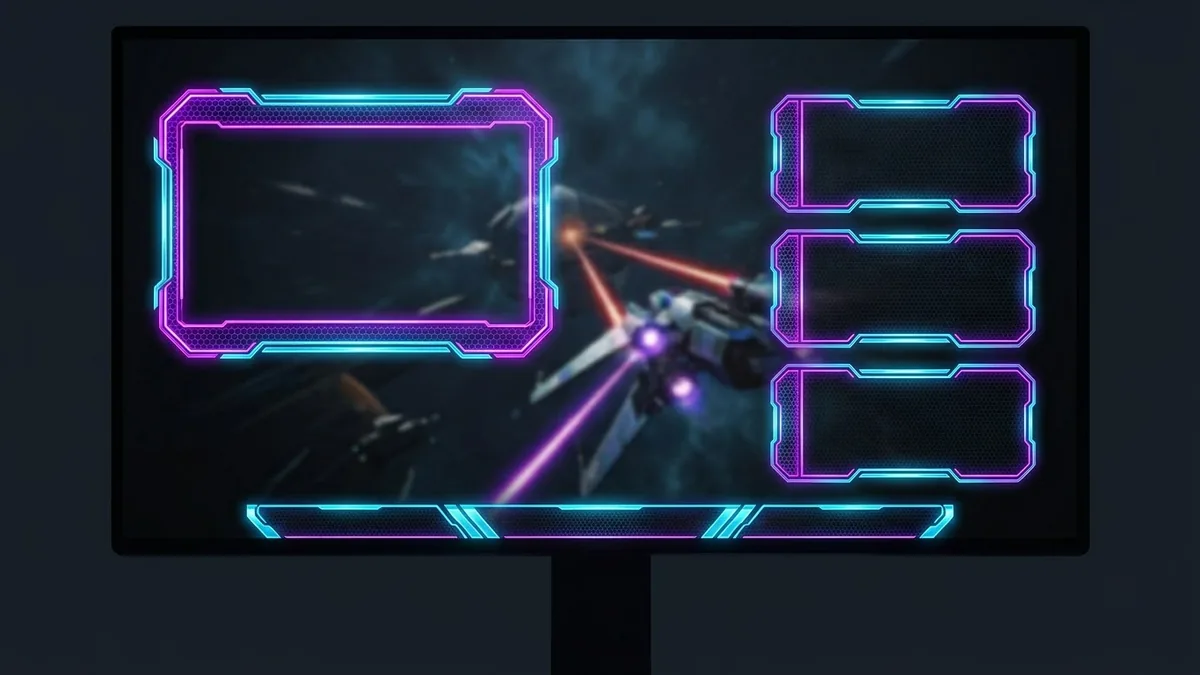
This prompt designs a stream overlay pack for a game or theme, including a webcam frame and info panels.
Stream overlay design pack for a [GAME OR THEME] streamer: a webcam frame, three about panels labelled "About", "Schedule" and "Rules", and a starting soon screen. Consistent [NEON / RETRO / FANTASY] style, [COLOUR] palette, clean shapes, transparent-looking centre for the webcam, readable bold lettering. --ar 16:9
Generate the graphics first and add live text like your follower count in your streaming software.
Get a better result
A matching set of stream graphics: a webcam frame with a clear centre, three about panels titled About, Schedule and Rules, and a starting soon screen, all in one neon, retro or fantasy style.
The panel lettering is misspelt or garbled.
Fix: Ask for one panel at a time and keep the words short. If a letter is still wrong, leave the lettering out and add the title in your streaming software.
- The webcam frame has art in the middle, so your face would be covered. Say “the centre is an empty rectangle with a thin neon border and nothing inside it”. Check it against your camera at the size you will use.
- Each piece looks like it came from a different set. Repeat the same style words, palette and border thickness in every request, or ask for “the same set as the first image” and attach it.
Ask for a fifth piece, “a be right back screen in the same style with a calm animated-looking glow and room for a short line of text”, so every screen of your stream matches.
Keep the webcam frame and the colours exactly the same. Redo the three panels so they share its border style and font weight.
More image generation prompts
See all 347 →

More like this
- Preview solar panels on a roofGemini · ChatGPT
- Marble texture setMidjourney · Gemini · ChatGPT
- Get feedback from a panel of three expertsChatGPT · Gemini · Claude
- Glassy 3D icon setMidjourney · Gemini · ChatGPT
- Countdown timer intro for a live streamKling · Veo · Seedance