- Updated
Podcast episode cover template
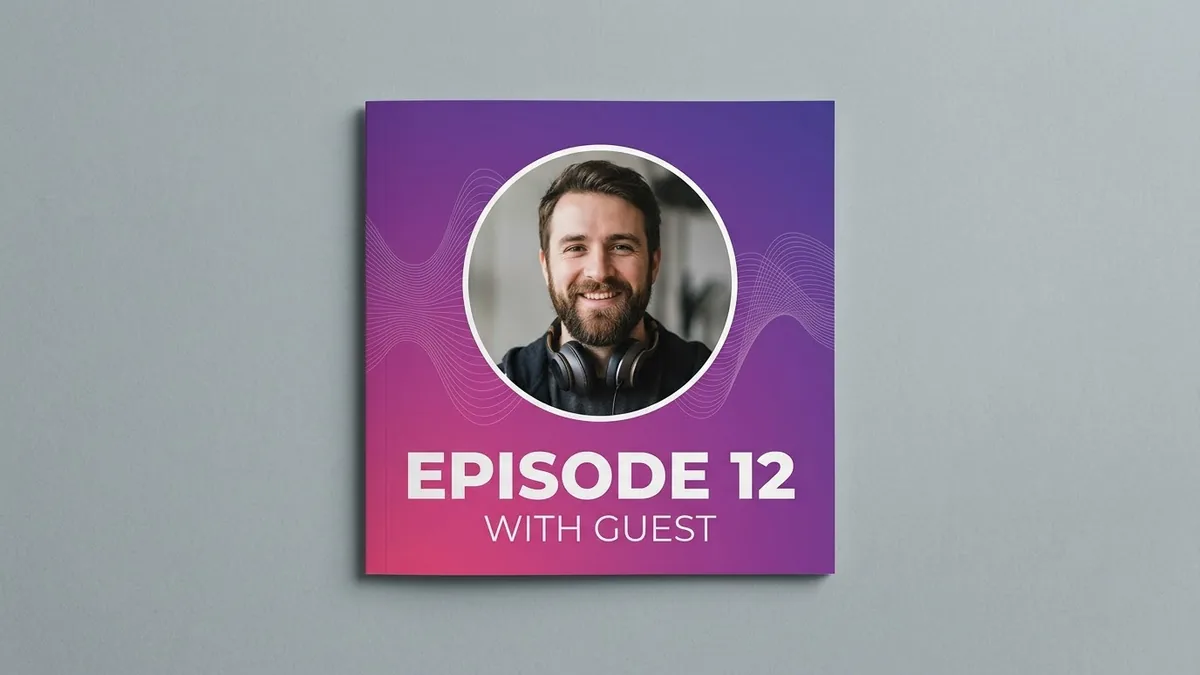
This prompt designs a reusable square episode cover for your podcast: a large circular space for the guest photo, a bold title area in the lower third and a gradient background with soft sound-wave lines. Design one template, then reuse it for every episode.
Episode cover template for a podcast called "[PODCAST NAME]". A square layout with a large circular space for the guest photo, bold title area in the lower third, a [COLOUR] gradient background with soft sound-wave lines, small logo in a corner, modern and clean, high contrast text. --ar 1:1
Design one template with clear space for the guest's photo and change only the title each week.
Get a better result
A square episode cover template with a large circle for the guest’s photo, a bold title area in the lower third, a gradient background with soft sound-wave lines and a small logo in one corner.
The photo circle is too small or off-centre.
Fix: Ask for “the circle fills about half the width, centred slightly above the middle”. You will use the same template each week.
- The podcast name is misspelt. Use a short name in quotes and check it. Add the exact text in an editor if any letter fails.
- Text is hard to read against the gradient. Ask for “white or very dark text with a subtle shadow, high contrast against the background”.
Ask for a 16:9 version with the guest circle on the right and the title on the left, for use as a YouTube thumbnail.
Keep the same template. Make the title area taller, simplify the sound-wave lines and leave the guest circle empty.
Guides on this topic
More image generation prompts
See all 347 →



More like this
- Outline a podcast episodeChatGPT · Gemini · Claude
- Pitch yourself as a podcast guestChatGPT · Gemini · Claude
- Podcast-style clip for ShortsHiggsfield
- Podcast host in the studioGemini · ChatGPT
- Customer support reply templatesChatGPT · Gemini · Claude