- Updated
Consistent line icon set
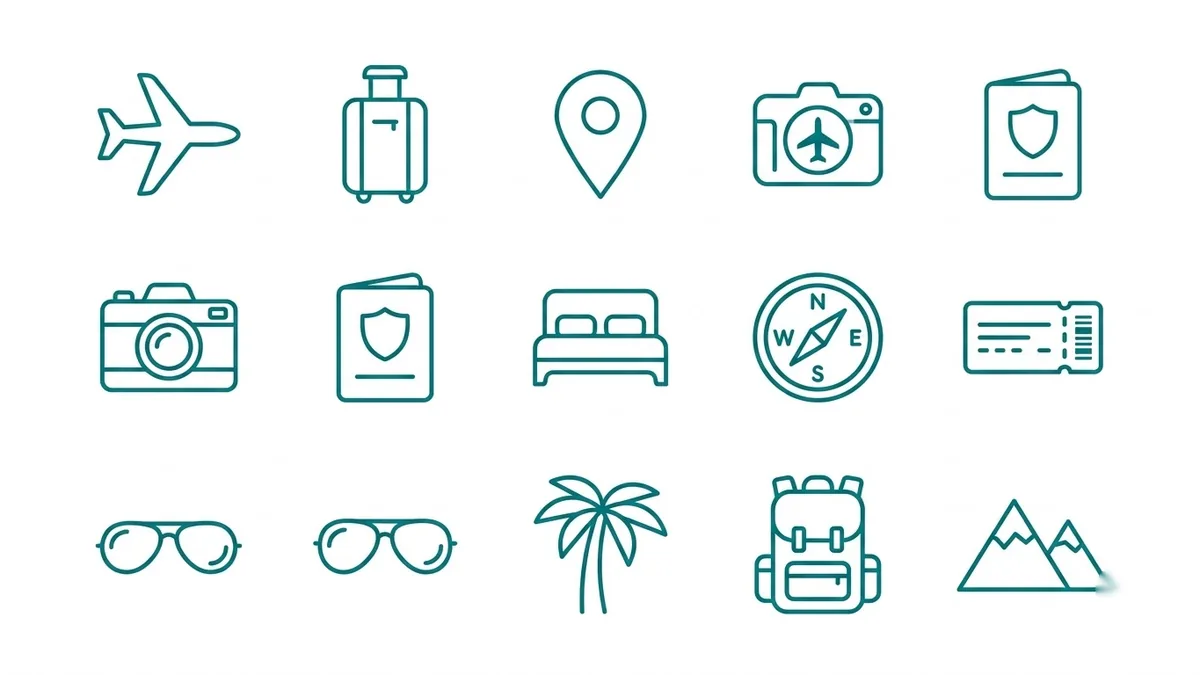
This prompt creates twelve icons for a theme such as a travel app, in a 4x3 grid with a uniform rounded stroke in one colour on white and no text. You list the twelve icons yourself.
A set of twelve line icons in a 4x3 grid for [THEME, e.g. a travel app]: [ICON 1], [ICON 2], [ICON 3], [ICON 4], [ICON 5], [ICON 6], [ICON 7], [ICON 8], [ICON 9], [ICON 10], [ICON 11], [ICON 12]. Uniform 2px rounded stroke, monochrome [COLOUR] on white, consistent size and spacing, simple, clear, no text.
Ask for a 4x3 grid and the same stroke width so the set stays consistent.
Get a better result
Twelve line icons for your theme in a 4x3 grid, all with the same 2px rounded stroke, one colour on white, matching size and spacing and no text.
Some icons are filled while others are outlines.
Fix: Add “outline only, no filled shapes” after the stroke rule, and regenerate the odd ones on their own with the same wording.
- The icons cannot be used as they are in an app. The result is a picture, not vector files. Trace them in a vector editor, or use them as a brief for a designer.
- Two icons look almost the same. Name very different objects in the list, such as a suitcase and a map, not a bag and a backpack.
Ask for the same icons with a soft second colour as a small filled shape behind each line drawing.
Keep the same stroke width, grid and corner style. Make the next twelve icons for [NEW THEME] so the two sets match.
More image generation prompts
See all 347 →
More like this
- Match colours across a photo setGemini · ChatGPT
- Instagram highlight cover iconsGemini · ChatGPT · Midjourney
- Panda emoji setMidjourney · Gemini · ChatGPT
- Spice jar set with labelsGemini · ChatGPT · Midjourney
- Shoe catalogue image setGemini · ChatGPT