AI prompts for writing a newsletter people actually open
Published

Short answerA newsletter that sounds like a template gets skimmed and deleted. Give the AI your actual voice, a real topic and one clear link, and ask it to write a short, personal subject line rather than a generic one. The prompts below cover the regular send, the welcome sequence, and the design.
Most newsletters fail for the same reason: they read like a press release instead of a note from a person. The fix isn't writing more, it's giving the AI a real topic, your actual tone and one job for the reader, instead of asking it to "write a newsletter" and hoping.
These prompts cover the regular send, the sequence new subscribers get, the subject line, and the header image.
1. This week's newsletter
Write this week's newsletter for [AUDIENCE].

Main topic: [TOPIC]
Key points to include: [POINTS]
One link or offer: [LINK / OFFER]
My tone: [e.g. friendly, a bit witty]

Structure: subject line, a personal opening line, the main points, one clear call to action. Keep it under [NUMBER] words. Don't use the words "unlock", "dive in" or "game-changer".
This matches our newsletter draft prompt. Two details make the biggest difference:
- One link or offer, not five. A newsletter with six calls to action gets none of them clicked. Pick the one thing you actually want the reader to do.
- Name your tone with an example, not just a word. "Friendly" means something different to everyone. "Friendly, like a text to a colleague you like" gives the model something to aim at.
2. A welcome sequence for new subscribers
The first few emails someone gets set the tone for everything after. Most newsletters send one, if any.
Write a four-email welcome sequence for new subscribers to my newsletter about [TOPIC].

My voice: [VOICE]
The promise of the newsletter: [PROMISE]
What I want subscribers to do: [ACTION]

Email 1: welcome and what to expect. Email 2: my best piece of advice on [TOPIC]. Email 3: a story or example that shows what I'm about. Email 4: ask them to reply with one question.
This follows our welcome sequence prompt. Email 4 matters more than it looks: asking a new subscriber a direct question, and actually replying when they answer, turns a one-way newsletter into a relationship, which is why people stay subscribed.
3. Subject lines worth testing
The subject line decides whether the email gets opened at all, so it's worth more attention than the rest of the email combined.
Create five pairs of subject lines to A/B test for [EMAIL PURPOSE] to [AUDIENCE].

For each pair, say what's being tested (for example curiosity vs benefit, or short vs long), give both versions, and keep each one under 50 characters.
Our subject line A/B test prompt builds exactly this. A specific, slightly odd subject line usually beats a polished, generic one: "I was wrong about this" tends to outperform "This week's updates".
4. A header banner that matches your brand
A wide email newsletter header banner for "[NEWSLETTER NAME]". Logo-style title text on the left, a simple illustration of [THEME] on the right, [COLOUR] background with a subtle pattern. Clean, modern, readable at a glance.
The newsletter header banner prompt handles the design side. Keep the title text short, since most email clients show the header at a small size before the reader even opens the email.
5. Stretch one piece of writing further
If you don't have time to write something new every week, repurpose something you've already made.
Turn this piece of content into ten pieces for different formats:

[PASTE ARTICLE, TALK OR TRANSCRIPT]

Include a newsletter section, a LinkedIn post, a short-video script, a carousel outline, and a few single lines that work as a quote or a hook.
This uses our content repurposing prompt. A podcast episode, a talk you gave, or even a long reply you wrote to a customer question can become this week's newsletter with almost no extra writing.
What actually gets newsletters opened
- A subject line that sounds like a person, not a marketer. Specific and slightly understated beats excited and vague.
- One clear job for the reader, stated once, not repeated five times with five different buttons.
- A consistent send time. Readers open emails out of habit as much as interest, so showing up at the same time each week helps more than any one clever subject line.
- A real opening line. Skip "Hi everyone, hope you're well" and start with the actual point.
Where to go from here
If you're writing for social media at the same time, see our AI prompts for content creators guide. These prompts sit in the content creator prompts collection, and the prompt builder can adapt any of them to your own topic and audience.
Quick checklist
- Give the AI your real tone, topic and one link, not a vague "write a newsletter".
- Send a short welcome sequence, not just one welcome email.
- Test subject lines in pairs, and keep them under 50 characters.
- Keep the header banner's text short and the design simple.
- Repurpose a talk, podcast or long reply into this week's send when you're short on time.
Prompts to try
 Draft a newsletter in your own voiceChatGPT · Gemini · Claude
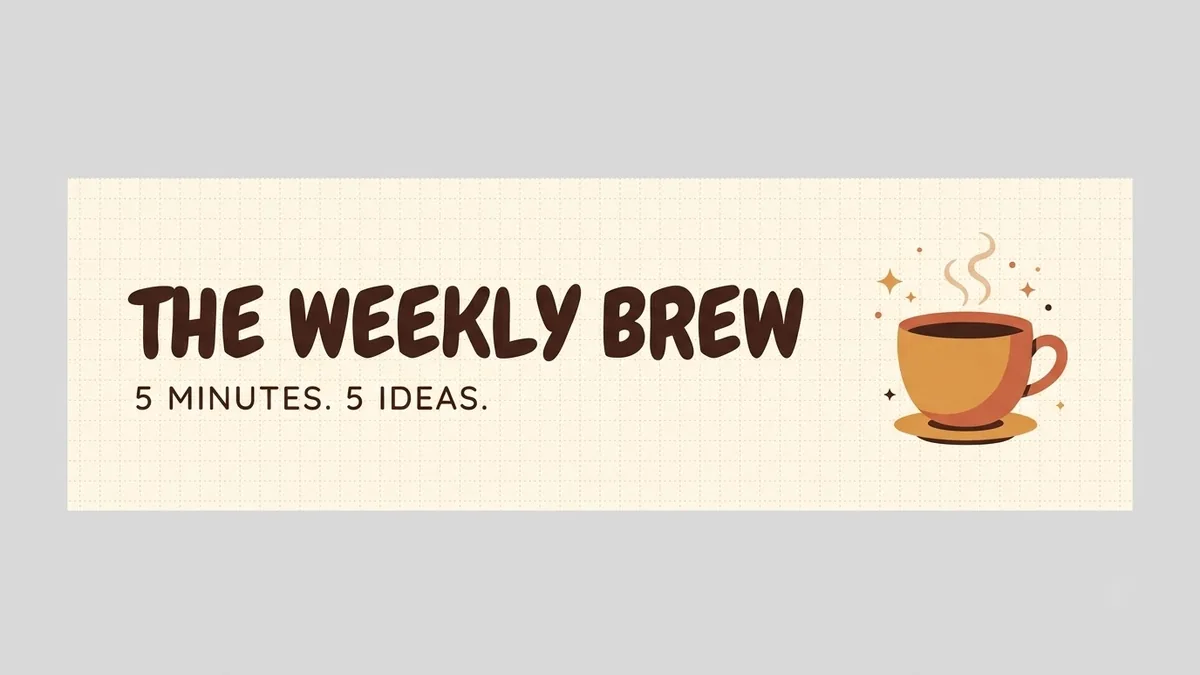 Email newsletter header bannerIdeogram · ChatGPT · Gemini
 Welcome email sequence for new subscribersChatGPT · Gemini · Claude
 A/B test ideas for email subject linesChatGPT · Gemini · Claude
 Repurpose one piece into tenChatGPT · Gemini · Claude
More prompts on this topic
- Generate email subject lines that get openedChatGPT · Gemini · Claude



Comments
No comments yet. Be the first to share what worked for you.