- Updated
Study-with-me desk video
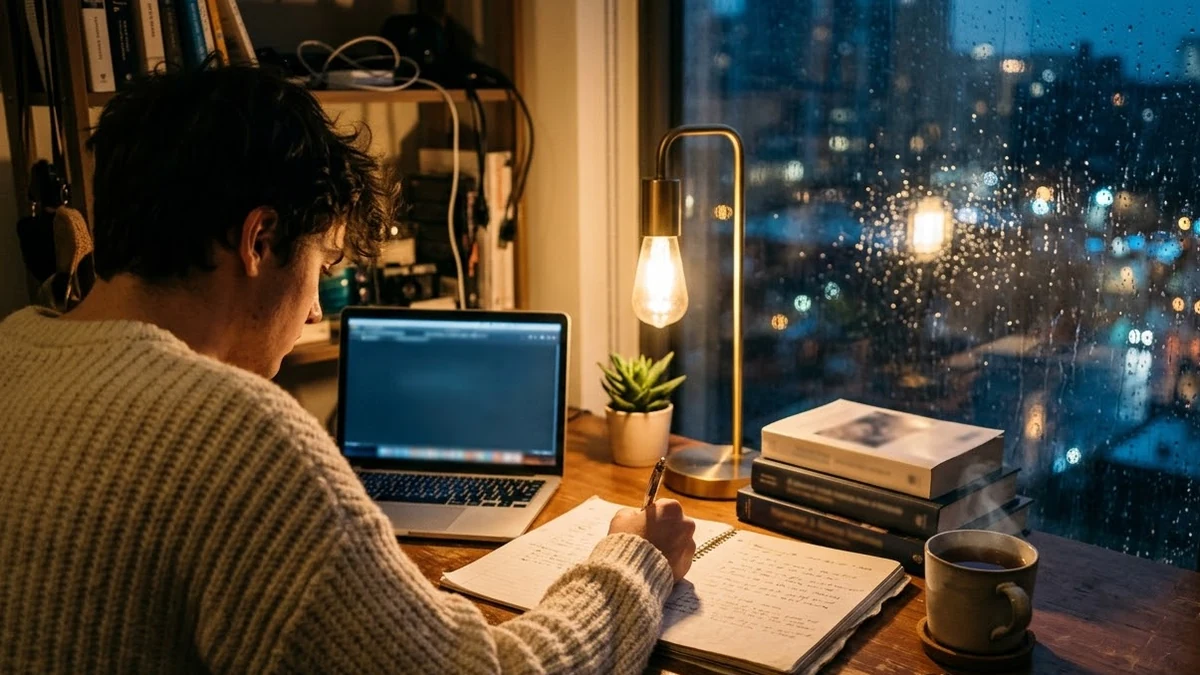
This prompt shows a student writing notes at a tidy desk under a warm lamp with a mug of a drink of your choice, for a study-with-me video.
A cosy study-with-me scene: a student writes notes at a tidy desk with a warm lamp, a mug of [DRINK, e.g. tea] steaming, an open laptop and books, soft rain on the window, occasional page turn, calm music mood, static camera at 45 degrees, warm evening light, looks like a real stream, loop-friendly.
Long loops work well for study streams. Add a timer in your editing app.
Get a better result
A cosy study scene with a student writing at a tidy desk under a warm lamp, a steaming mug, an open laptop and books, rain on the window and an occasional page turn, from a static 45-degree camera in a loop-friendly clip.
The student’s hands or writing look odd.
Fix: Keep the student partly out of frame, or shown from behind, with only slow simple movements like a page turn.
- Nothing seems to loop smoothly. Ask for “steady, repeating small movements, the same lighting from start to end”, and cut the end to match the start in your editor.
- The laptop screen shows garbled text. Say “the laptop screen is turned away or shows a plain blurred page”.
As the tip says, add a timer in an editing app. Put a 25-minute study and 5-minute break timer on the clip and loop it for a long session.
Keep the desk and the lamp. Show the student from behind, make the rain softer and add only one page turn during the clip.
Guides on this topic
More video generation prompts
See all 489 →

More like this
- Countdown timer intro for a live streamKling · Veo · Seedance
- Cosy lo-fi study room illustrationMidjourney · Gemini · ChatGPT
- Forest stream loopVeo · Kling · Seedance
- Laptop on a styled deskGemini · ChatGPT · Midjourney
- Cute jelly blob loopKling · Seedance · Veo