- Updated
Stadium big-screen fan cam
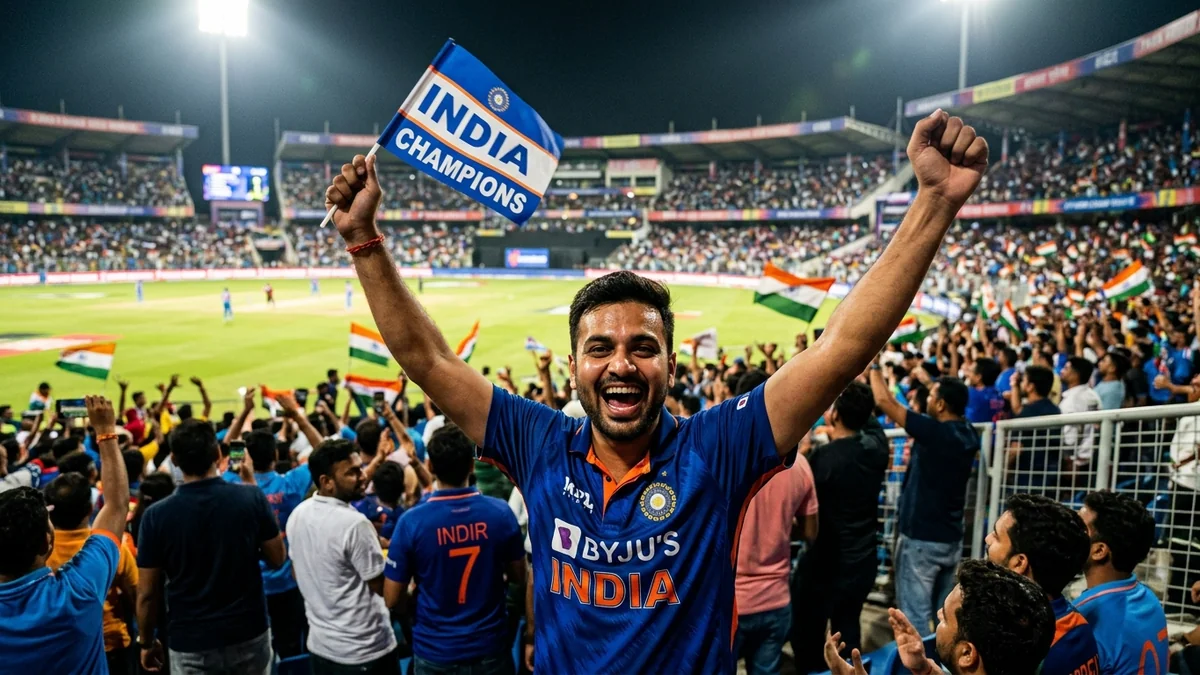
This prompt films you from a TV telephoto angle in a packed cricket stadium at night. You notice yourself on the giant screen, react with shock, then jump up and cheer. Swap cricket for any sport you like.
TV-broadcast telephoto shot of [SUBJECT, e.g. me in a blue team jersey] in a packed cricket stadium at night. I notice I'm on the giant screen, react with shock, then jump up cheering and pointing at the camera.

Cut to the stadium big screen showing the same moment with a "[CAPTION, e.g. FAN CAM]" graphic. Floodlights, waving flags, a roaring crowd, and excited commentary.

16:9, 8 seconds.
Swap cricket for football, F1, or a concert to match your audience.
Get a better result
A TV-style telephoto shot of you in a packed cricket stadium at night, noticing yourself on the giant screen, reacting in shock, then cheering and pointing at the camera, followed by the big-screen version with a caption.
Faces in the crowd warp and the big-screen text is garbled.
Fix: Keep the on-screen caption to one or two words inside quotes, and keep the camera on you rather than the crowd.
- The jersey shows a fake team logo or number. Add “a plain blue jersey with no logo or text”. Team marks come out garbled and may belong to someone else.
- The big screen shows a different person. Say “the big screen shows the same person in the same blue jersey”, so the cut matches the first shot.
- The reaction is too small to read from far away. Ask for “wide eyes, mouth open, both arms up”. Big gestures work in a telephoto shot.
Replace the stadium with “an open-air concert, phone torches in the crowd, your face on the stage screen”. The same gag for a different crowd.
Sharp focus on the main person; the crowd stays softly blurred.
Guides that use this prompt
More video generation prompts
See all 489 →



More like this
- Cricket fan face-paint portraitGemini · ChatGPT
- Street cricket with kidsVeo · Kling · Seedance
- Football goal in slow motionVeo · Kling
- Live Concert video promptHiggsfield · Kling · Veo
- Football goal celebrationGemini · ChatGPT