- Updated
City day-to-night timelapse
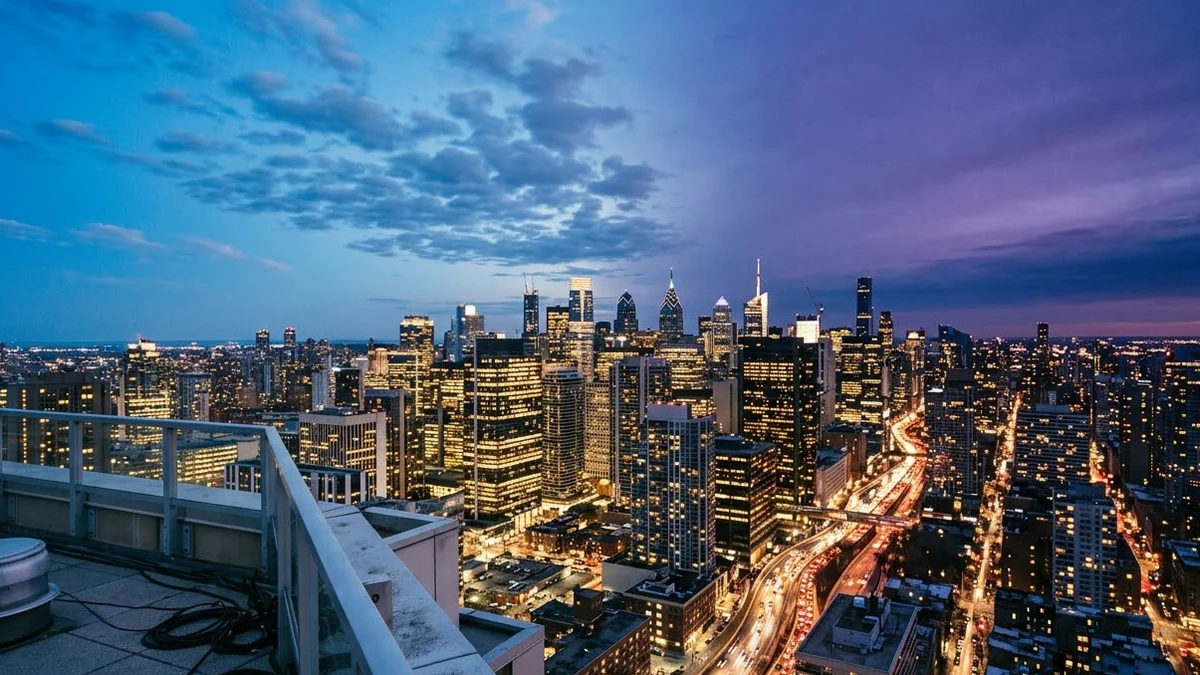
This prompt describes a rooftop timelapse of a city you choose: clouds streaming over the skyline in daylight, the sun sinking to orange and the buildings lighting up at night.
Timelapse from a high rooftop view of [CITY]: clouds streaming over the skyline in bright daylight, sun sinking to a warm orange sunset, buildings lighting up one by one, cars turning into glowing light trails, deep blue night sky with stars appearing. Locked camera, smooth transition, cinematic colour.
Use "locked camera" so the background stays stable.
Get a better result
A locked rooftop view of your city moving from bright day to warm sunset to deep blue night: clouds stream by, buildings light up one by one, traffic becomes glowing trails and stars appear.
The skyline changes shape between day and night.
Fix: Use the tip’s “locked camera” and add “the same skyline and buildings throughout, only the light changes”.
- The day-to-night change happens too suddenly. Say “a slow, smooth transition, about a third of the clip each for day, sunset and night”. Spread the stages evenly.
- The city looks generic, not like the place you named. Name two or three landmarks or the shape of the skyline, for instance the sea on one side or a tall tower on the left.
Replace the clear sky with “heavy monsoon clouds that darken the sky until rain starts, wet streets reflecting the lights”. Keep the locked camera so the buildings stay stable.
Locked camera, the same skyline throughout, and a smooth change that gives day, sunset and night about a third of the clip each.
More video generation prompts
See all 489 →
More like this
- Turn a still photo into a timelapseKling · Veo · Seedance
- Plant growth timelapseVeo · Kling · Seedance
- Recipe video with hands and timelapseVeo · Kling · Seedance
- Hologram billboards in a cityVeo · Kling · Seedance
- Tokyo crossing hyperlapseVeo · Kling · Seedance