- Updated
Sneaker sale poster
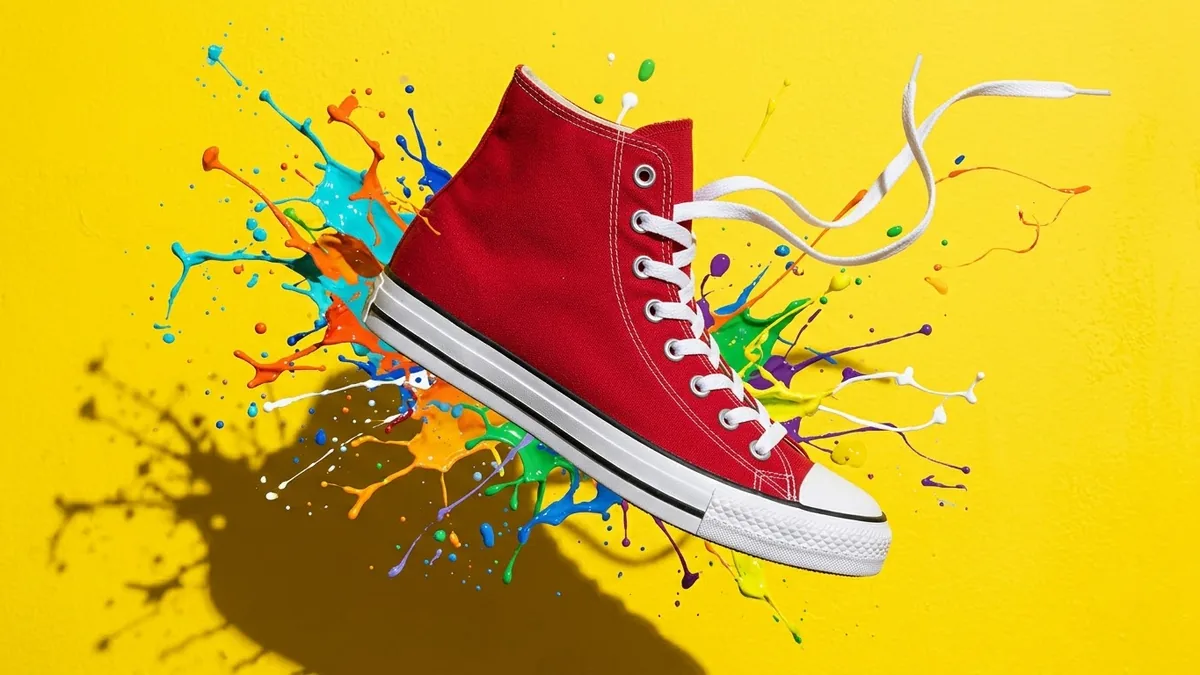
This prompt creates a sale poster with a high-top sneaker in a colour you choose floating at a slight angle.
Bold sneaker sale poster. A [COLOUR] high-top sneaker floating at a slight angle with a burst of [COLOUR] paint splashes, huge headline "[SALE PERCENT] OFF", smaller line "[DATES]", chunky sans-serif typography, energetic streetwear style, strong contrast, clean space at the bottom for a button that says "Shop now". --ar 4:5
Put the sale percentage on its own line in huge type; it is the first thing viewers read.
Get a better result
A bold sale poster with a floating high-top sneaker, a burst of paint splashes, a huge percentage headline, a smaller dates line and clear space at the bottom for a button.
The percentage or dates are wrong.
Fix: Check the numbers carefully. If the image gets them wrong, remove the text from the prompt and add it with a font editor.
- The sneaker looks odd, with extra laces or a strange sole. Describe the shoe simply, in one colour with a white sole, and make a few versions. Do not claim it is a real branded shoe.
- The empty space for the button is filled in. Say “keep the bottom fifth of the poster empty and plain”, and place the button in your layout tool.
Change the shape to tall 9:16 and ask for “headline in the top third, shoe in the middle, space at the bottom for a swipe-up area”. Check your platform’s safe zones.
Keep the sneaker and the splashes. Make the headline much larger on its own line and move the shoe a little up and to the right.
Guides on this topic
More image generation prompts
See all 347 →


More like this
- Sales discovery call questionsChatGPT · Gemini · Claude
- Floating sneaker product shotMidjourney · Gemini · ChatGPT
- Sneaker hero ad with fast cutsKling · Veo · Seedance
- Garage sale flyerGemini · ChatGPT · Midjourney
- E-commerce sale bannerIdeogram · ChatGPT · Gemini