How to see every installed app on Windows, sorted by install date
Published
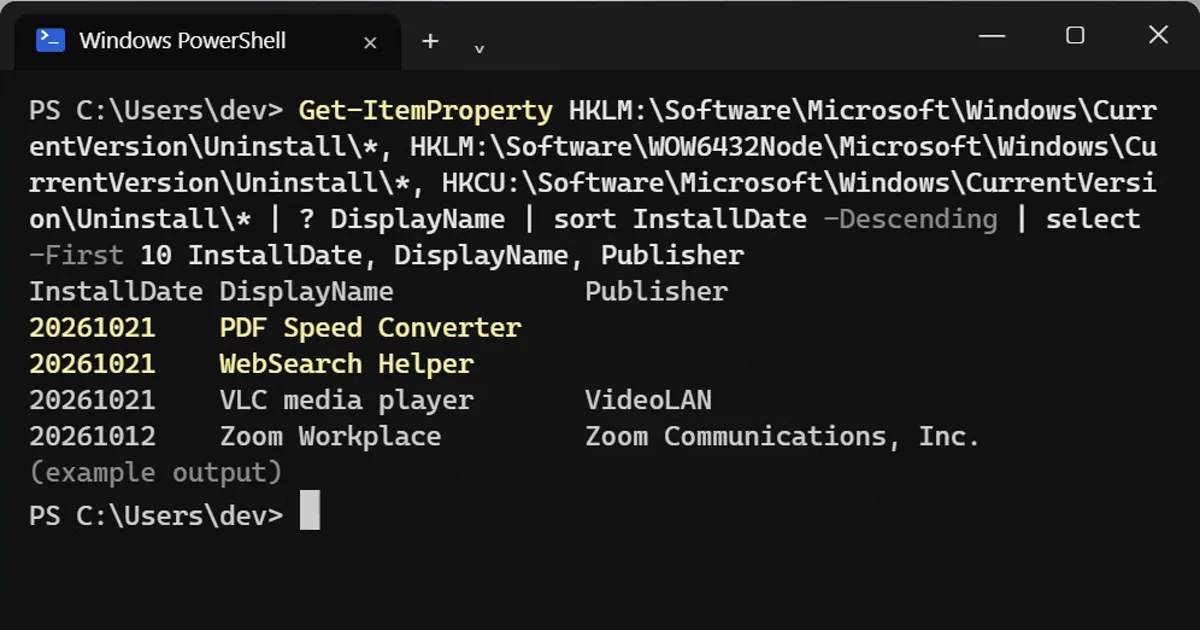
Short answerRead the three Uninstall registry keys with Get-ItemProperty, sort by InstallDate and show the newest ten with their publisher. Remove anything you did not choose with winget uninstall. Store apps are listed in Settings > Apps > Installed apps.
Free converters, game cheats and "download" buttons often install extra apps you never chose. They hide in the long Installed apps list. Sorting by date makes them stand out.
Step 1: List the newest installs
Get-ItemProperty HKLM:\Software\Microsoft\Windows\CurrentVersion\Uninstall\*, HKLM:\Software\WOW6432Node\Microsoft\Windows\CurrentVersion\Uninstall\*, HKCU:\Software\Microsoft\Windows\CurrentVersion\Uninstall\* | ? DisplayName | sort InstallDate -Descending | select -First 10 InstallDate, DisplayName, Publisher
InstallDate DisplayName            Publisher
20261021    PDF Speed Converter
20261021    WebSearch Helper
20261021    VLC media player       VideoLAN
20261012    Zoom Workplace         Zoom Communications, Inc.
It reads the three places where Windows programs register themselves: 64-bit apps, 32-bit apps and apps installed only for your account. Change 10 to see more.
Step 2: Read the dates
The date reads year, month, day: 20261021 is 21 October 2026. Look at the day you installed something. In the example, two apps with no publisher arrived on the same day as VLC. That's the classic sign of a bundled installer.
Some entries have no date at all. They sort to the bottom, so the newest ones are still on top.
Step 3: Remove what you didn't choose
winget uninstall "PDF Speed Converter"
Use the exact name from the list. You can also uninstall from Settings > Apps > Installed apps. If you are not sure what an app is, search its name before you remove it: drivers and runtimes such as "Microsoft Visual C++" are needed by other programs.
Store apps
Apps from the Microsoft Store are not in this list. Open Settings > Apps > Installed apps and choose Sort by: Install date.
On a Mac
Open Applications in Finder, switch to list view and sort by Date Added.
More quick tips
More prompts on this topic
- App store screenshot with captionIdeogram · ChatGPT · Gemini
- App store listing copyChatGPT · Gemini · Claude



Comments
No comments yet. Be the first to share what worked for you.