How to check who signed a program before you run it on Windows
Published
Short answerRun Get-AuthenticodeSignature on the file and read the Status and the signer name. Valid means the signature is genuine, not that the file is safe, so check the company name. HashMismatch means the file was changed after signing.
A file name can say anything. "ChromeSetup.exe" can be made by anyone. The digital signature can't be faked as easily: it names the company that signed the file and breaks if the file is changed afterwards.
Step 1: Check the signature
Open PowerShell in the folder with the file (in File Explorer, type powershell in the address bar and press Enter), then run:
Get-AuthenticodeSignature .\ChromeSetup.exe | select Status, @{n='Signer';e={$_.SignerCertificate.Subject}}Status Signer Valid CN=Google LLC, O=Google LLC, L=Mountain View...
Valid and Google LLC: that is the real Chrome installer.
Step 2: Read the name, not just "Valid"
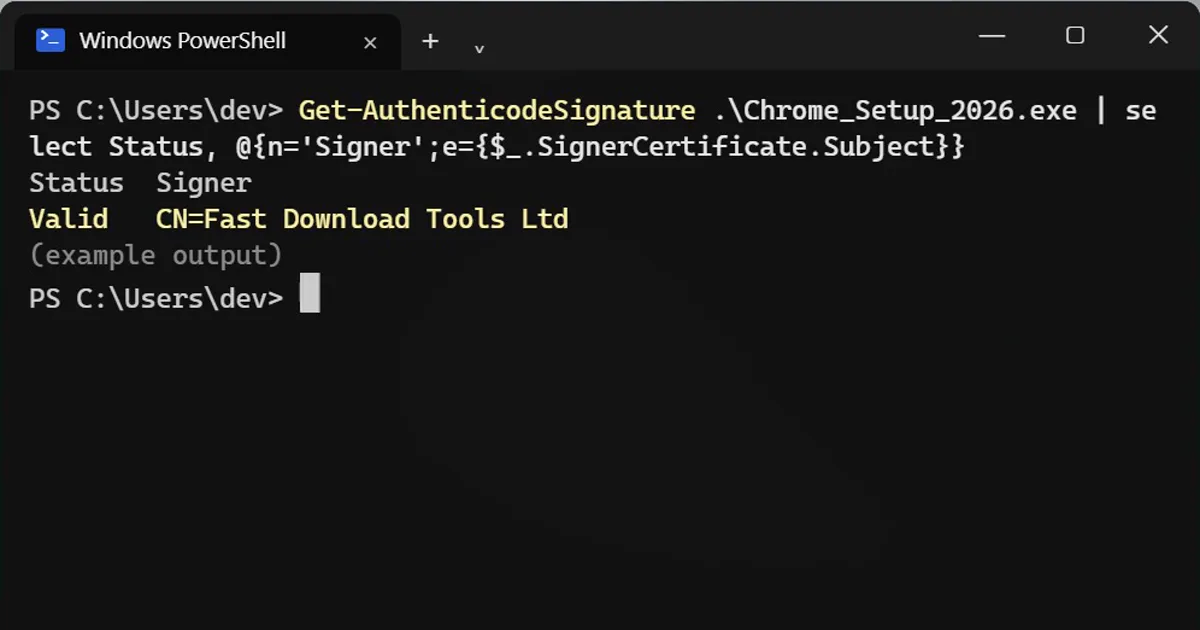
Get-AuthenticodeSignature .\Chrome_Setup_2026.exe | select Status, @{n='Signer';e={$_.SignerCertificate.Subject}}Status Signer Valid CN=Fast Download Tools Ltd
Also Valid, but Google doesn't sign Chrome as "Fast Download Tools". Valid only means the signature is real and the file wasn't changed. Anyone can buy a certificate for their own company name, so always check that the signer is the company you expect.
What the status means
| Status | Meaning |
|---|---|
| Valid | Signature is genuine and the file is unchanged. Now check the name. |
| HashMismatch | The file was changed after it was signed. Delete it. |
| NotSigned | No signature. Not always bad (small free tools often aren't signed), but download it only from the official site. |
| UnknownError / NotTrusted | The certificate isn't trusted on your PC. Treat it like NotSigned. |
No terminal?
Right-click the file, open Properties > Digital Signatures, select the signature and click Details. The tab is missing if the file isn't signed.
On a Mac
In Terminal, codesign -dv --verbose=2 /Applications/AppName.app shows the Authority (the signer), and spctl -a -vv /Applications/AppName.app shows whether Gatekeeper accepts it.
More quick tips
More prompts on this topic
- Create an event run-of-showChatGPT · Gemini · Claude



Comments
No comments yet. Be the first to share what worked for you.