How to use a dictionary in your terminal with curl and dict.org
Published
Short answerRun curl.exe dict://dict.org/d:word for a definition, m:word to find the right spelling, and d:word:moby-thesaurus for synonyms. show:db lists every dictionary, including translation ones. It uses the DICT protocol from RFC 2229 (1997).
Before Google, the internet had its own dictionary protocol: DICT, written down in 1997 as RFC 2229. Most people have never heard of it, but curl still speaks it and dict.org still answers. Windows has curl built in.
Look up a word
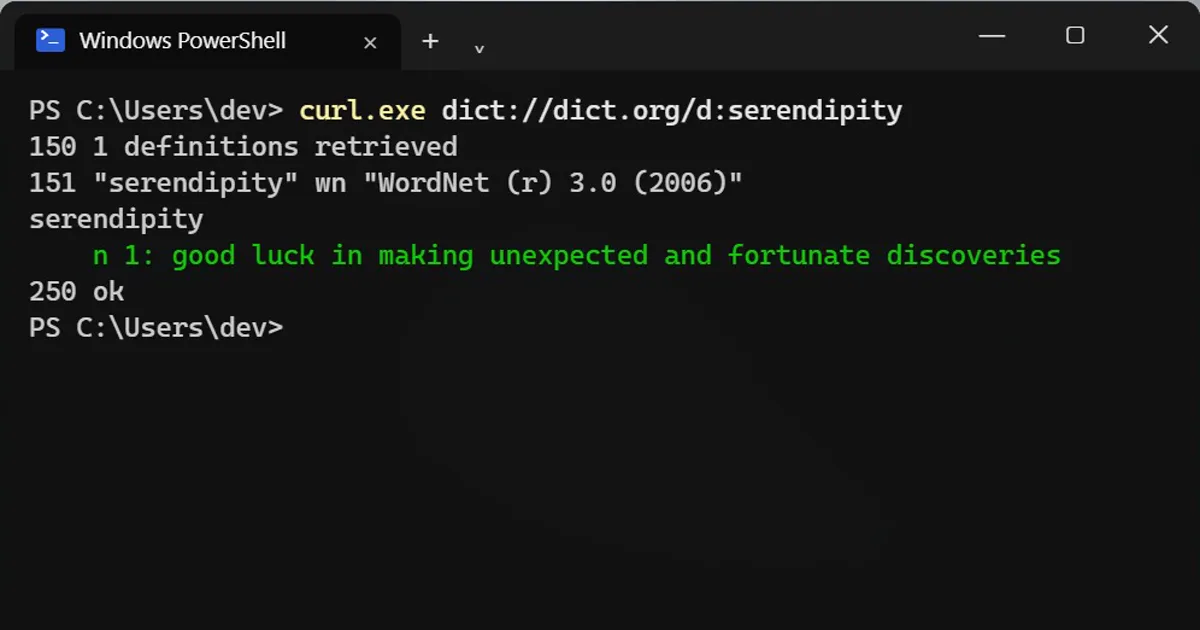
curl.exe dict://dict.org/d:serendipity
150 1 definitions retrieved
151 "serendipity" wn "WordNet (r) 3.0 (2006)"
serendipity
    n 1: good luck in making unexpected and fortunate discoveries
250 ok
Note the address starts with dict://, not https://. The numbers like 150 and 250 are the protocol's status codes: 250 ok means done.
Can't spell it? Use m: for match
curl.exe dict://dict.org/m:recieve
152 2 matches found
gcide "Receive"
gcide "Relieve"
Synonyms from the thesaurus
Add the dictionary name after a second colon:
curl.exe dict://dict.org/d:happy:moby-thesaurus
219 Moby Thesaurus words for "happy":
   a propos, accepting, accidental, ad rem, adapted,
   ... beaming, blissful, blithe, bright, cheerful, cheery,
Every dictionary on the server
curl.exe dict://dict.org/show:db
It lists dozens of dictionaries, including translation ones such as fd-eng-spa (English to Spanish) and fd-eng-jpn (English to Japanese). Use them the same way: d:word:fd-eng-spa.
Good to know
- DICT isn't encrypted, so your look-ups travel in plain text. Fine for words, not for secrets.
- Some office or school networks block it. Then you get no answer at all.
On a Mac
Drop the .exe: curl dict://dict.org/d:word.
More quick tips
More prompts on this topic
- Company org chart graphicGemini · ChatGPT · Midjourney



Comments
No comments yet. Be the first to share what worked for you.