How to get a cheat sheet for any command with curl and cheat.sh
Published
Short answerRun curl.exe cheat.sh/tldr:robocopy for a short cheat sheet with examples for any command, or curl.exe cheat.sh/python/reverse+a+list to ask a coding question. Use curl.exe in Windows PowerShell and plus signs for spaces.
You forget a command's options, open a browser, scroll past ads... or ask your terminal. cheat.sh is a free service that answers with short cheat sheets, made for the terminal. Windows has curl built in, so there is nothing to install.
A cheat sheet for any command
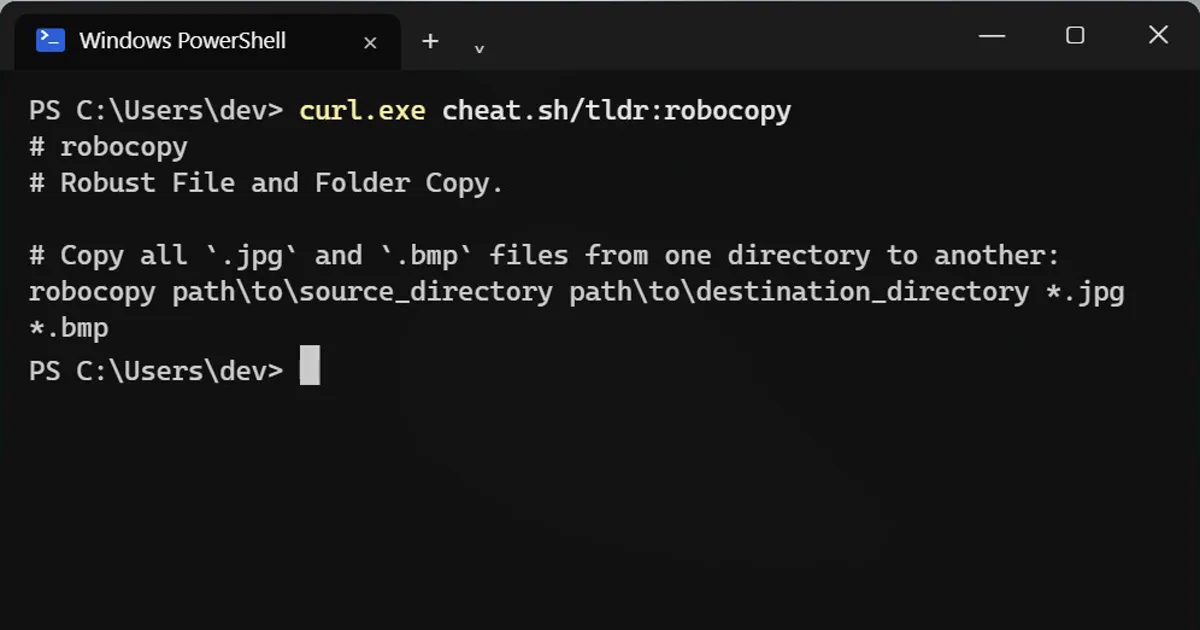
curl.exe cheat.sh/tldr:robocopy
# robocopy
# Robust File and Folder Copy.

# Copy all `.jpg` and `.bmp` files from one directory to another:
robocopy path\to\source_directory path\to\destination_directory *.jpg *.bmp
The tldr: pages are short, with examples you can copy. Swap robocopy for tar, git, ffmpeg, winget or almost any other command.
Ask it a coding question
Put the language, then your question with plus signs instead of spaces:
curl.exe cheat.sh/python/reverse+a+list
#  You can make use of the `reversed` function for this as:

 >>> array=[0,10,20,40]
 >>> for i in reversed(array):
 ...     print(i)
These answers come from community sites such as Stack Overflow. They're usually good, but read a command before you run it, especially anything that deletes files.
Handy extras
curl.exe cheat.sh/gitshows a longer sheet that combines several sources.curl.exe cheat.sh/:helplists all the options.- Add
?Tto the end to remove colours if the text looks messy:curl.exe "cheat.sh/tar?T".
Why curl.exe and not curl?
In Windows PowerShell, curl is a shortcut for a different command (Invoke-WebRequest). curl.exe runs the real curl that comes with Windows 10 and 11.
On a Mac
Plain curl works: curl cheat.sh/tar.



Comments
No comments yet. Be the first to share what worked for you.