How to get the weather in your Windows terminal with one command
Published
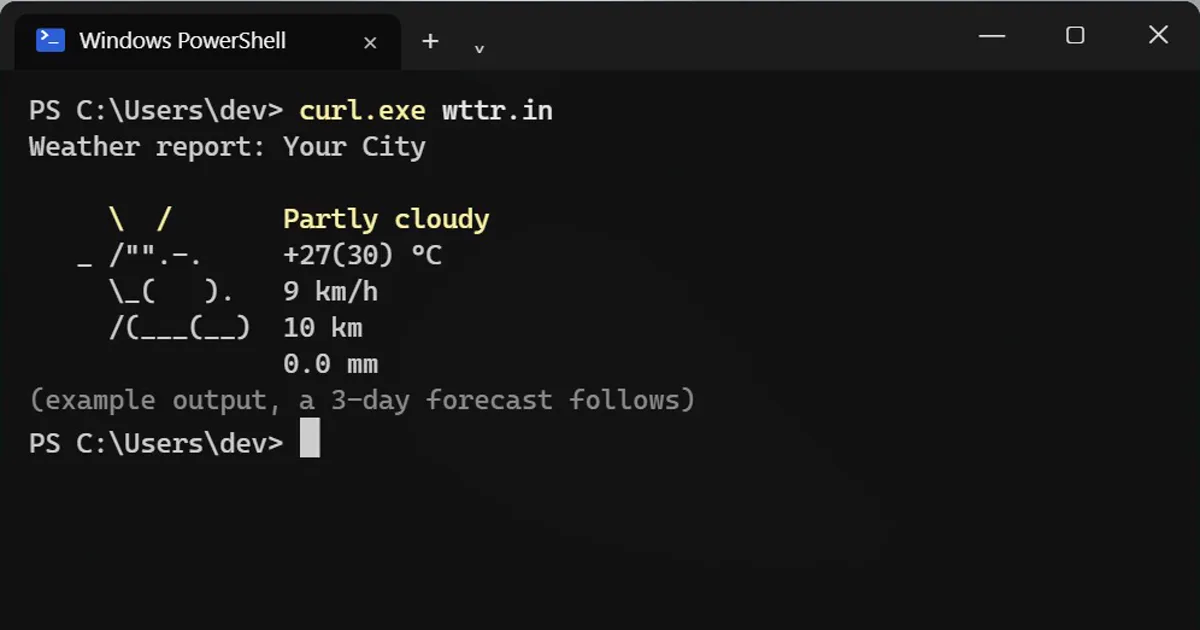
Short answerRun curl.exe wttr.in in PowerShell for today's weather as text art. Use curl.exe, not curl, because in Windows PowerShell 5.1 curl is an alias for Invoke-WebRequest. Add a city after the slash, or run curl.exe wttr.in/Moon for the moon phase.
wttr.in is a free weather service made for terminals, and Windows 10 and 11 include curl.exe, so this works with nothing to install. Open PowerShell and type:
curl.exe wttr.in
You get today's weather as text art plus a three-day forecast.
Why curl.exe and not curl?
In Windows PowerShell 5.1, plain curl is an alias for Invoke-WebRequest, a different command that behaves differently. Typing curl.exe runs the real curl program. On a Mac or Linux, drop the .exe.
One clean line
If you only want the facts:
curl.exe "wttr.in/?format=%l:+%C+%t,+feels+%f,+rain+%p"
Your City: Partly cloudy +24°C, feels +26°C, rain 0.0mm
The codes: %l place, %C condition, %t temperature, %f feels like, %p rain. Use + for spaces.
Pick a place
Put a city after the slash:
curl.exe wttr.in/Paris
Spaces become +, as in wttr.in/New+York. You can also use a three-letter airport code. Add ?0 for today only, ?m for metric units or ?u for US units.
The hidden extra
curl.exe wttr.in/Moon
That draws today's moon phase. Every option is listed by:
curl.exe wttr.in/:help
Good to know
- It needs an internet connection and depends on a free third-party site, which can be slow or down.
- With no city, it guesses your location from your internet address. Type a city if you prefer not to.
- It is a nice thing to put in a small script, so your morning terminal shows the weather first.



Comments
No comments yet. Be the first to share what worked for you.