How to make your Windows PC read any text out loud with PowerShell
Published
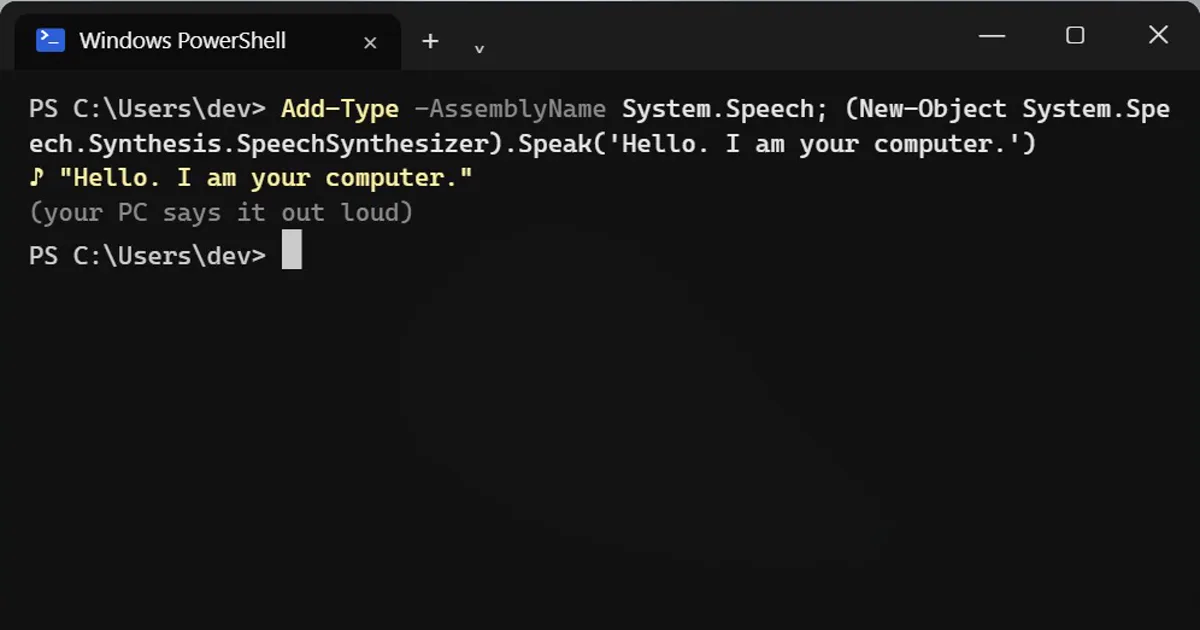
Short answerIn Windows PowerShell 5.1, load System.Speech and call Speak on a SpeechSynthesizer to hear any text. Use SelectVoice and Rate to change the voice and speed, and SetOutputToWaveFile to save a voice-over. It needs classic PowerShell, not PowerShell 7.
Windows has a built-in speech engine, and Windows PowerShell 5.1 can drive it with nothing to install. Turn your volume up a little, open PowerShell and type:
Add-Type -AssemblyName System.Speech; (New-Object System.Speech.Synthesis.SpeechSynthesizer).Speak('Hello. I am your computer.')Your PC says the sentence out loud.
See which voices you have
The list depends on your Windows languages:
(New-Object System.Speech.Synthesis.SpeechSynthesizer).GetInstalledVoices().VoiceInfo.Name
Many PCs have two, for example Microsoft David Desktop and Microsoft Zira Desktop.
The useful part: proofread by ear
Hearing your writing catches repeated words and missing words that your eyes skip. Save your text as essay.txt, then run:
$s = New-Object System.Speech.Synthesis.SpeechSynthesizer; $s.SelectVoice('Microsoft Zira Desktop'); $s.Rate = -1; $s.Speak((Get-Content .\essay.txt -Raw))Rate goes from -10 (slow) to 10 (fast). Use a voice name from your own list. This is also a good way to rehearse a speech.
Make a voice-over file
The speech can be saved instead of played. The file lands in the folder you are in:
$s.SetOutputToWaveFile("$PWD\voice.wav"); $s.Speak('Welcome to my presentation.'); $s.Dispose()Use $PWD rather than a bare file name, because .NET's current folder can differ from PowerShell's. Dispose() closes the file so it can be opened.
Bonus: a beep
[console]::Beep(440, 500)
That is a 440 Hz tone for half a second.
On a Mac
The built-in command is say "Hello".
Good to know
- This needs classic Windows PowerShell (version 5.1), not PowerShell 7.
- It reads plain text only. For Word files, save them as .txt first.
- The voices are the robotic offline ones. They are good for proofreading, less so for finished narration.
More quick tips
More prompts on this topic
- Write a wedding speechChatGPT · Gemini · Claude
- Proofread without changing your voiceChatGPT · Gemini · Claude



Comments
No comments yet. Be the first to share what worked for you.