AI prompts for replying to customer reviews, good and bad
Published

Short answerReply to every review within a day or two if you can. For a bad review, apologise first and move details offline; for a good one, thank them by name and mention something specific. The prompts below write both, plus the message that asks for a review in the first place.
Most small businesses get reviews on Google, a food app, a marketplace or their own website, and most owners either ignore them or reply with the same two lines every time. A good reply takes two minutes and does more for your reputation than the review itself, because the next customer reads the reply too.
These prompts cover the three situations that come up most: a bad review, a good review, and asking for one in the first place.
1. Replying to a bad review
The instinct is to defend yourself. Resist it. A reply that argues in public looks worse than the original review, even when you're right.
Act as a customer experience manager for [BUSINESS, e.g. my home bakery]. Write a reply to this review:

[PASTE THE REVIEW]

Apologise sincerely without making excuses, acknowledge the specific problem they mentioned, and offer to sort it out. Ask them to message us directly at [CONTACT] so we can fix it. Keep it under [NUMBER] words and don't repeat the complaint back in detail.
This is the same shape as our reply to a customer complaint prompt. Two things make the difference between a good reply and a defensive one:
- Apologise first, explain second. "I'm sorry this happened" before any reason why it happened. If you lead with the reason, it reads as an excuse.
- Move it offline. A public reply fixes your reputation. The actual fix (a refund, a replacement, a conversation) happens over phone, email or a direct message, not in the review thread.
If the review is unfair or clearly fake, still reply calmly and factually once. Don't argue back and forth in the comments.
2. Replying to a good review
Easy to skip because it feels unnecessary, but a thoughtful reply here is what makes a potential customer trust the business, since they're reading the reply as much as the review.
Write a short, warm reply to this review:

[PASTE THE REVIEW]

Thank them by name, mention one specific thing they said (not a generic "thanks for your feedback"), and invite them back. Match the tone of a small business owner, not a corporate brand. Under [NUMBER] words.
The one rule that matters: mention something specific from their review. "Thanks, Priya, so glad the sourdough worked for your event!" beats "Thank you for your kind words" every time, because it proves a person actually read it.
3. Asking happy customers for a review
Most happy customers would leave a review if asked. Almost none do it unprompted.
Write a message asking a happy customer for a review.

Business: [NAME AND TYPE]
Customer: [NAME AND WHAT THEY BOUGHT OR USED]
Where to leave it: [GOOGLE LINK / APP]

Make it short, friendly and specific about what to mention (1-2 ideas based on what they bought), with a direct link. No guilt-tripping, no "please please".
Send this close to the moment they were happiest, right after a delivery, a good meal or a finished job, not weeks later. This matches our ask for a review prompt. For WhatsApp specifically, the WhatsApp business templates prompt gives you ready phrasing for order confirmations and delivery updates too, so the review ask fits the same tone as everything else you send.
4. Turning a good review into a social post
Once you have a review worth keeping, don't let it sit on one platform.
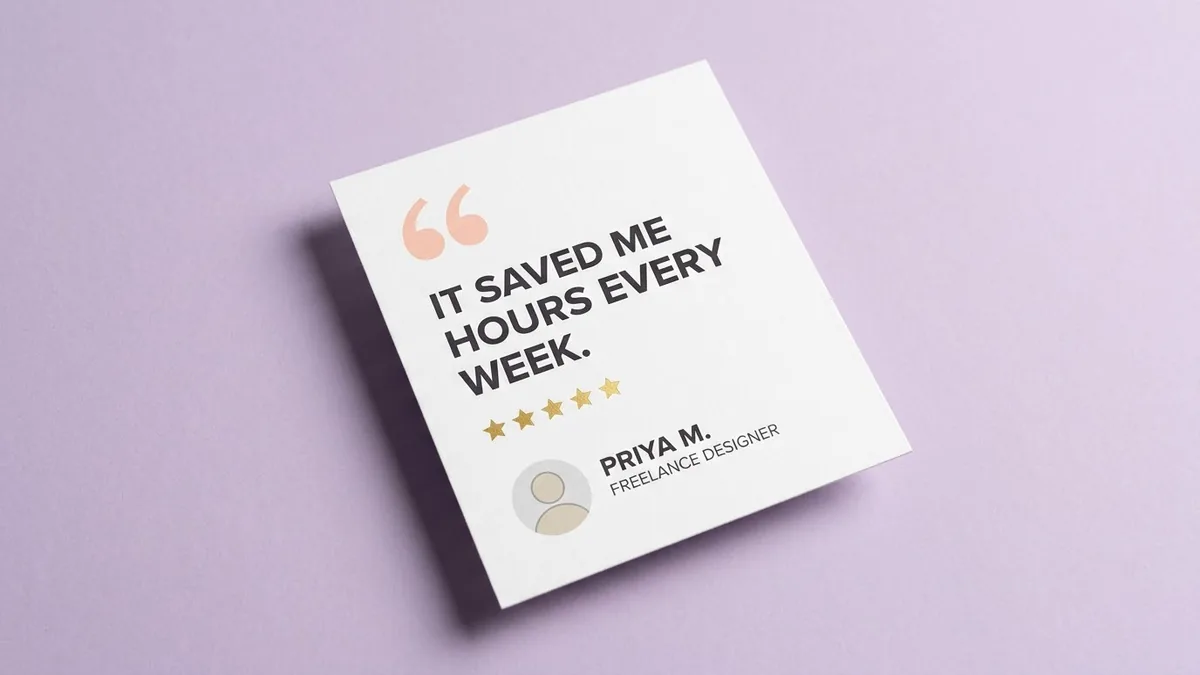
Create a social-media testimonial card: large opening quote mark, the review text "[SHORT REVIEW, UNDER 25 WORDS]", five gold stars, the customer's name "[NAME]", [BUSINESS COLOURS]. Clean, professional, square format for Instagram.
Our testimonial card prompt builds exactly this. Keep the quoted text short: trim a long review down to its best line rather than fitting the whole thing in.
5. A short video version
If a customer is willing to say a few words on camera, or you want a UGC-style clip built from their written review:
Handheld vertical selfie-style video of a person in a bright room talking naturally to the camera, saying: "[TESTIMONIAL LINE, UNDER 20 WORDS]". Natural gestures, warm, genuine tone, like a real customer, not an ad.
The UGC-style testimonial prompt is built for exactly this kind of short, believable clip, which tends to get more attention in a feed than a text screenshot.
A quick routine
- Check reviews daily or every couple of days. A reply within 48 hours reads as a business that's paying attention.
- Bad review: apologise, acknowledge, move offline, keep it short.
- Good review: thank by name, mention something specific.
- Ask happy customers directly, right after the good moment, with a link.
- Reuse your best reviews as a card or a short clip, don't let them sit on one page.
Where to go from here
These prompts pair well with our WhatsApp templates for business guide if you want the rest of your customer messages in the same tone. All five sit in the small business prompts collection, and the prompt builder can adapt any of them to your exact review and business name.
Quick checklist
- Reply to every review, good or bad, within a day or two.
- Apologise before you explain, and move the fix offline.
- Thank good reviewers by name and mention something specific.
- Ask for reviews right after the happiest moment, with a direct link.
- Turn your best reviews into a card or short clip instead of leaving them on one page.







Comments
No comments yet. Be the first to share what worked for you.