AI prompts for car and motorcycle photos that look showroom-ready
Published
Short answerUpload a clear photo of your actual car or bike, keep its shape, colour and details unchanged, and ask the AI to change only the background, light and reflections. Use a colour-change prompt before paying for a wrap, not after.
Selling a car, showing off a bike, or just want a photo that doesn't look like it was taken in a car park: AI photo tools are genuinely useful here, because the hard part of a good vehicle photo is the background and the light, not the vehicle itself. You already have the vehicle. The prompt just needs to change the scene around it, not the vehicle.
The one rule for every prompt here
Whatever scene you ask for, tell the AI to keep the vehicle's shape, colour, badges and details exactly as they are. Without that line, tools sometimes "helpfully" tidy up a dent, change a wheel style, or invent a slightly different model. That's fine for a fantasy render, but not if you're using the photo to sell the actual car.
A clean showroom shot
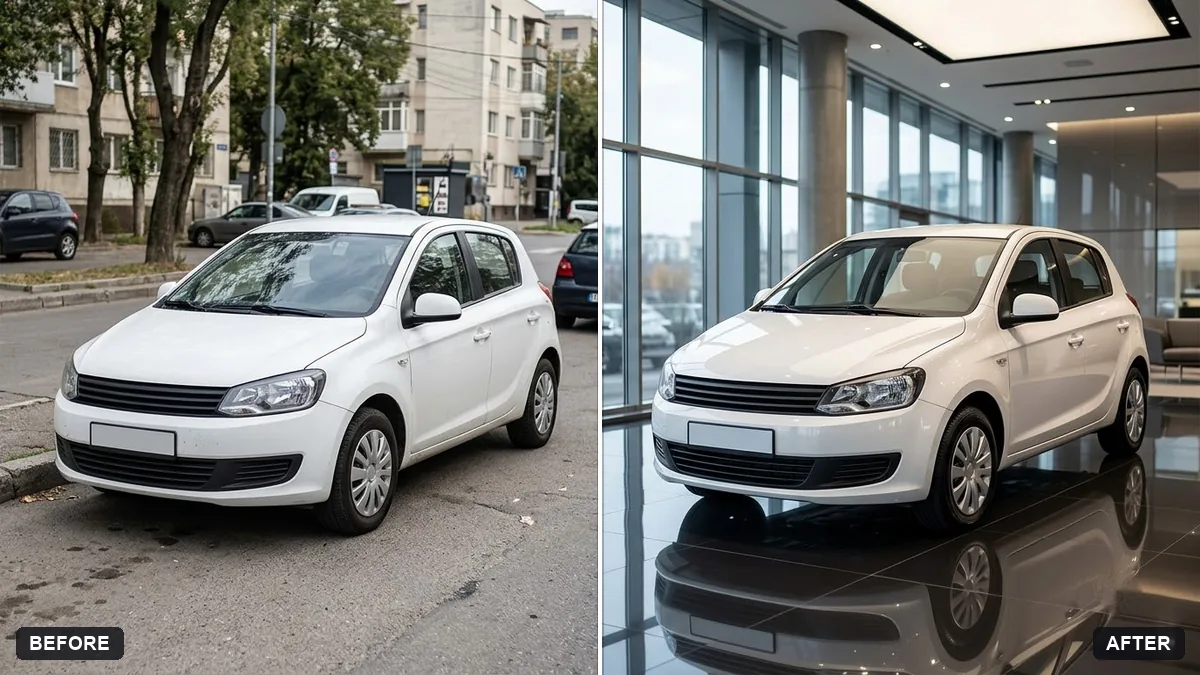
For a listing or a classified ad, a plain, well-lit background usually sells better than a messy driveway. The showroom background prompt does this:
Place the car from this photo in a modern glass showroom with a polished floor and soft overhead lights. Keep the car's shape, colour, wheels and details exactly the same.

Add clean reflections on the floor and paint, a subtle blurred background of other cars, and remove any licence plate or replace it with a blank plate.
Removing or blanking the plate is worth doing by default if the photo is going anywhere public. It also tends to look tidier in the final image than a real, slightly dirty plate would.
Only use this on a vehicle you actually own or have the right to sell; don't use it to make someone else's car look better than it is.
A dramatic hero shot
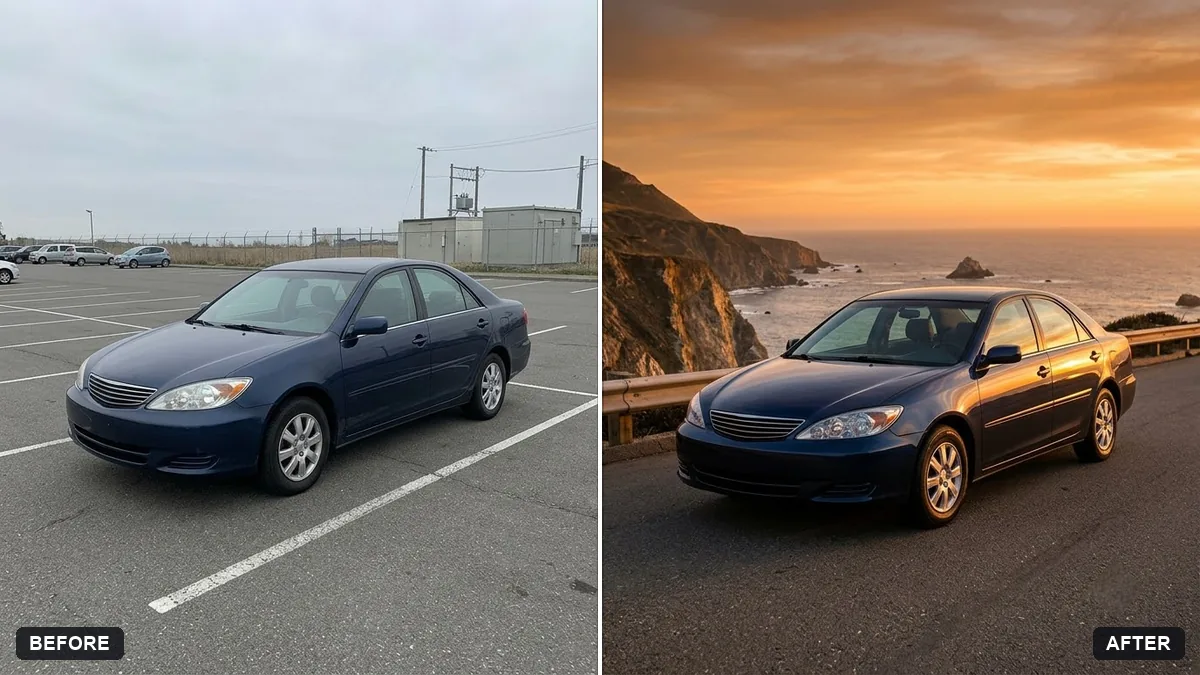
For social media or a build thread rather than a listing, a sunset hero shot reads better than a showroom. The car sunset hero prompt turns a flat daytime photo into something more cinematic:
Turn this car photo into a dramatic sunset hero shot. Keep the car's model, colour and details exactly the same.

Position it on an open coastal road with a warm orange sky, low sun flare, long shadows and light reflections along the body, motion blur on the road, low camera angle, cinematic colour grade.
Swap "coastal road" for whatever setting fits the car: a mountain pass, a desert highway, a city street at night. The low camera angle is doing a lot of the work here; it's the detail most people forget when describing a hero shot themselves.
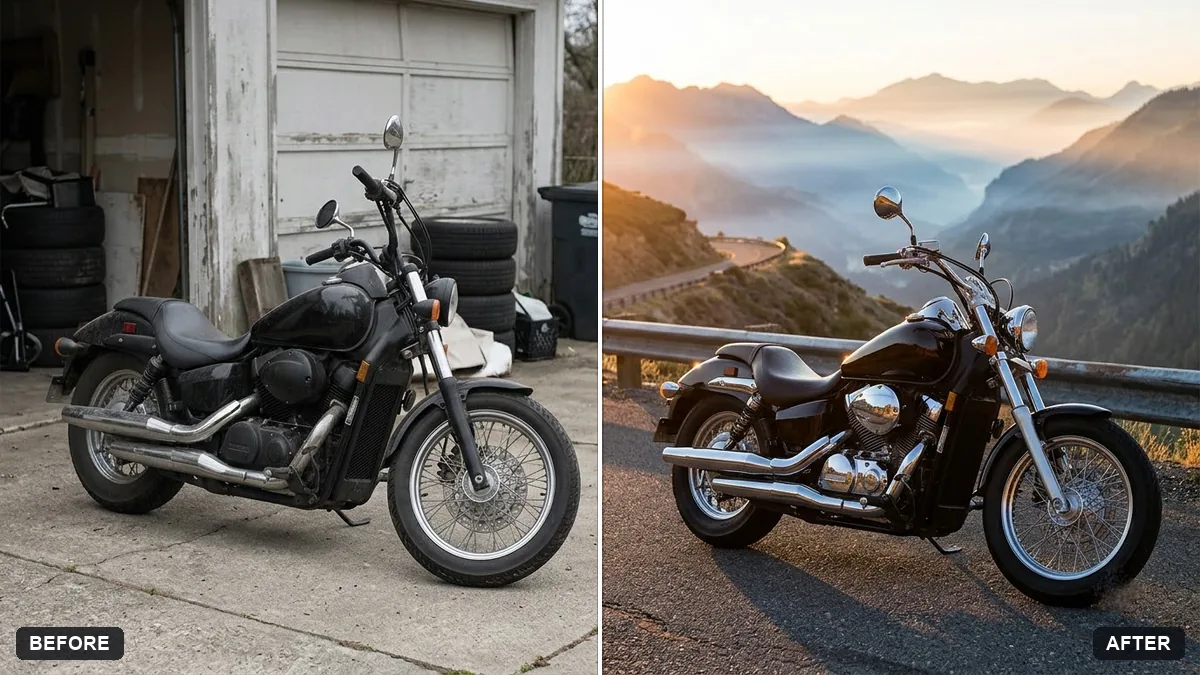
For a motorcycle instead of a car, the motorcycle hero shot prompt follows the same idea but asks for a low three-quarter angle with glints on the chrome and tank, and a moodier dawn setting with mist rather than a bright sunset. It's a better match for a bike than the car prompt, which is built around open-road motion rather than close detail on the engine and tank.
Preview a colour or a wrap before you commit
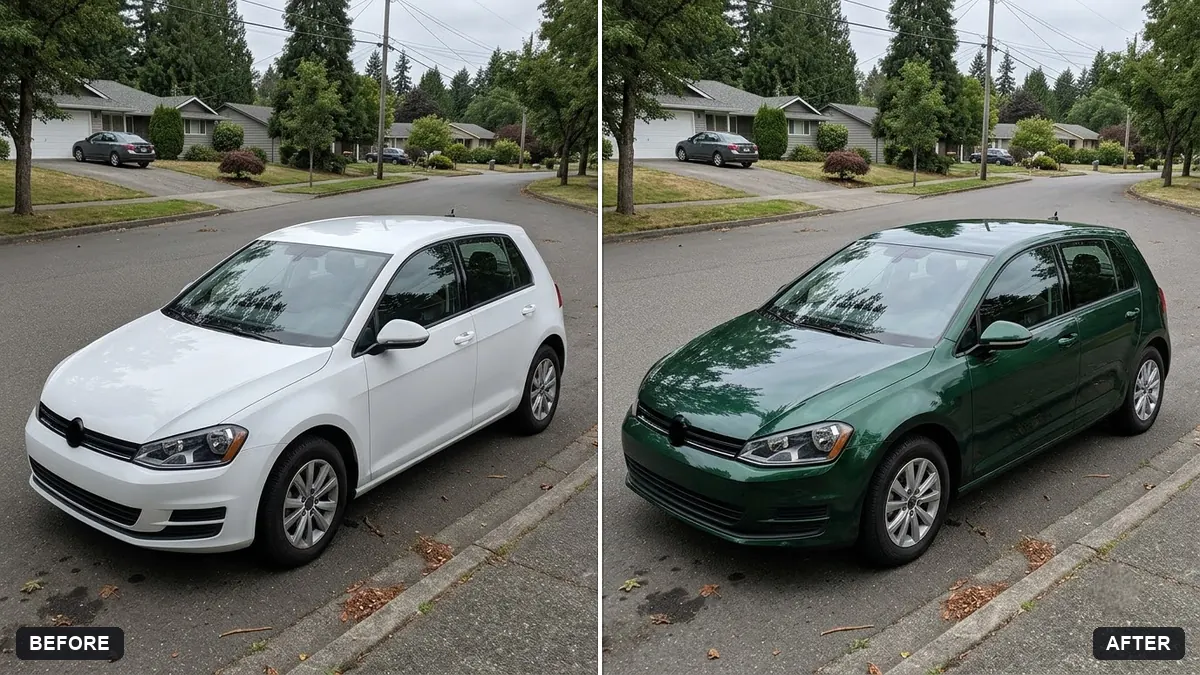
This is the one that saves real money. Before paying for a respray or a vinyl wrap, see what it actually looks like first with the car colour change prompt:
Change the colour of the car in this photo to [COLOUR] in a [GLOSS / MATTE / METALLIC] finish. Keep the reflections, shadows, chrome, windows, badges and wheels exactly as they are.

Realistic paint result, no overspill onto other objects.
Generate a gloss and a matte version of the same colour side by side. The difference is bigger than most people expect, and it's a lot cheaper to compare them this way than to find out after the wrap is on.
When you don't have the actual vehicle yet
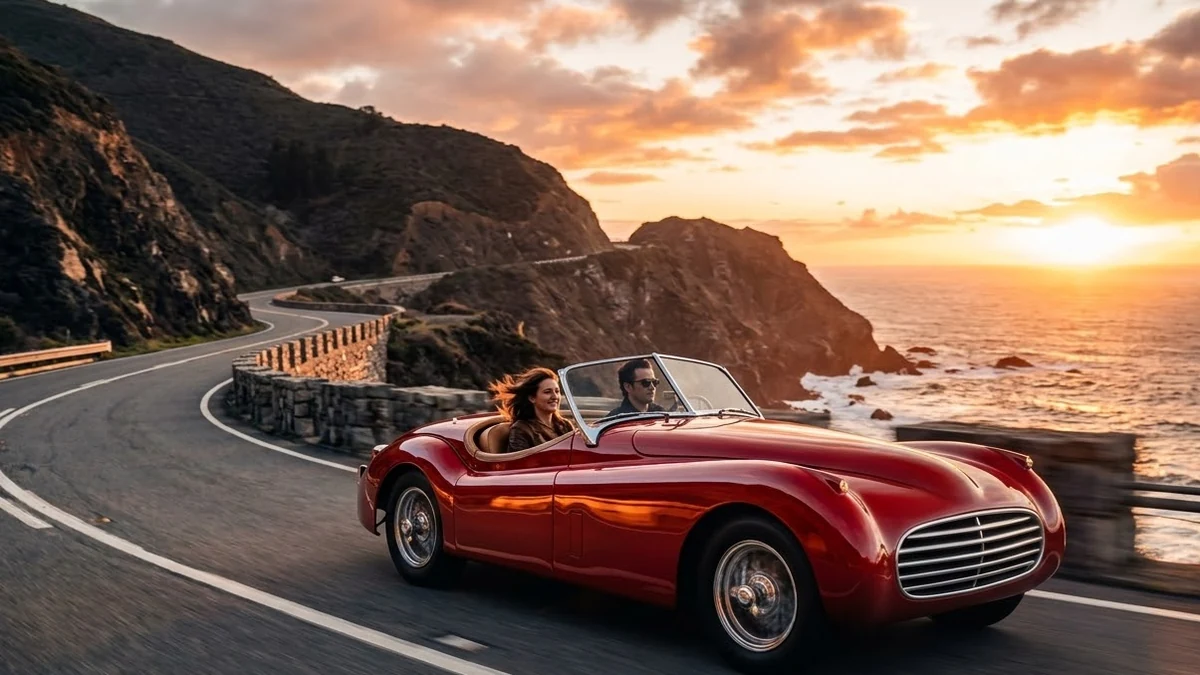
If you're designing a concept, a wallpaper, or just want a striking image of a car that doesn't exist, the classic car on a coastal road prompt generates one from scratch rather than editing a photo:
A polished classic [COLOUR] convertible on a winding coastal road at sunset, sea cliffs and glowing sky, warm reflections on the bodywork, low camera angle, cinematic automotive photograph with an invented car design. --ar 16:9
Because this one invents the car rather than editing yours, it's the right tool for a mood board or a wallpaper, not for anything you'd use to represent a real vehicle for sale.
Getting a believable result
- Always name what to keep. Shape, colour, badges, wheels: list them, every time.
- Low camera angles make vehicles look more powerful. Most phone photos are taken standing up, looking down slightly. Ask for the opposite.
- Match the setting to the vehicle. A city hatchback on a dramatic coastal cliff road looks odd; a city street at dusk suits it better.
- Generate a couple of colour options before deciding. It costs nothing to compare, unlike a real respray.
Where to go from here
If you're photographing the vehicle to sell it, the same keep-everything-real approach applies to any listing photo; see AI real estate listing prompts for the same idea applied to property. You'll find these prompts and more product and ad styles in the product photo and ad prompts collection, and the prompt builder can adapt any of them to your exact make and model.
Quick checklist
- Say what to keep unchanged: shape, colour, badges, wheels.
- Blank or remove the licence plate for anything posted publicly.
- Use a low camera angle for a more powerful-looking shot.
- Preview colours and finishes before paying for a real respray or wrap.
- Only edit photos of vehicles you own or have permission to sell.
Prompts to try
More prompts on this topic
- Furniture showroom adVeo · Kling · Seedance
- Get ready with me routineVeo · Kling · Seedance



Comments
No comments yet. Be the first to share what worked for you.