- Prompt at a glance
- Category
- Text & chat
- Works with
- Claude · ChatGPT · Gemini
- Length
- 73 words
- Fields to fill
- PASTE
- Last updated
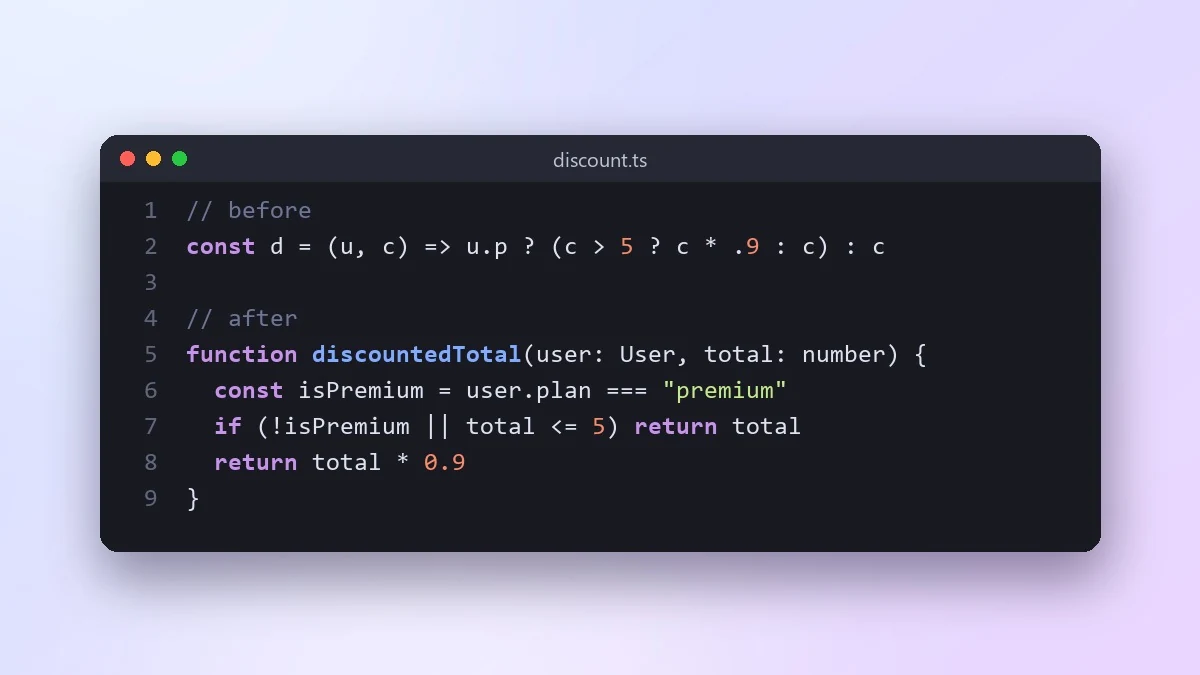
Make confusing code easy to read
This prompt rewrites hard-to-follow code so a new teammate can understand it quickly. It keeps the same inputs, outputs and side effects, and lists every change with a short reason.
Act as a senior developer who writes very readable code.

Code:
[PASTE]

Rewrite it so a new team member can understand it quickly, without changing what it does. Use clear names, smaller functions, early returns instead of deep nesting, and remove clever tricks. Keep the same inputs, outputs and side effects. Show the new code, then list each change with a short reason, and point out anything whose behaviour you were unsure about.
Run your tests before and after. If there are no tests, ask for a few first so you know the rewrite did not change behaviour.
From copy to answer in four steps
- 1
Open Claude and start a new chat.
- 2
Paste the prompt.
- 3
Replace each [BRACKETED] field with your real details and paste in your own text where asked.
- 4
Reply with follow-ups such as "make it shorter" or "make it sound more like me".
About this prompt
Which AI tools work with this prompt?
It is written for Claude, ChatGPT and Gemini. Paste it into your preferred tool and adjust the wording if the result is off.
What do I need to fill in?
Replace the field before you send it: PASTE. Each field shows an example in the prompt.
Should I paste private information into the prompt?
Only what the task needs. Remove names, contact details and other sensitive data before pasting a resume or document into any AI tool.



