- Prompt at a glance
- Category
- Image
- Works with
- Stable Diffusion
- Length
- 71 words
- Fields to fill
- CHARACTER, POSE, BACKGROUND
- Last updated
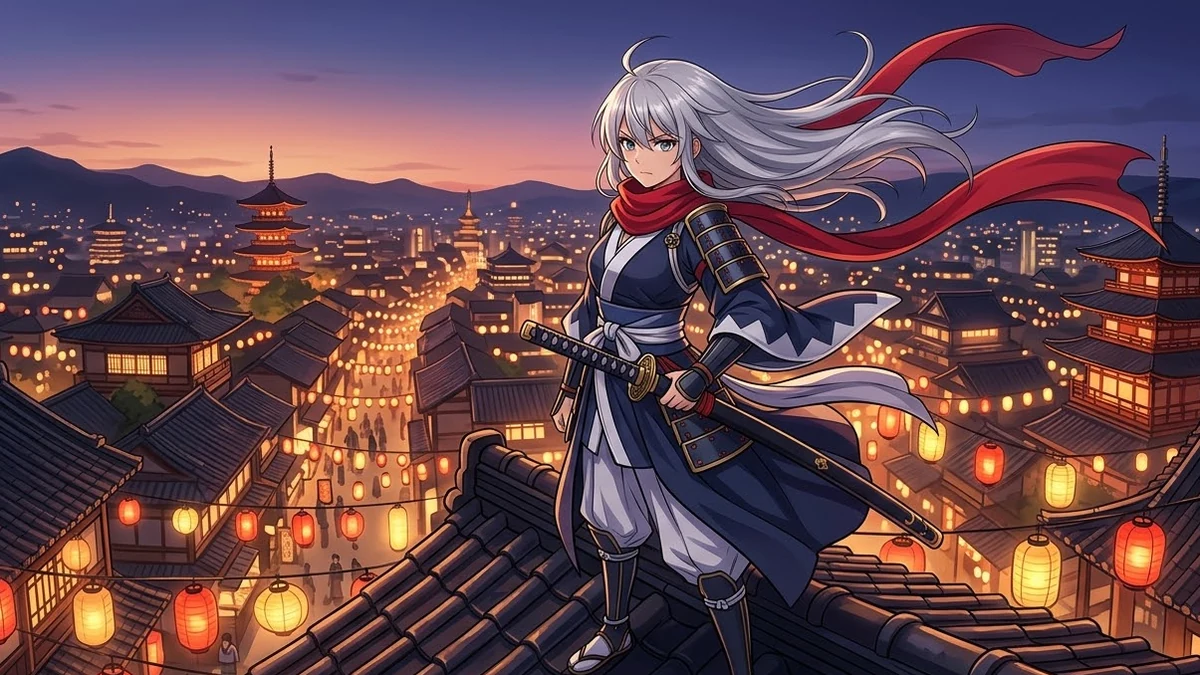
Anime character illustration
This prompt describes an anime character, pose and background in the tag style anime checkpoints like. The negative prompt targets the usual problems such as extra fingers and low resolution.
Anime illustration of [CHARACTER, e.g. a young swordswoman with silver hair and a red scarf], [POSE, e.g. standing on a rooftop, wind in her hair], [BACKGROUND, e.g. city at dusk with lanterns], clean line art, cel shading, vibrant colours, detailed eyes, dynamic composition, high quality.

Negative prompt: lowres, bad anatomy, extra fingers, missing fingers, blurry, jpeg artefacts, text, watermark, realistic photo

Settings: 832x1216, 28 steps, CFG 6, use an anime-style checkpoint
Anime checkpoints respond well to short, comma-separated tags. Put the most important tag first.
From copy to picture in four steps
- 1
Open Stable Diffusion and start a new image.
- 2
Paste the prompt and replace the [BRACKETED] fields with your subject or brand.
- 3
Generate a few variations and pick the closest.
- 4
Refine by changing one detail at a time, such as the lighting, angle or colours.
About this prompt
Which AI tools work with this prompt?
It is written for Stable Diffusion. Paste it into your preferred tool and adjust the wording if the result is off.
What do I need to fill in?
Replace these fields before you send it: CHARACTER, POSE, BACKGROUND. Each field shows an example in the prompt.
Can I use the generated image commercially?
That depends on the tool you generate it with and your plan. Check that tool's terms before you publish or sell the result.