- Updated
Low-poly landscape
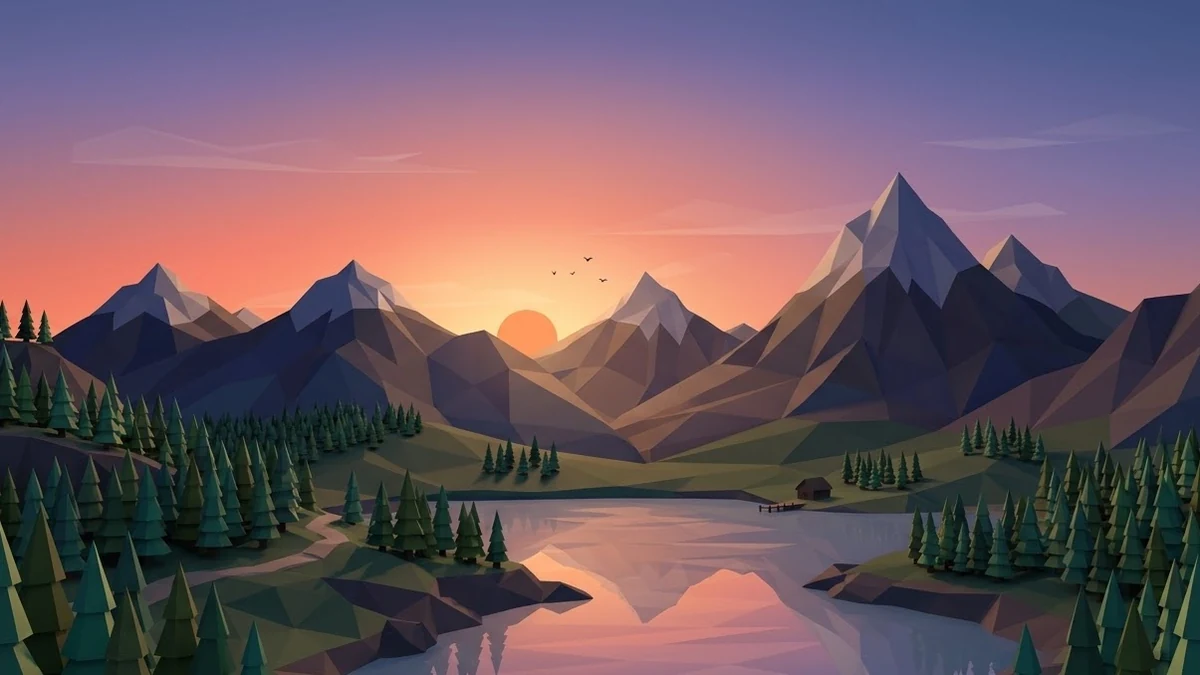
This prompt makes a low-poly 3D scene such as mountains, a lake and pine trees at sunset, with flat-shaded triangular facets and a smooth gradient sky in your colours.
A low-poly 3D landscape of [SCENE, e.g. mountains, a lake and pine trees at sunset], flat-shaded triangular facets, smooth gradient sky in [COLOURS], soft ambient occlusion, minimalist geometric style, clean and calm, wide desktop wallpaper composition. --ar 16:9
Great for website backgrounds and wallpapers because it stays sharp when scaled.
Get a better result
A minimal low-poly 3D landscape of your scene, with flat-shaded triangle facets, a smooth gradient sky in your colours and soft shading, laid out as a wide wallpaper.
Low-poly art turns a landscape into flat-shaded triangles, which keeps it calm and clean and lets it scale without losing sharpness. The prompt pairs that with a smooth gradient sky and soft shading so the shapes still have depth. A simple scene, such as mountains, a lake and pines, works best because each element becomes a clear group of facets in a wide wallpaper frame.
It turns into a smooth realistic render.
Fix: Repeat “visible triangular facets, flat shading, no textures” near the end.
- It does not stay sharp at a large size. The tip is about the style, not the file. The result is still a pixel image, so generate at the largest size you can or upscale it.
- The scene has too many elements. Pick three, like mountains, a lake and pine trees, and leave the sky simple.
Ask for snow-covered low-poly peaks and pines with a pale blue and pink sky.
the same low-poly scene at [MORNING / NOON / NIGHT], the same facets and camera angle, colours of that time of day
More image generation prompts
See all 347 →
More like this
- Abstract gradient wallpaperMidjourney · Gemini · ChatGPT
- Enhance a mountain landscapeGemini · ChatGPT
- Aesthetic phone wallpaperMidjourney · Gemini · ChatGPT
- Add morning fog to a landscapeGemini · ChatGPT
- Epic fantasy landscapeStable Diffusion