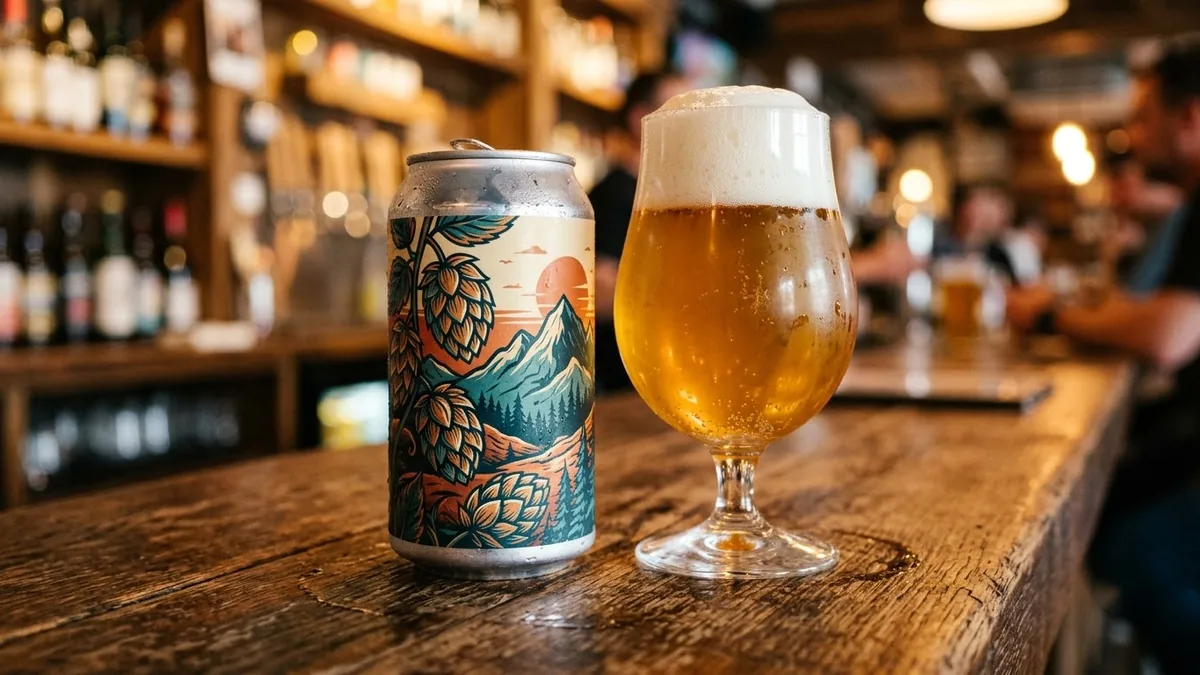
- Updated
Craft beer can label design
This prompt designs a can label with your beer name and style, such as an IPA. Proofread the text and follow local labelling rules.
Design a wrap-around label for a craft beer can. Beer name: "[BEER NAME]", style: [IPA / STOUT / LAGER]. Bold illustrated artwork of [THEME, e.g. a mountain sunrise] in a limited palette of [COLOURS], hand-drawn lettering, small text areas for ABV and volume, retro poster style with a clean layout. Show a flat label and the finished can side by side.
Ask for a flat label layout first, then a second prompt to show it wrapped on a can.
Get a better result
A wrap-around craft beer can label with bold illustrated artwork in a limited palette, hand-drawn lettering, small text areas for ABV and volume and a retro poster style, shown as a flat label and as the finished can.
The beer name and the small text are unreadable.
Fix: Keep the name to one or two short words and leave the ABV and volume areas blank. Add the exact figures yourself and check your local labelling rules before printing.
- The can mockup shows a stretched or broken label. Follow the tip: make the flat label first, then use a second prompt to show it wrapped on a can.
- Too many colours make the artwork busy. Say “only three flat colours plus black, bold shapes, no gradients”.
Change the style to stout and the theme to “a lighthouse in a storm at night” in “black, cream and copper”. Darker beer styles often suit darker, moodier art.
Fix the spelling so the text reads exactly as in my prompt, letter by letter. Keep everything else the same.
Guides that use this prompt
More image generation prompts
See all 347 →
More like this
- Handmade craft product photoGemini · ChatGPT
- DIY craft video with handsVeo · Kling · Seedance
- Layered paper craft portraitGemini · ChatGPT
- Homemade pickle jar labelGemini · ChatGPT · Midjourney
- Spice jar set with labelsGemini · ChatGPT · Midjourney