- Updated
Celtic knot border design
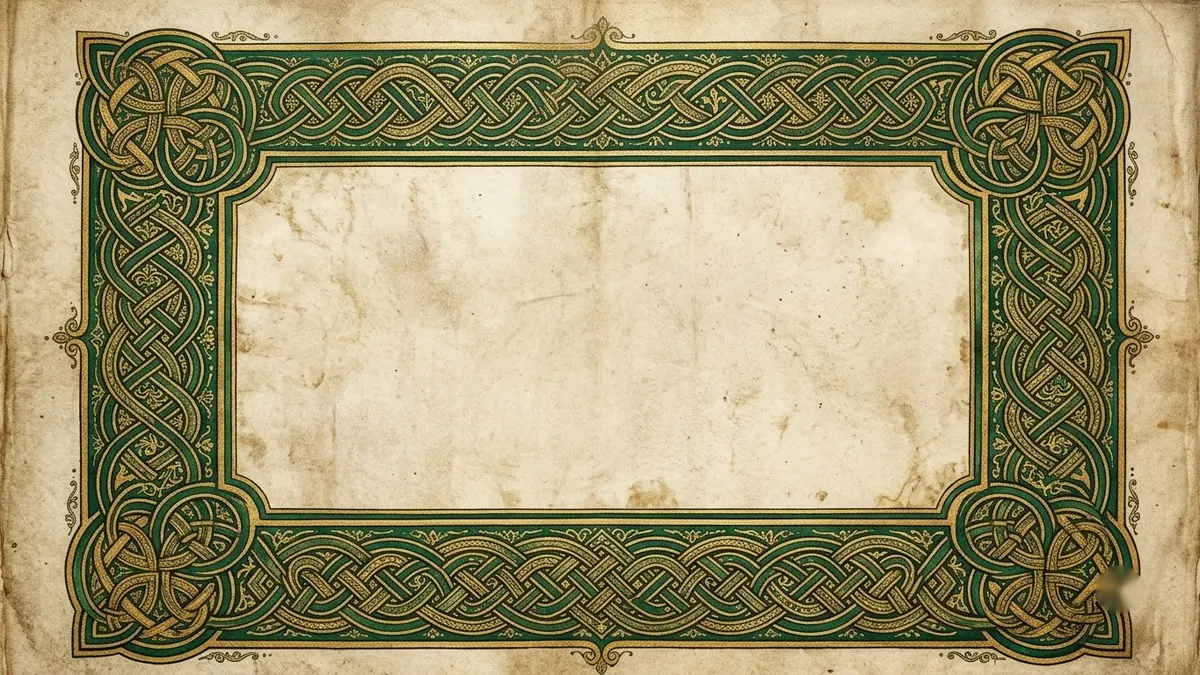
This prompt creates a symmetrical border with interwoven endless lines in green and gold, an illuminated capital letter and a parchment background. Ask for a square version for a coaster or a long strip for a bookmark.
Ornate Celtic knot border with interwoven endless lines in [GREEN AND GOLD], a small illuminated capital letter "[LETTER]" in the corner, parchment textured background, intricate symmetrical detail, manuscript style, high detail. --ar 4:3
Ask for a square version for a coaster or a long strip for a bookmark.
Get a better result
An ornate border of interwoven endless lines in your chosen colours, with a small illuminated capital letter in the corner on a textured parchment background, in a manuscript style.
Celtic knotwork is made of endless interwoven lines, so the prompt asks for that along with symmetry and a parchment background. A small illuminated capital in the corner borrows from old manuscripts. The colour blank sets the inks, and a square or strip version, as the tip says, fits coasters and bookmarks.
The knot has breaks and loose ends.
Fix: Say “one unbroken interlaced line, over-under pattern, no loose ends”.
- The letter is wrong. Check it, and keep it to a single capital.
- The border is not symmetrical. Ask for “mirror symmetry on both axes, identical corners”.
Use the same knot as a frame with an empty centre for names and a date. Add the real text yourself in an editor.
the same knot pattern as a square coaster design and as a long narrow bookmark strip
More image generation prompts
See all 347 →
More like this
- Custom tarot card designMidjourney · Ideogram · ChatGPT