Why Shut Down doesn't fully restart Windows (Fast Startup explained)
Published
Short answerFast Startup makes Shut Down save the Windows kernel to disk, so uptime keeps counting across shutdowns. Check real uptime with LastBootUpTime and Fast Startup with HiberbootEnabled. Restart, Shift + Shut down, or shutdown /s /t 0 always start fresh.
You shut your PC down every night, yet support always says "restart it". There's a reason: on most Windows PCs, Shut Down isn't a full shutdown.
Step 1: How long has Windows really been running?
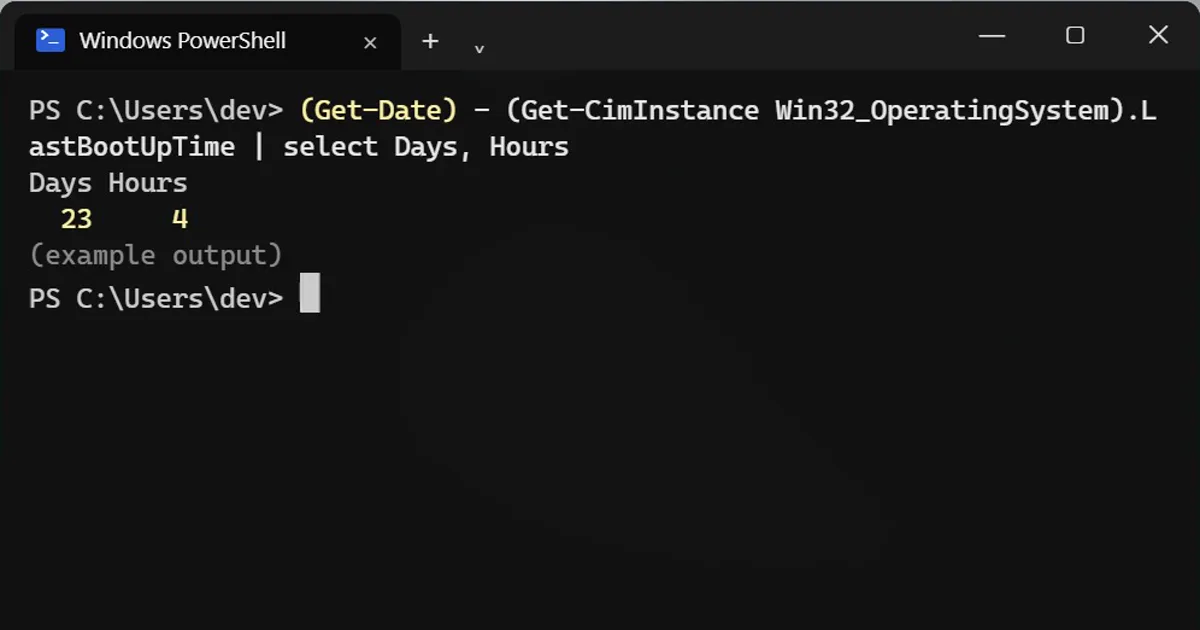
(Get-Date) - (Get-CimInstance Win32_OperatingSystem).LastBootUpTime | select Days, Hours
Days Hours
  23     4
Twenty-three days, even though the PC was shut down every night. Task Manager shows the same number under Performance > CPU > Up time.
Why: Fast Startup
With Fast Startup, Shut Down closes your apps and signs you out, but saves the core of Windows (the kernel and drivers) to disk, like hibernating. Next time, it loads that saved state so the PC boots faster.
The catch: a driver glitch or memory leak in that saved state comes back too. That's why "turn it off and on again" sometimes doesn't help, but Restart does.
Step 2: Is Fast Startup on?
Get-ItemPropertyValue 'HKLM:\SYSTEM\CurrentControlSet\Control\Session Manager\Power' HiberbootEnabled
1 = Fast Startup on, 0 = off. It's on by default on most PCs.
Three ways to start truly fresh
- Restart. It always does a full restart, Fast Startup or not.
- Hold Shift while you click Shut down in the Start menu.
- From PowerShell or Command Prompt (save your work first, it is instant):
shutdown /s /t 0
Should you turn Fast Startup off?
You don't have to. Just use Restart when something acts strange. Turn it off if you dual-boot Linux, or if USB devices or Wi-Fi misbehave after a shutdown: Control Panel > Power Options > Choose what the power buttons do > Change settings that are currently unavailable, then untick Turn on fast startup.
On a Mac
Macs don't do this. Shut Down is a full shutdown. Type uptime in Terminal to see how long it has been running.
More quick tips
More prompts on this topic
- Startup office montageVeo · Kling · Seedance



Comments
No comments yet. Be the first to share what worked for you.