Scan your code for security bugs before you push
Published · Updated
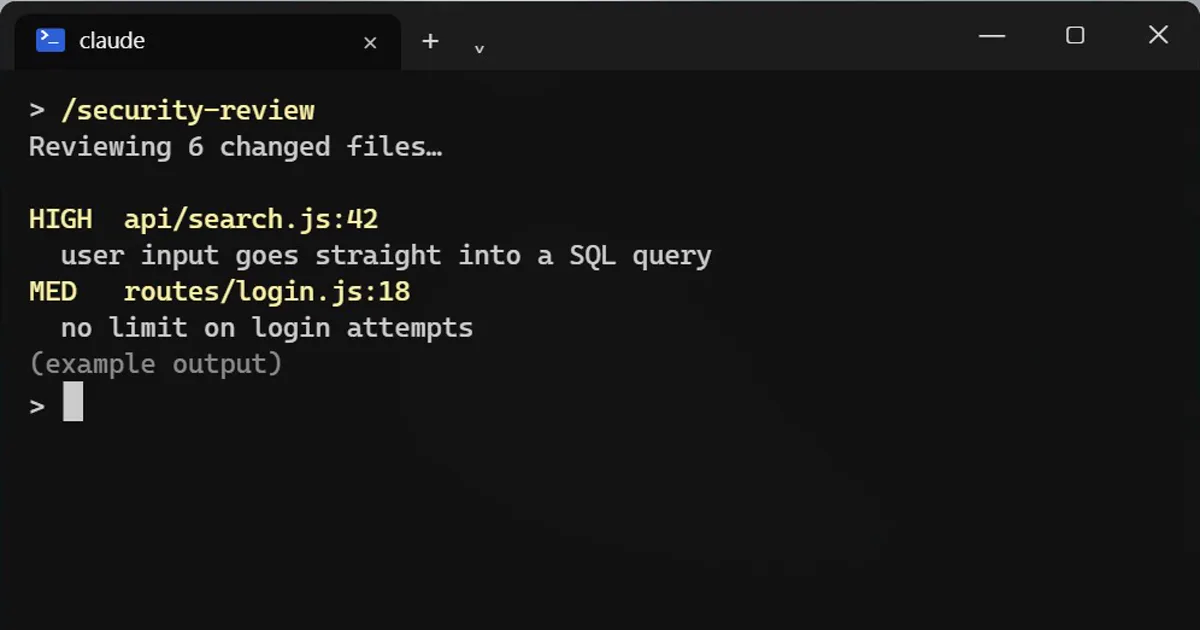
Short answerType /security-review in Claude Code before you push. It compares your branch with the main branch and looks for injection, authentication and data exposure problems. It needs a git remote named origin.
Before you push your code, ask the AI to attack it first.
Run it
/security-review
It looks at everything you changed on this branch compared with the main branch. It does not scan the whole project.
What it hunts for
- Injection problems.
- Login and permission mistakes.
- Data exposure.
If it fails
It needs a git remote called origin. If you see an "ambiguous argument" error, that is usually why.
For plain bugs
/code-review checks the same changes for correctness bugs, and its --fix option applies what it finds.
Honest limits
It is a second pair of eyes, not a guarantee. A clean result does not mean the code is safe. Still test it, still read it, and do not skip a real security review for anything important.
How to act on the findings
- Start with the most serious finding and make sure you understand the attack it describes before you change anything.
- Fix it, then ask Claude for a test that would have caught it, so the problem cannot quietly come back.
- Run
/security-reviewagain on the same branch to check the fix did not open a new hole. - Write down anything you decided to accept, and why, so the next person knows it was a choice and not a miss.
Where to point it first
Changes that touch login, payments, file uploads, or anything that builds a database query from what a user typed. Those are where the problems it hunts for usually live.
More quick tips
More prompts on this topic
- Turn a fixed bug into a regression testClaude · ChatGPT · Claude Code
- Security review checklist for your codeChatGPT · Gemini · Claude
- Write a clear bug reportChatGPT · Gemini · Claude
- Review code written by an AI before you trust itClaude · ChatGPT · Claude Code
- Get a code review like a senior engineerChatGPT · Gemini · Claude
- Plan a feature before writing any codeClaude · ChatGPT · Claude Code



Comments
No comments yet. Be the first to share what worked for you.