How to delete Claude Code's saved chats for a project
Published · Updated
Short answerClaude Code stores each project's chats in .claude/projects in your user folder as plain text. Run claude purge . --dry-run to preview what would go, then claude purge . to delete it. Deleting cannot be undone.
Claude Code keeps a copy of your chats on your own computer, as plain text. That includes anything it read from your files while working, even a file with secrets in it. You can see it, and you can delete it.
Step 1: Look at what is stored
dir $env:USERPROFILE\.claude\projects
Every project you used Claude Code in has its own folder. Inside are the full chats: messages, commands and the files it read. By default they are kept for 30 days.
Step 2: Preview the delete
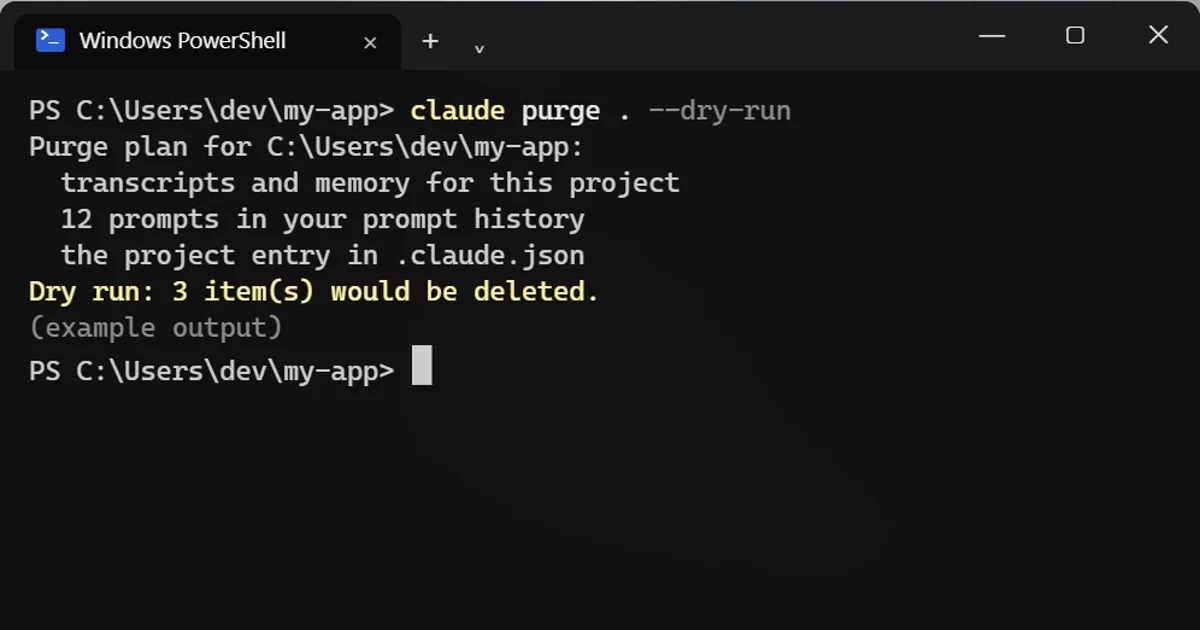
claude purge . --dry-run
--dry-run deletes nothing. It only shows the plan.
Step 3: Delete for real
claude purge .
It asks before it deletes. It removes the chats, the edit history and the matching prompt history for that project.
Read this first
- Deleting cannot be undone. Read the dry-run plan before you run the real one.
- Want it for every project? Check
claude purge --helpfor the option. - To keep less in future, lower the number of days in your Claude Code settings so old chats clear out sooner.
The example in the video is made up. Your folders and project names will look different.
If a secret ended up in a chat
Change the password or key first, then purge the project's chats. Deleting the history removes the copy on your computer, but the secret itself still needs replacing.
More quick tips
More prompts on this topic
- Find dead code and safe things to deleteClaude · ChatGPT · Claude Code
- Check your code for leaked API keys and secretsClaude · ChatGPT · Gemini
- Write a CLAUDE.md file for your projectClaude Code · Cursor
- Plan a feature before writing any codeClaude · ChatGPT · Claude Code



Comments
No comments yet. Be the first to share what worked for you.