- Updated
Badminton smash in slow motion
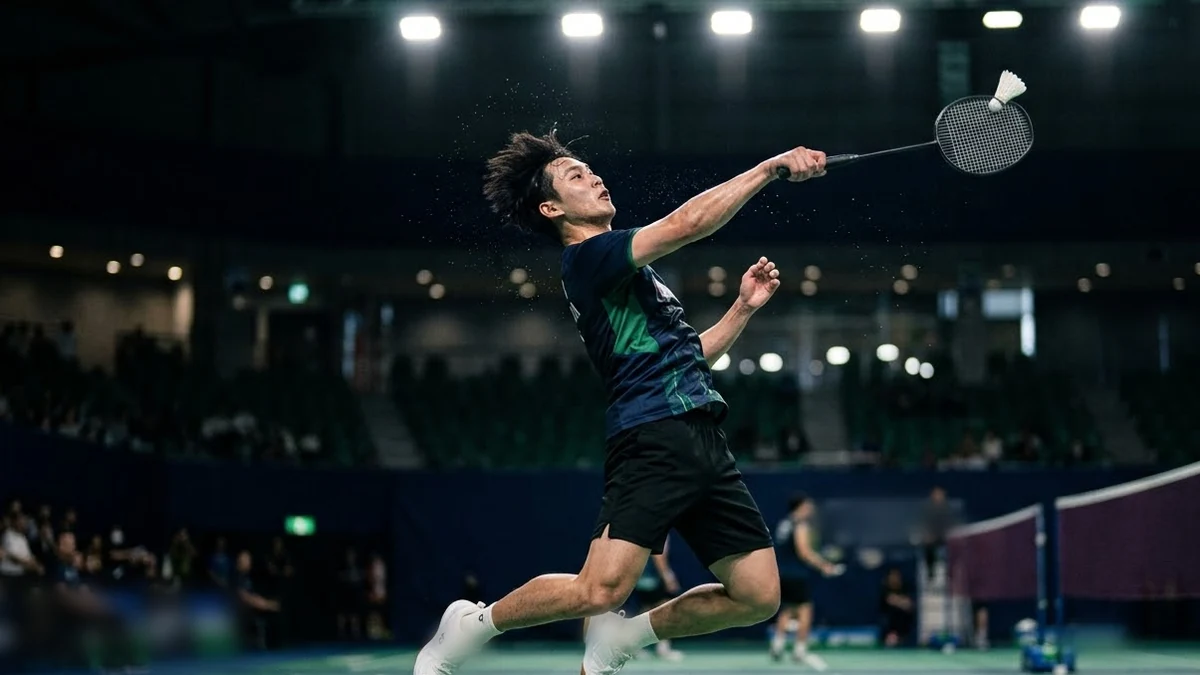
This prompt describes a player leaping for a smash in slow motion, the racket striking the shuttle with a crisp sound and sweat drops, in bright arena lights.
A badminton player leaping for a smash in slow motion, the racket striking the shuttle with a crisp sound, sweat drops, a blurred crowd, bright arena lights, a low side-angle shot, follow-through and a fist pump. Athlete outfit colour: [COLOUR].
Focus on the shuttle and racket contact for the cleanest slow motion.
Get a better result
A slow-motion low side-angle shot of a badminton player leaping for a smash, the racket meeting the shuttle with a crisp sound, sweat drops flying, a blurred crowd, bright arena lights and a fist pump.
A smash is over in a moment, so slow motion and a low side angle let the viewer see the leap, the contact and the follow-through. The crisp sound at contact gives the clip a punch. Sweat drops, arena lights and a blurred crowd make it feel like a real match. Ending on a fist pump gives the shot a finish, and the outfit colour blank keeps the player consistent across cuts.
The racket and shuttle contact is messy.
Fix: Focus on the contact moment, as the tip says, and ask for a single clear hit.
- The player’s body twists oddly. Describe the stance simply: “jump, arm back, strike, land”, and keep to one smash.
- Real brand logos appear. Say “plain kit and racket, no logos”.
Show a quick three-shot rally between two players, with the same arena lights and a locked side camera.
Keep the smash. Slow the follow-through further and add a quick cut to the shuttle landing in the court.
More video generation prompts
See all 489 →
More like this
- Football goal in slow motionVeo · Kling
- Slow-motion chocolate or sauce pourVeo · Kling · Seedance
- Restaurant food ad in slow motionHiggsfield · Veo