- Updated
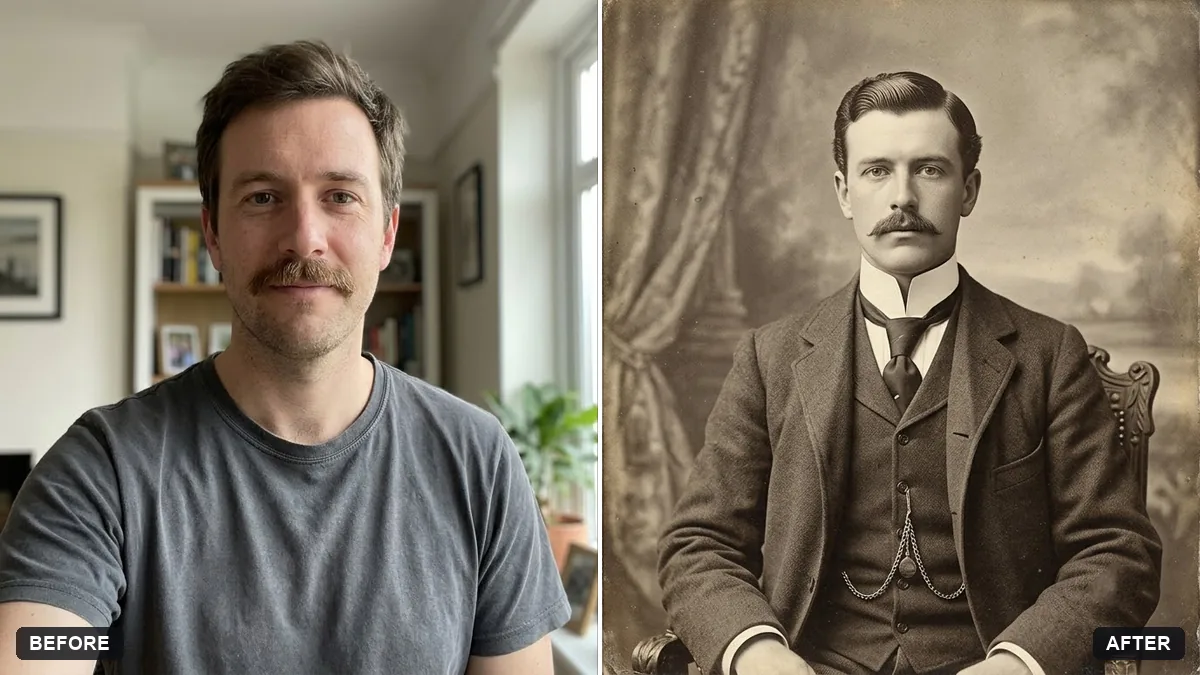
Victorian era portrait
This prompt restyles your photo as a Victorian studio portrait with period clothing such as a high-collared dress. Your face and features stay unchanged.
Turn this photo into a Victorian-era studio portrait. Keep my face and features unchanged.

Period clothing: [e.g. high-collared dress with brooch / waistcoat and pocket watch]. Formal seated pose, plain painted backdrop, slightly stern expression, soft sepia tones, aged albumen print texture, small scratches and a hand-written caption at the bottom.
Ask for "no smile" if you want the authentic serious look.
Your photo goes to the AI app you choose, never to PromptUp.
Get a better result
A seated Victorian studio portrait of you in period clothes, against a plain painted backdrop, in sepia with the texture of an old albumen print, small scratches and a handwritten caption.
Victorian studio photos had a recognisable look: a formal seated pose, a plain painted backdrop and a serious face, partly because long exposures made smiling hard to hold. The prompt asks for all of these, plus sepia tones and the texture of an albumen print, the common photo paper of the time. The clothing blank lets you choose a period outfit, and a handwritten caption with small scratches makes it look like a real old card.
You are smiling widely.
Fix: Ask for “no smile, calm neutral expression”, as the tip says. Long exposures made formal portraits serious.
- The clothes mix eras. Pick one example from the brackets and add a decade, such as 1880s, so the collar and cut stay consistent.
- The caption is gibberish. Write the caption yourself, short, such as a name and a year, and ask for it in faded ink.
Ask for the portrait mounted on a cream card with a gold border and a studio name printed underneath.
Keep my face. Add a soft matte card texture, faded edges and a slight sepia tone, like a small studio photo from the 1880s.
More photo editing prompts
See all 334 →
More like this
- Write a poem in the style of a form or eraChatGPT · Gemini · Claude
- Vintage faded film lookGemini · ChatGPT
- 1990s Bollywood hero portraitGemini · ChatGPT
- 1940s studio portraitGemini · ChatGPT
- 1990s yearbook photoGemini · ChatGPT