- Updated
Lipstick and swatches macro
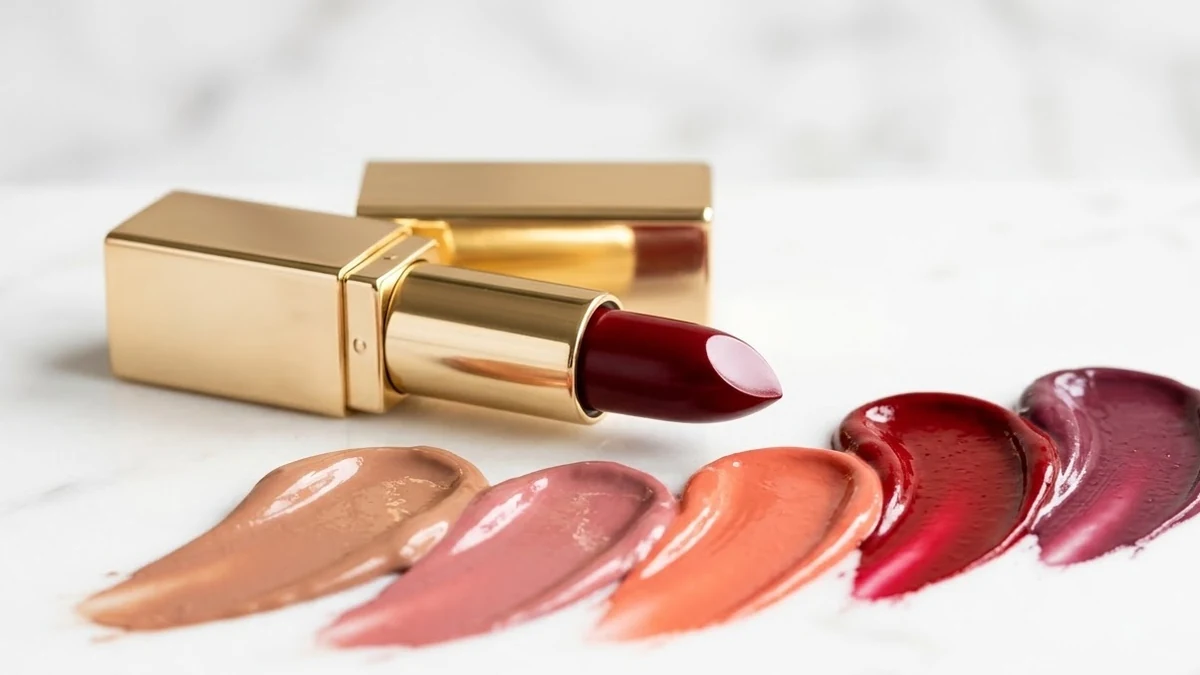
This prompt creates a macro product photo of an opened lipstick bullet in a shade you choose, with smooth swatches of several shades smeared across a clean white surface in soft studio light.
Macro beauty product photo of an opened [SHADE] lipstick bullet with smooth swatches of [NUMBER] shades smeared across a clean white surface, soft studio light, glossy highlights, luxurious cosmetic advertising style. --ar 4:5
Show a range of shades in one image to work as a catalogue shot.
Get a better result
A glossy macro beauty shot of an open lipstick bullet in your shade with smooth swatches of several shades across a white surface, soft studio light and luxury ad styling.
Swatches turn one product into a catalogue, so the prompt pairs an open lipstick with smears of several shades on white. Macro framing shows the creamy texture, and glossy highlights under soft studio light say luxury. The shade and number blanks set how wide the range looks.
The shades do not match your real products.
Fix: Use this as a mood image only. For a shop listing, photograph your real lipsticks so buyers see the true colours.
- Swatches blend into one smear. Ask for separate parallel swatches with a small gap between each.
- The bullet shape is melted. Ask for a clean angled tip and sharp edges on the bullet.
Ask for deep berry, plum and wine shades on a dark velvet surface for a winter or party collection.
Keep the swatches. Leave a clear empty space beside each swatch for a shade name, with no text in the picture.
More image generation prompts
See all 347 →
More like this
- Furniture catalogue photoMidjourney · Gemini · ChatGPT
- Shoe catalogue image setGemini · ChatGPT
- Saree flat lay for a catalogueGemini · ChatGPT · Midjourney
- Preview a new hair colourGemini · ChatGPT
- Liquid gold macro pourVeo · Kling · Seedance