Send files from your PC to your phone, no cable, no app
Published
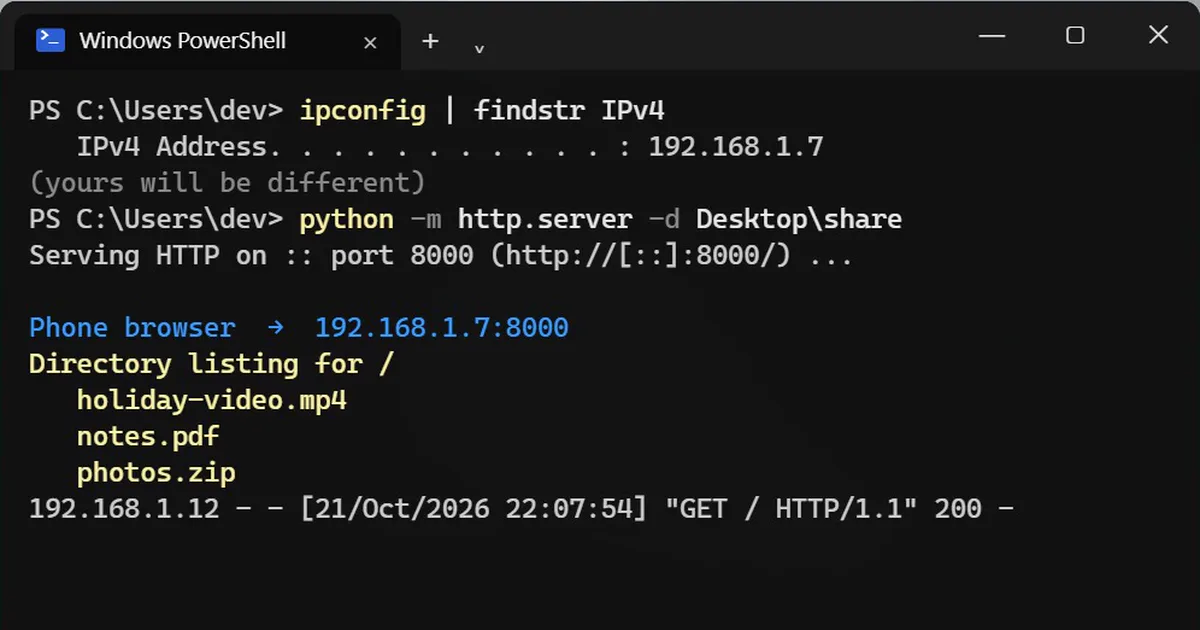
Short answerFind your PC's address with ipconfig | findstr IPv4, then run python -m http.server -d $HOME\share. On your phone, on the same Wi-Fi, open http://YOUR-ADDRESS:8000 and tap a file to download it. Press Ctrl+C to stop. Anyone on that Wi-Fi can see the folder while it runs.
Emailing files to yourself or sending them to your own WhatsApp just to get them on your phone? If Python is on your PC, one command turns a folder into a page your phone can open over Wi-Fi. No cable, no app, nothing uploaded to the internet.
What you need
- Python on the PC. Get it free from python.org or the Microsoft Store.
- The PC and the phone on the same Wi-Fi, ideally your home Wi-Fi.
Step 1: Put the files in one folder
Make a folder for the files you want to send, so you share only those:
mkdir $HOME\share
Copy the files into it. $HOME is your user folder, for example C:\Users\you.
Step 2: Find your PC's address
ipconfig | findstr IPv4
IPv4 Address. . . . . . . . . . . : 192.168.1.7
Yours will be different. If you see more than one, use the one that starts with 192.168 or 10.
Step 3: Start the file server
python -m http.server -d $HOME\share
Serving HTTP on :: port 8000 (http://[::]:8000/) ...
The first time, Windows asks whether to let Python through the firewall. Allow it on Private networks only.
Step 4: Open it on your phone
On your phone's browser, type your address with :8000 on the end, including http://:
http://192.168.1.7:8000
Every file in the folder is listed. Tap one to download it. Each time the phone asks for a file, a line appears in the PC's terminal.
Skip the typing with a QR code
Open a second terminal tab and run this, with your own address:
curl.exe qrenco.de/http://192.168.1.7:8000
The terminal draws a QR code. Point your phone's camera at the screen and the folder opens. The QR code comes from the free qrenco.de service, which only sees the local address you send it.
Step 5: Stop sharing
Click the first terminal and press Ctrl + C. The folder is no longer shared.
If the phone cannot connect
- Check both are on the same Wi-Fi, not mobile data.
- In Windows, open Settings, Network & internet, Wi-Fi, click your network, and set it to Private network. A public network blocks it.
- Type
http://at the start of the address.
Stay safe
There is no password. While the server runs, anyone on the same Wi-Fi who knows the address can open that folder. Use it at home, share a folder that holds only what you mean to send, and press Ctrl+C when you are done. Do not run it on café or office Wi-Fi.
On a Mac
ipconfig getifaddr en0
python3 -m http.server -d ~/share
The first line shows your Mac's Wi-Fi address.



Comments
No comments yet. Be the first to share what worked for you.