Make subtitles for any video, free and offline
Published
Short answerInstall Python and FFmpeg, run pip install -U openai-whisper, then whisper reel.mp4 --model small --output_format srt. You get reel.srt with timings, ready for YouTube Studio or your video editor. Add --task translate with the medium model to get English subtitles from another language.
Subtitle apps charge per minute, and online tools want you to upload your video. Whisper is a free, open-source speech recognition model from OpenAI that runs on your own computer, so your video never leaves it.
What you need first
- Python. Whisper's page says it is expected to work with Python 3.8 to 3.11. If the install fails on a newer Python, install 3.11 from python.org and try again.
- FFmpeg, which Whisper uses to read the audio. On Windows:
winget install Gyan.FFmpeg. On a Mac with Homebrew:brew install ffmpeg.
Step 1: Install Whisper
Open PowerShell, Terminal or the Mac Terminal and run:
pip install -U openai-whisper
Step 2: Make the subtitles
Open the terminal in the folder with your video and run:
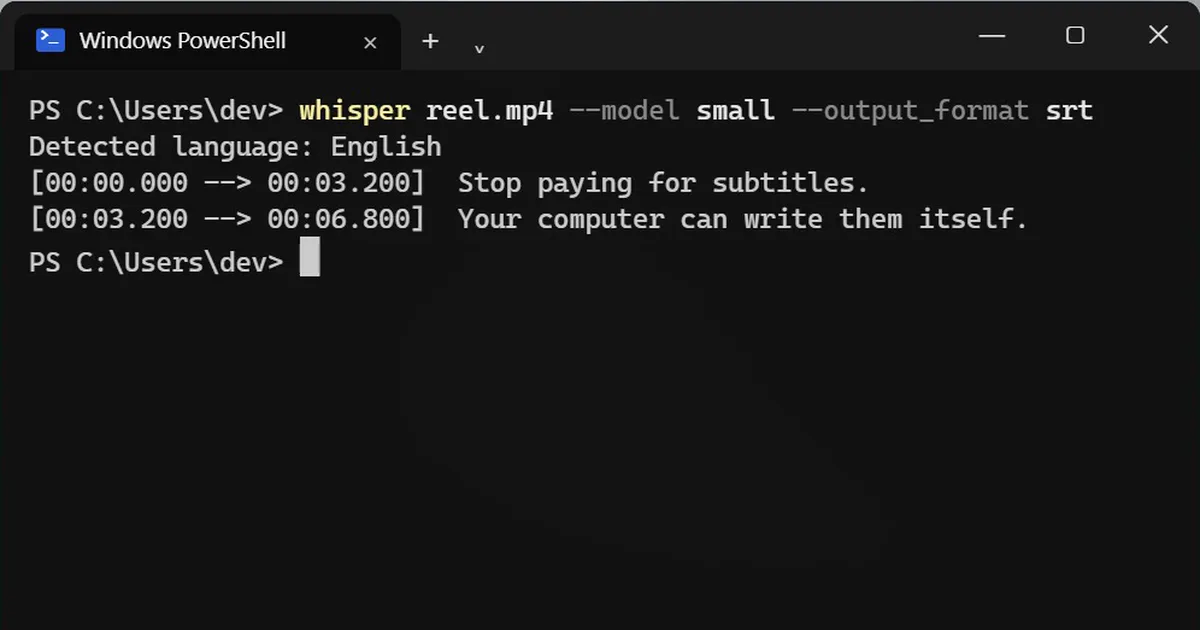
whisper reel.mp4 --model small --output_format srt
The first run downloads the model, so it takes longer. You get reel.srt in the same folder: every line with its start and end time.
Example of what it prints while it works:
Detected language: English
[00:00.000 --> 00:03.200]  Stop paying for subtitles.
[00:03.200 --> 00:06.800]  Your computer can write them itself.
Step 3: Add them to your video
Upload reel.srt in YouTube Studio under Subtitles, or import it into a video editor such as Premiere Pro or DaVinci Resolve.
Translate to English
Got a video in Hindi, Spanish or another language? Add --task translate, and the subtitles come out in English:
whisper hindi.mp4 --model medium --task translate --output_format srt
Use medium (or large) for this. The newer turbo model is not trained for translation.
Which model to pick
Bigger models are more accurate but slower. Whisper's page lists roughly how much graphics memory each needs: tiny and base about 1 GB, small about 2 GB, medium about 5 GB. On a laptop without a graphics card it runs on the processor, which is slow, so start with small.
Always proofread
Whisper is good, not perfect. Names, brand words and mixed languages trip it up. Read the subtitles once before you post, and fix them in any text editor: the SRT file is plain text.



Comments
No comments yet. Be the first to share what worked for you.