How to find the programs that start on a timer on your Windows PC
Published
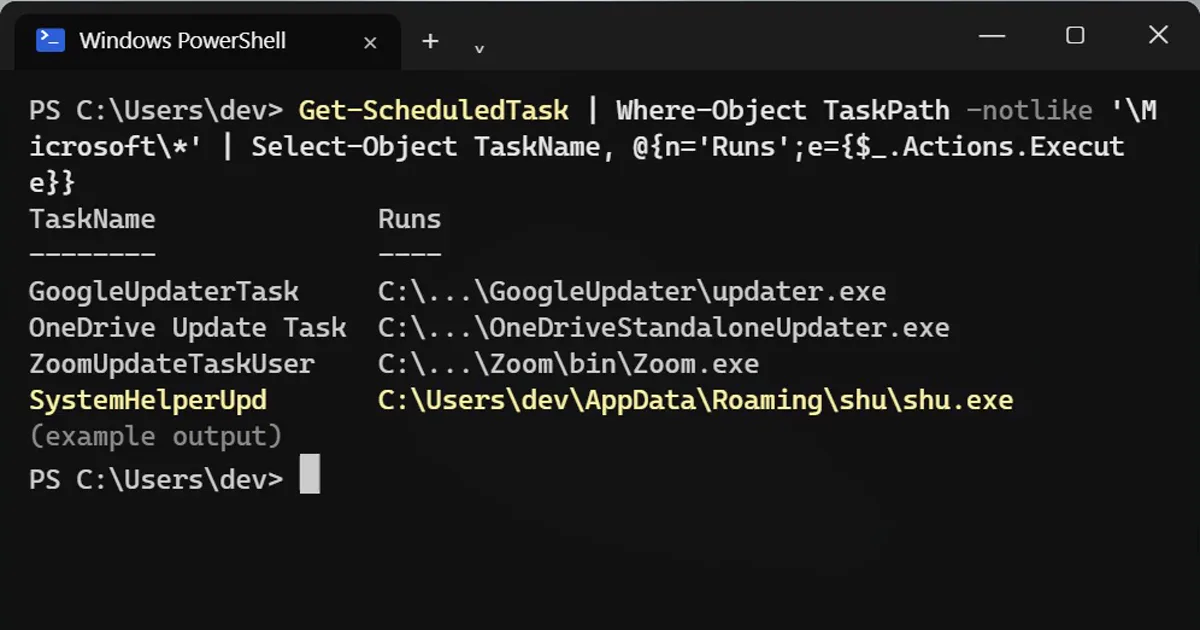
Short answerRun Get-ScheduledTask | Where-Object TaskPath -notlike '\Microsoft\*' to list the non-Microsoft scheduled tasks, then add the Runs column to see which program each starts. Updaters are normal. An unknown name running from AppData or Temp deserves a closer look.
Task Scheduler is the part of Windows that starts programs at a set time, at sign-in or every hour. Most tasks are Windows' own, but apps add theirs too, and some start on a timer even if you never open the app. This shows you the list without the Microsoft noise.
Step 1: List everything that is not Microsoft's
Open PowerShell and type:
Get-ScheduledTask | Where-Object TaskPath -notlike '\Microsoft\*' | Select-Object TaskName, @{n='Runs';e={$_.Actions.Execute}}TaskName Runs -------- ---- GoogleUpdaterTask C:\...\GoogleUpdater\updater.exe OneDrive Update Task C:\...\OneDriveStandaloneUpdater.exe ZoomUpdateTaskUser C:\...\Zoom\bin\Zoom.exe SystemHelperUpd C:\Users\dev\AppData\Roaming\shu\shu.exe
Updaters for Chrome, Edge, OneDrive, Zoom or Firefox are normal. A name you have never heard of, running a program from AppData or Temp, is worth a closer look. The last line above is an invented example of that.
Step 2: When does it run?
Get-ScheduledTaskInfo -TaskName 'SystemHelperUpd' | Select-Object LastRunTime, NextRunTime
Replace the name with the one you found. A task that runs every hour through the night is not automatically bad, but you should know why.
Step 3: See the full command
(Get-ScheduledTask -TaskName 'SystemHelperUpd').Actions | Select-Object Execute, Arguments
This shows the program and its switches, such as --silent or -WindowStyle Hidden.
Hidden is not proof of anything
Backup tools, sync apps and developer tools all run hidden. A hidden window by itself says nothing. Search the task name and the file path first, and check which app owns that folder.
If you are unsure: disable, do not delete
Disabling can be undone:
Disable-ScheduledTask -TaskName 'SystemHelperUpd'
Enable-ScheduledTask -TaskName 'SystemHelperUpd'
Tasks created by an installer may need PowerShell as administrator. If something stops working after you disable a task, enable it again.
More quick tips
More prompts on this topic
- Create an event run-of-showChatGPT · Gemini · Claude



Comments
No comments yet. Be the first to share what worked for you.